Product updates

What’s new at PortzApp

Explore the latest features, improvements, and fixes across our platform.

  1. September 28, 2026

    Product release

    Web

    Export disbursement accounts
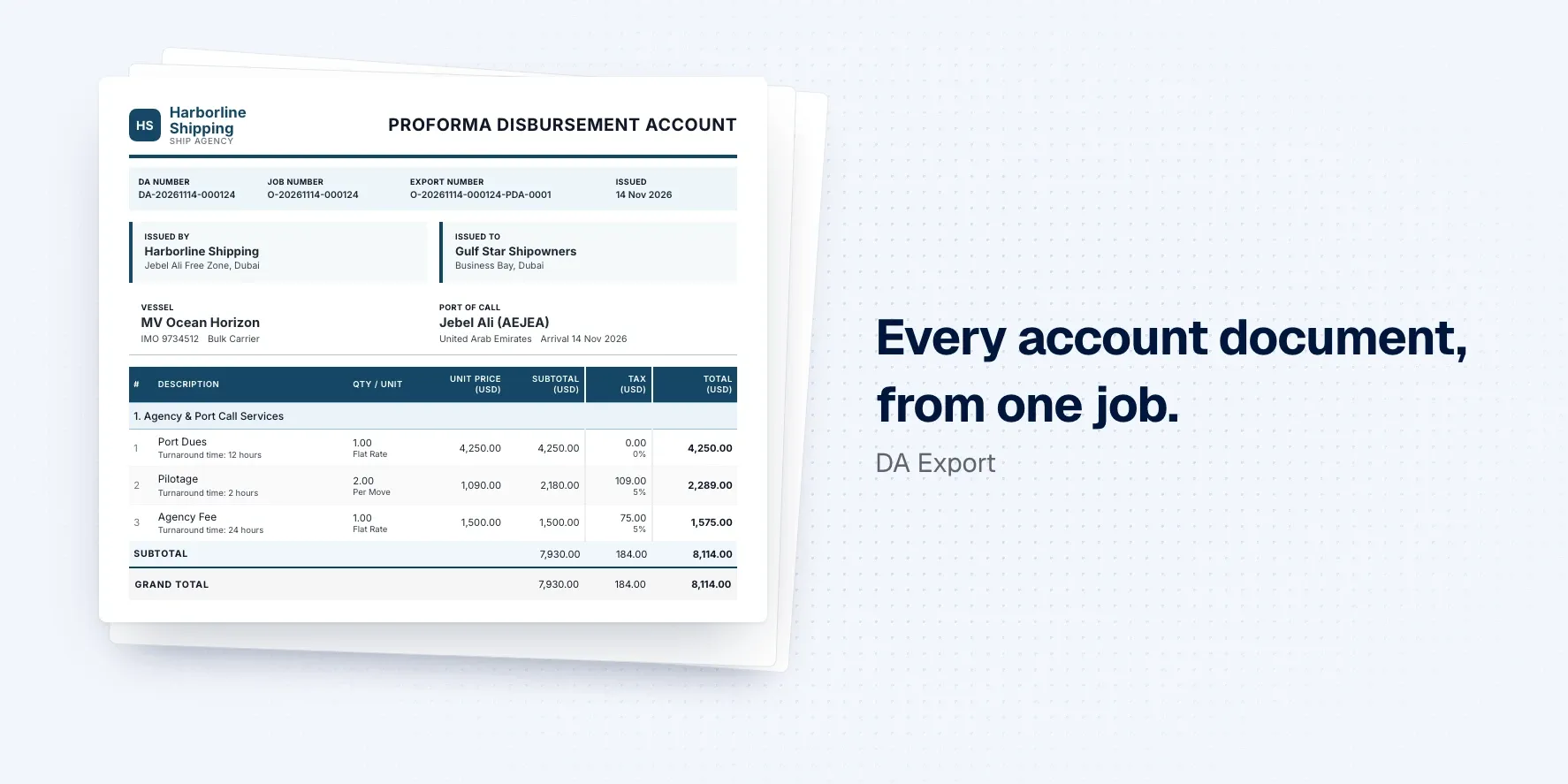
    Proforma disbursement account PDF with charges, tax and totals.

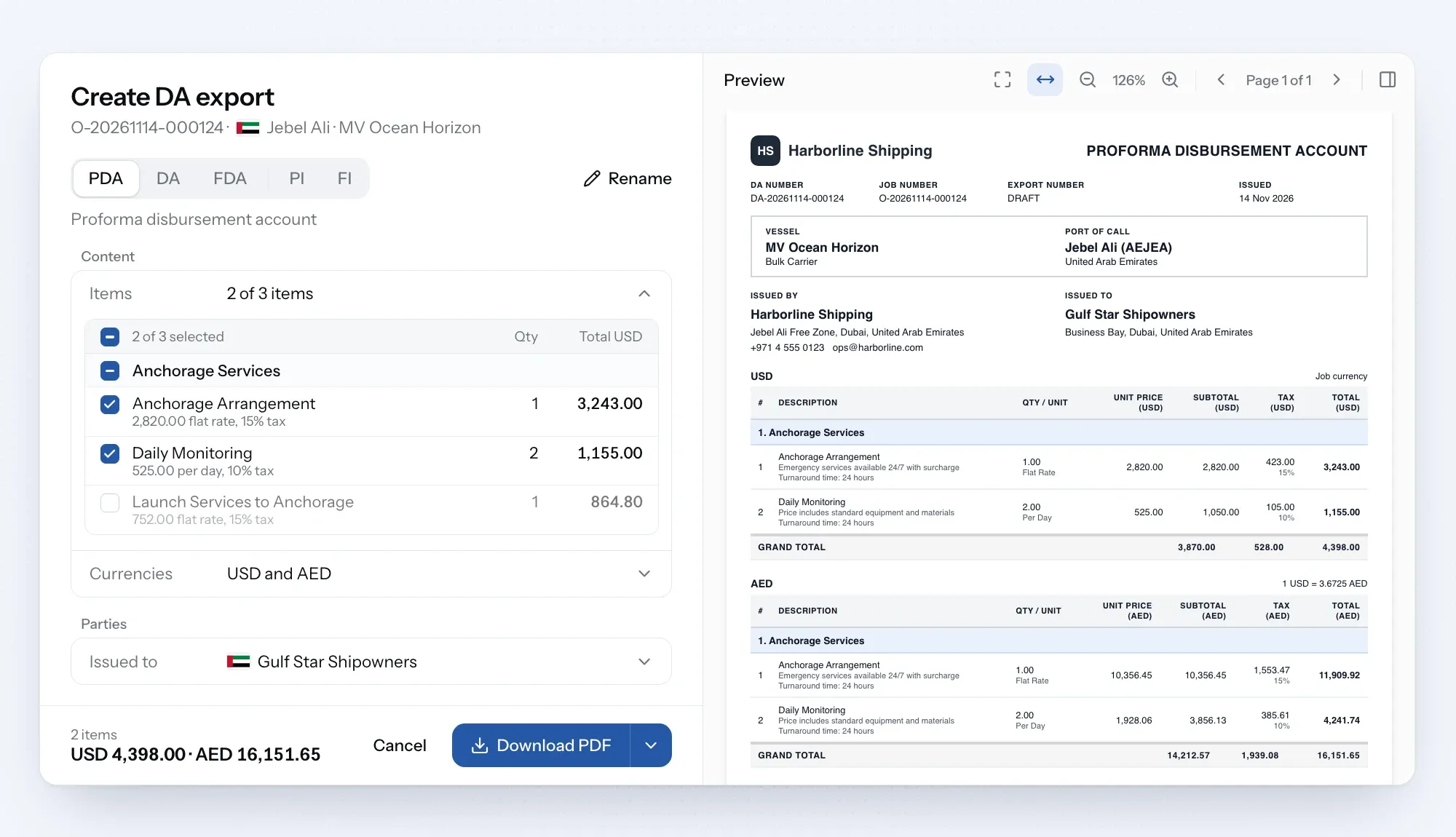
    Disbursement account exports turn the account on any job into a polished, branded document, ready to send. Create a PDA, DA, FDA or invoice in your own design and email it to your client.

    Your DA, ready to send

    Build the account on the job as usual, then turn it into a PDA, DA, FDA or invoice in a few clicks, or rename it for a custom document. Only billable charges appear, so your internal costs and margins stay private.

    Show totals in up to three currencies, including your client's. Download it, check a draft first, or email it straight from the job. Every version is kept in the export history, so you can see what went out and when.
    See how job documents work
    Create DA export screen with document types, download options and export history.

    Set it up once

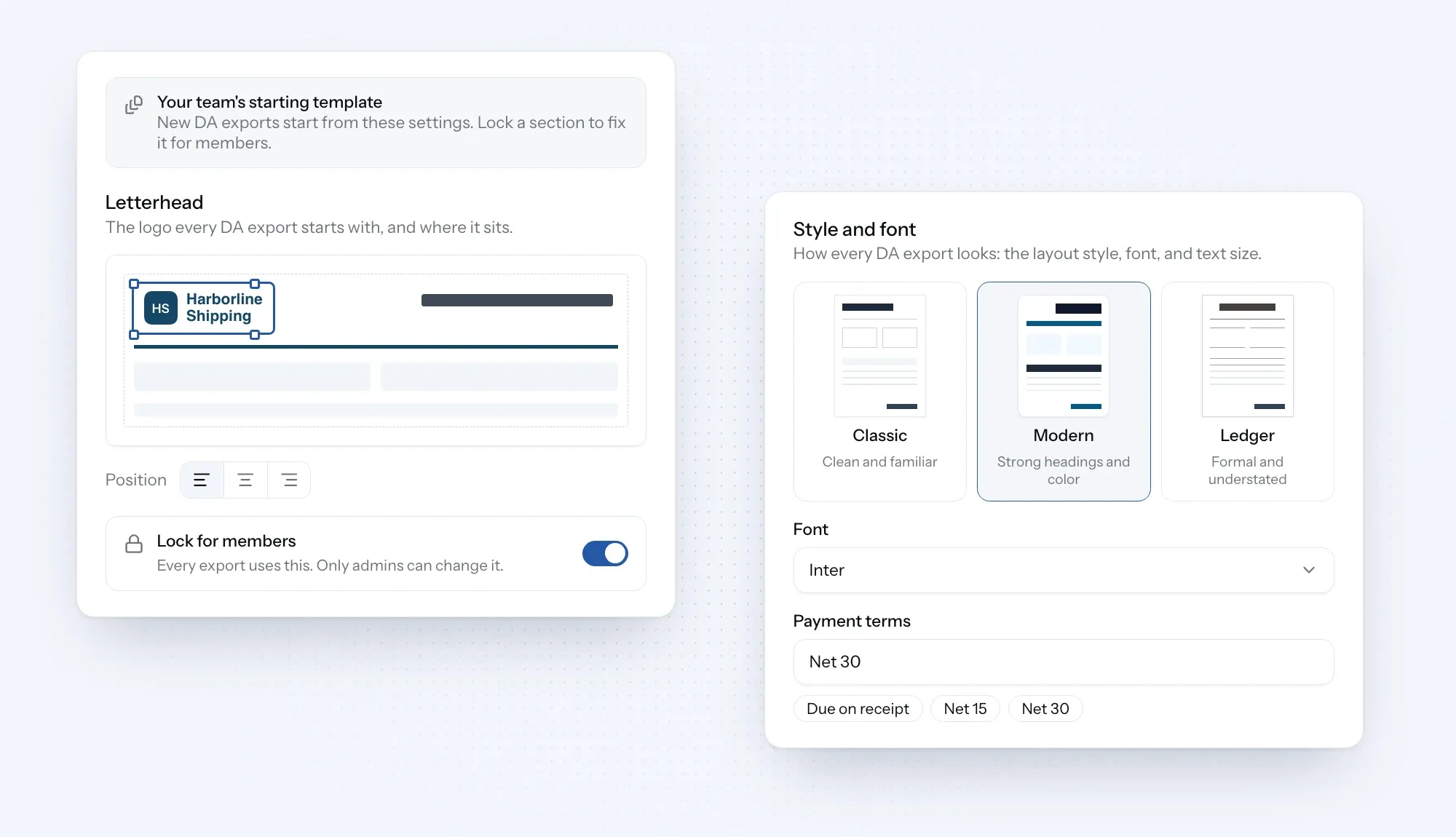
    Organization admins can save your design, letterhead and payment terms as company defaults, and lock them so every document looks the same. New documents can reuse the details from the last one on the job.

    Need to include vendor invoices or receipts? Attach them as PDFs and send everything as one file.
    See how to create and send documents
    DA export settings with letterhead placement, design options and a lock for members.
    New

    Document designs: pick Classic, Modern or Ledger, then set the font and text size to suit your style.

    Logo placement: drag your logo into place on the page and resize it until it looks right.

    Multi-currency totals: show totals in up to three currencies on one document, and print the exchange rates if you want.

    Company defaults: admins save the design, logo and payment terms for the whole company, and can lock them so every document looks the same.

    Create and email: send the document straight to your client from the job and see whether it was delivered.

    Supporting PDFs: add vendor invoices and receipts, so your client gets the DA and its supporting papers in one file.

    Improvements

    Tariff pre-fill: when you add a service to a job's DA, its items and rates come from your saved tariff, using that port's prices where you've set them and converted into the job's currency.

    Service search: search for a service or browse by category when adding it to the DA.
  2. September 17, 2026

    Product release

    Web

    Financial reports

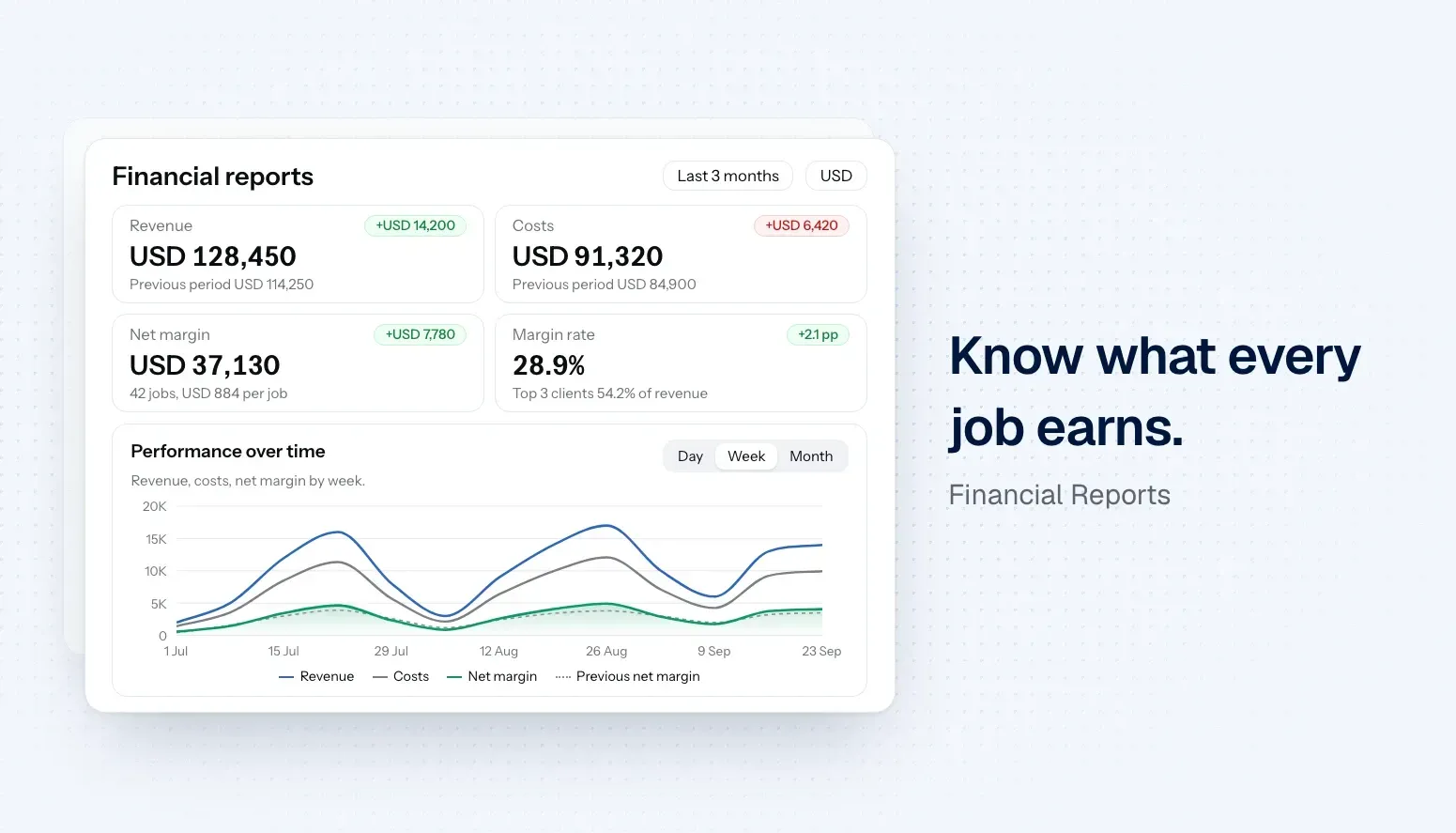
    Financial dashboard showing revenue, costs, net margin, margin rate, and performance over time.

    Financial reports give your business a clear view of how it's performing, with revenue, costs and margin across every job, compared with the period before. Whether you're a ship agent, supplier, vendor, freight forwarder or broker, spot your most profitable clients and services, export the numbers or get a summary by email.

    See how your business is really doing

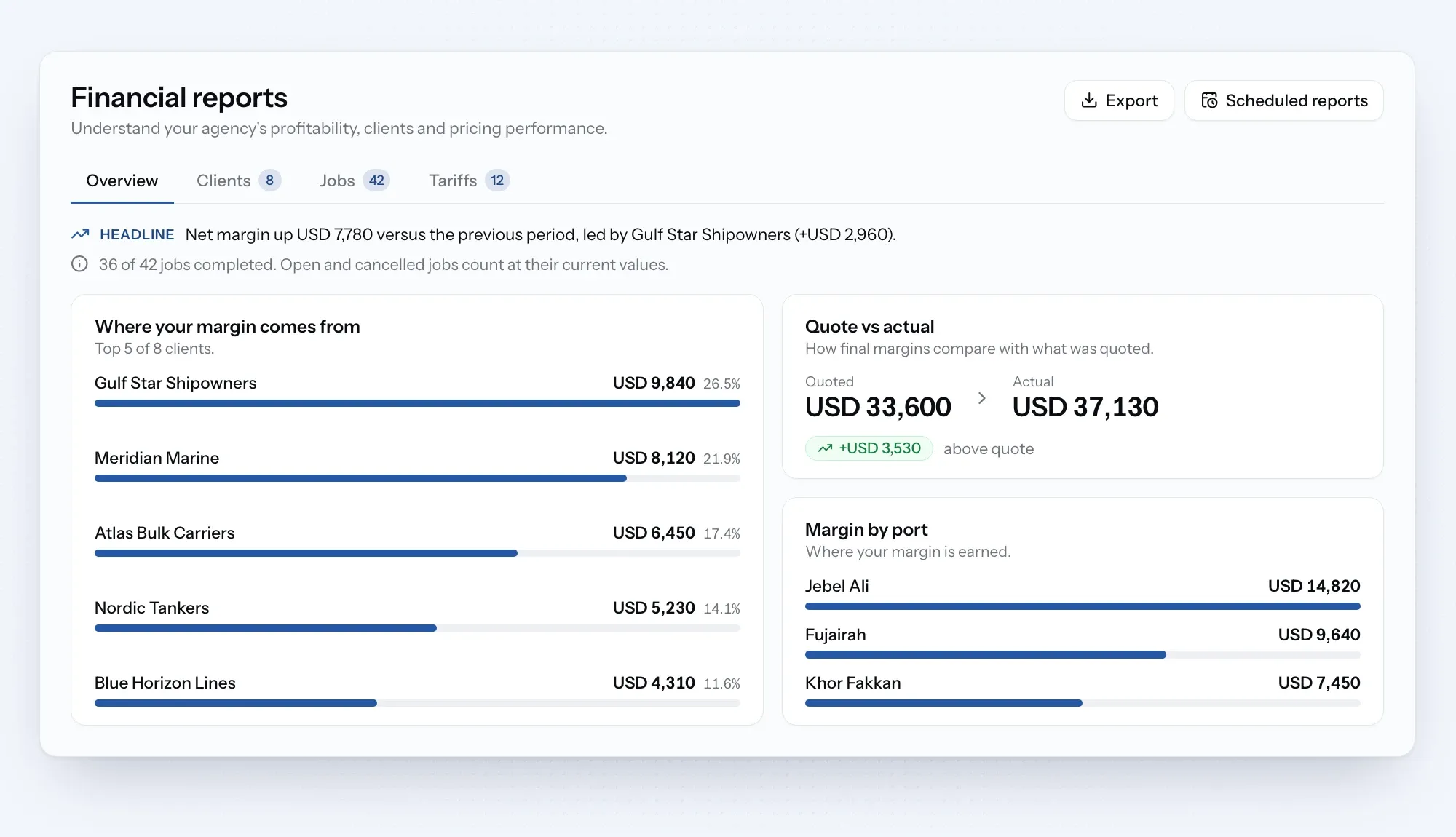
    Financial reports bring revenue, costs and margin from every job into one place, compared with the period before. See which clients, ports and tariff items earn you the most, and how your quotes compare with what you actually made.

    Open Financial reports from the sidebar, under Your Business. Pick a period, filter by client or job type, and view the figures in the currency you need.

    See how financial reports work
    Financial reports overview showing client margins, quote versus actual, and port margins.

    Reports that come to you

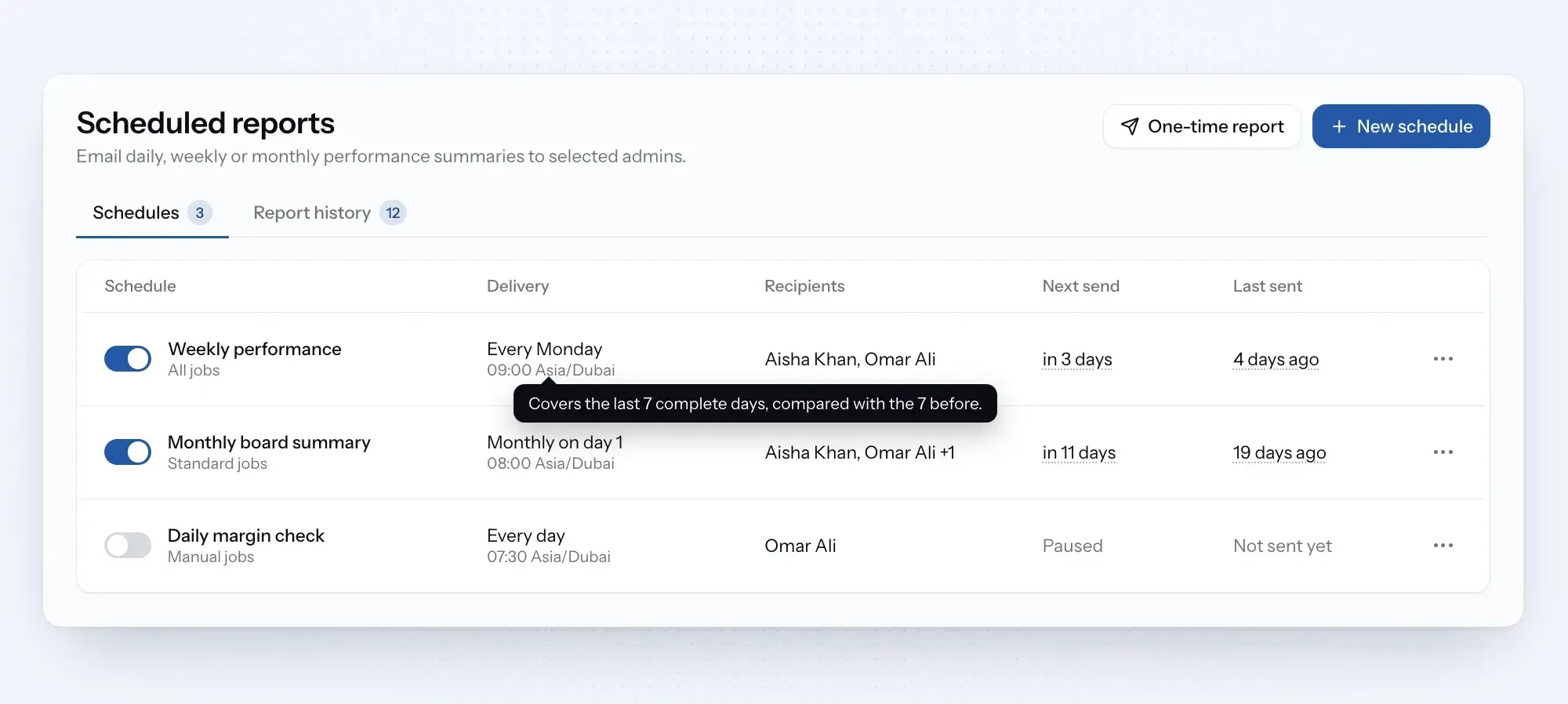
    Organization admins can schedule a daily, weekly or monthly report by email, or send a one-time report whenever it's needed. Each email highlights the key changes, links back to the full report and includes the complete job list as a CSV.

    Every report you send is saved, so you can look back at the figures as they were. Need the data elsewhere? Export clients, jobs or tariff items as a CSV at any time.

    See how to manage your reports
    Scheduled financial reports, recipients, and next send times.
    New

    Financial overview: see revenue, costs, net margin and margin rate for any period, compared with the period before.

    Client and job insights: find out which clients, jobs, ports and vessels bring in the most margin.

    Tariff insights: see how often each tariff item was used and what it earned.

    Quote vs actual: compare what you quoted with what you actually made on each job.

    Currency view: see the whole report in another currency, with the exchange rate shown.

    Scheduled reports: admins can get a daily, weekly or monthly summary by email.

    CSV export: download clients, jobs or tariff items to use in your own tools.

  3. September 10, 2026

    Product release

    Web

    Statement of Facts

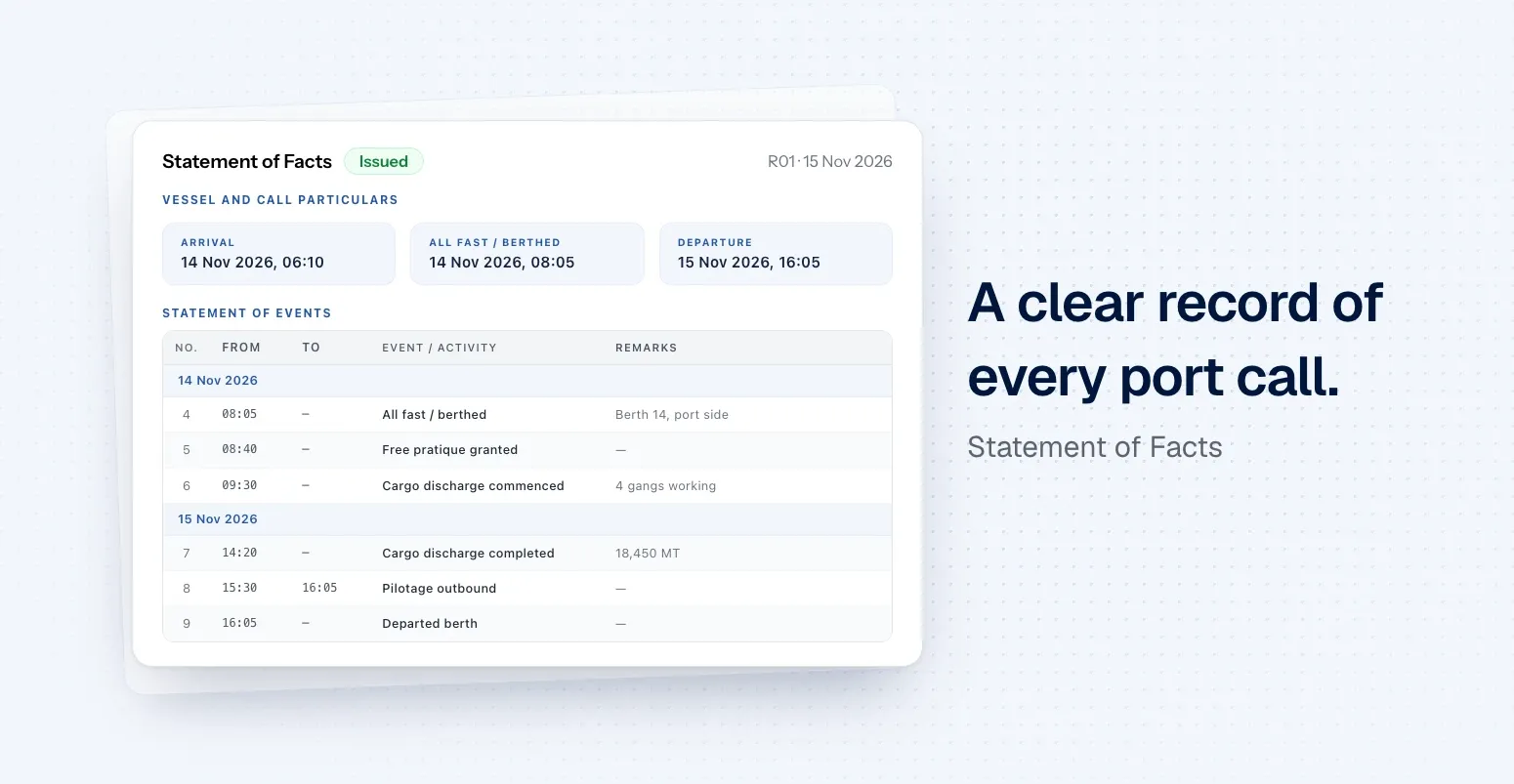
    Statement of Facts with arrival, berthing and departure milestones above a timeline of port call events.

    The Statement of Facts is a clear record of everything that happened during a port call, built from the events you've already logged. Review the times, add what's missing and issue a ready-to-share PDF.

    Your SOF, built from the port call

    Writing a Statement of Facts by hand means copying times from emails and notes. Now the events you log during a port call become your SOF, so you only need to check it, not type it up.

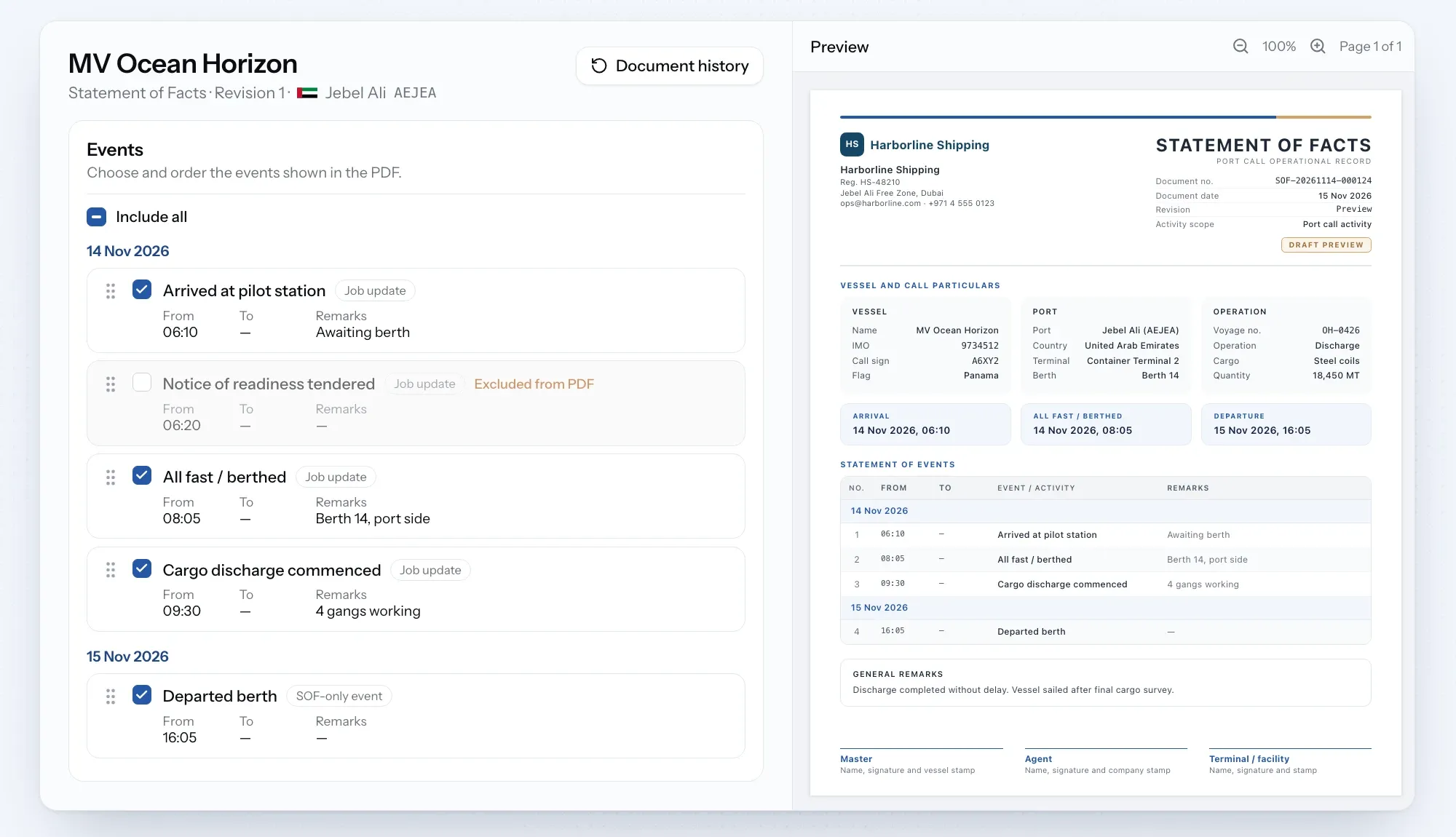
    Open the port call and prepare an SOF from its SOF documents tab. Adjust times, leave out or add events, and preview the PDF as you go. Drafts save automatically.

    See how the Statement of Facts works
    Statement of Facts editor showing port call events with times beside a live PDF preview.

    One record for everyone on the call

    Before you issue, we'll flag anything that looks off, like a missing arrival or departure time, or events in the wrong order. Once it's issued, the SOF is locked and shared with both the buyer and the provider, so everyone works from the same record.

    Spotted a mistake later? Just issue a new revision. Earlier versions stay in the history.

    See how port calls work
    New

    Statement of Facts: turn your port call events into an SOF without typing it up.

    SOF editor: adjust times, leave out or add events, and preview the PDF as you go.

    Issue checks: get a warning about missing milestones or events out of order before you issue.

    Shared and locked: once issued, both companies on the call see the same SOF, and it can't be changed.

    Revisions: issue a new version when something changes, and keep the earlier ones in the history.

    Improvements

    Port call header: the port, status and schedule now sit on one row, with a quick way to add a missing ETA or ETD.

    Port call milestones: click a milestone to log it, or jump straight to it in the operations log.

  4. July 31, 2026

    Product release

    Web

    Maritime Directory

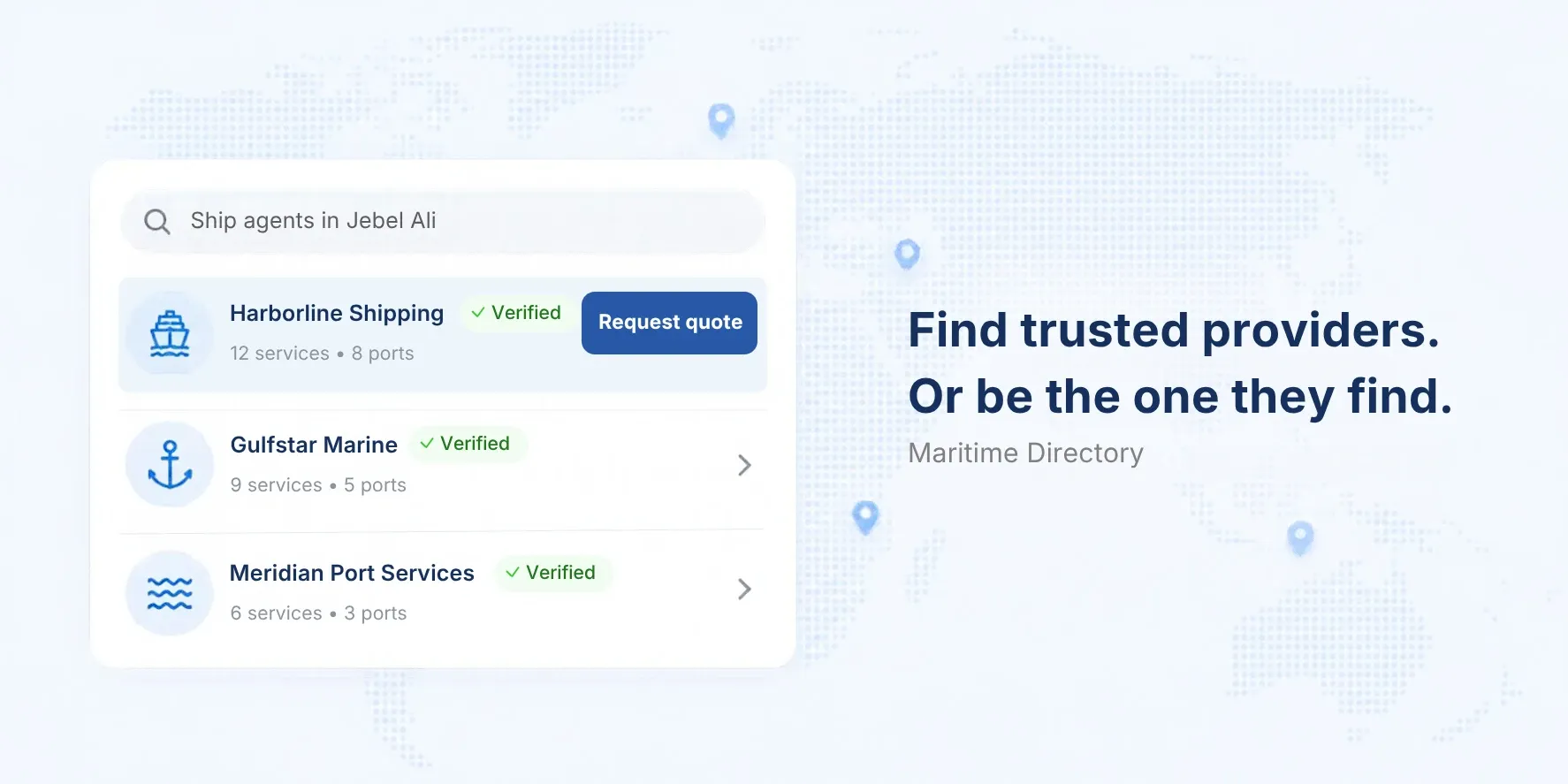
    Maritime Directory search showing verified ship agents with a Request quote option.

    Meet the Maritime Directory, your new home for finding trusted maritime companies. Ship agents, suppliers, vessel owners, ship managers, charterers, brokers and more, all in one place and ready to work with. Browse freely and sign up when you're ready to reach out.

    See it in action

    Find the right partner, wherever you call

    Finding a reliable agent or supplier in an unfamiliar port usually means asking around. The Maritime Directory brings verified companies into one search, so you can see who works where and what they offer in seconds.

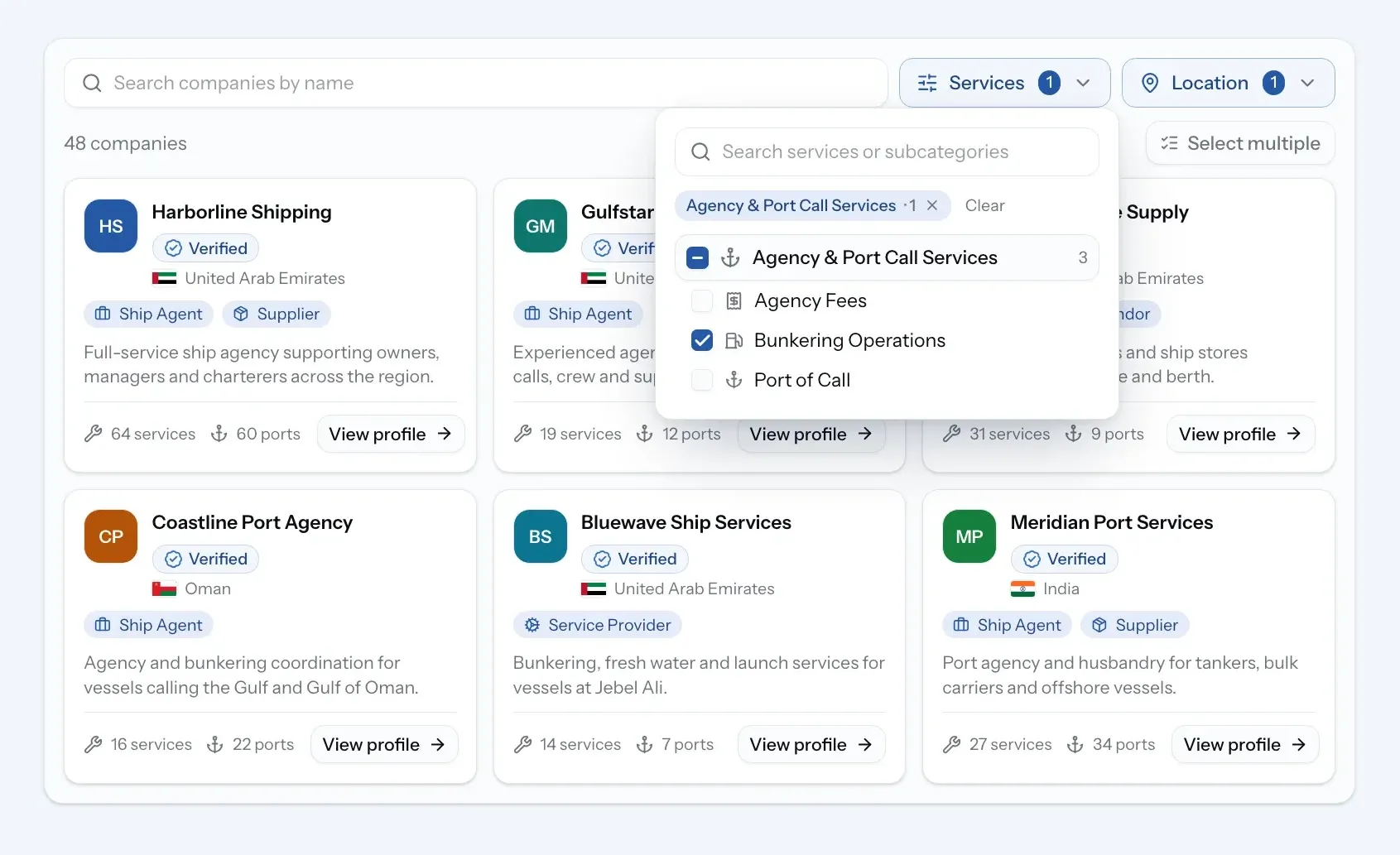
    Open Directory from the sidebar and search by port and service. Send a request to the companies you pick, or open it to every verified provider in the port and let them quote.

    See how the directory works
    Maritime Directory filtered by service and port, showing verified companies.

    Your company profile

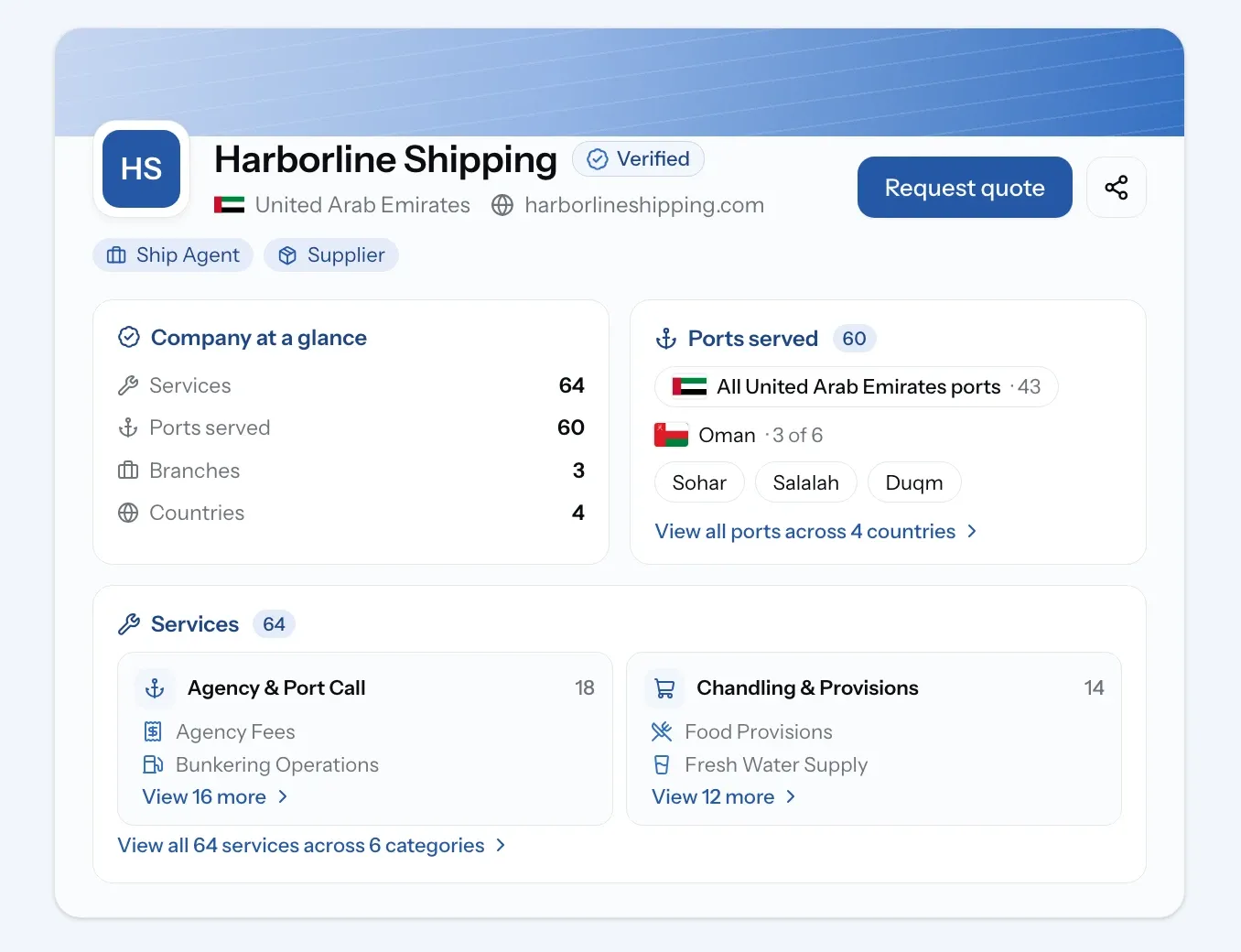
    Every company on PortzApp gets a profile: one page that shows who you are, what you offer and how to reach you. Service providers list their services and the ports they cover. Owners, managers and charterers can show their fleet. You can add your logo, branches, references and certifications too.

    Your profile stays private until you publish it. Once your company passes KYC verification, it goes live in the directory with the Verified badge. Find it under My Company Profile in the sidebar, or claim your listing if your company is already there.

    See how company profiles work
    Company profile showing verified status, ports served and services.
    New

    Maritime Directory: find maritime companies of every kind in one place.

    Company profiles: services, ports, fleet and contact details on one page.

    Company verification: KYC checks, so you know every verified company is a real business.

    Targeted and open RFQs: send a request to the companies you pick, or open it to every verified provider in the port.

    Profile claiming: if your company is already listed in the directory, claim its profile from the company page and manage it as your own.

    Improvements

    Profiles in your work: open a company's profile straight from your requests, RFQs and jobs, without leaving the page.

    Your role at sign-up: choose what best describes your work, one role or several, so your company shows up under the right types in the directory.

    Setup checklist: after sign-up, a simple checklist walks you through verifying your email and company, creating your profile, and picking up any quote request or claim you started before joining.

FAQ

01

02

03

04

05