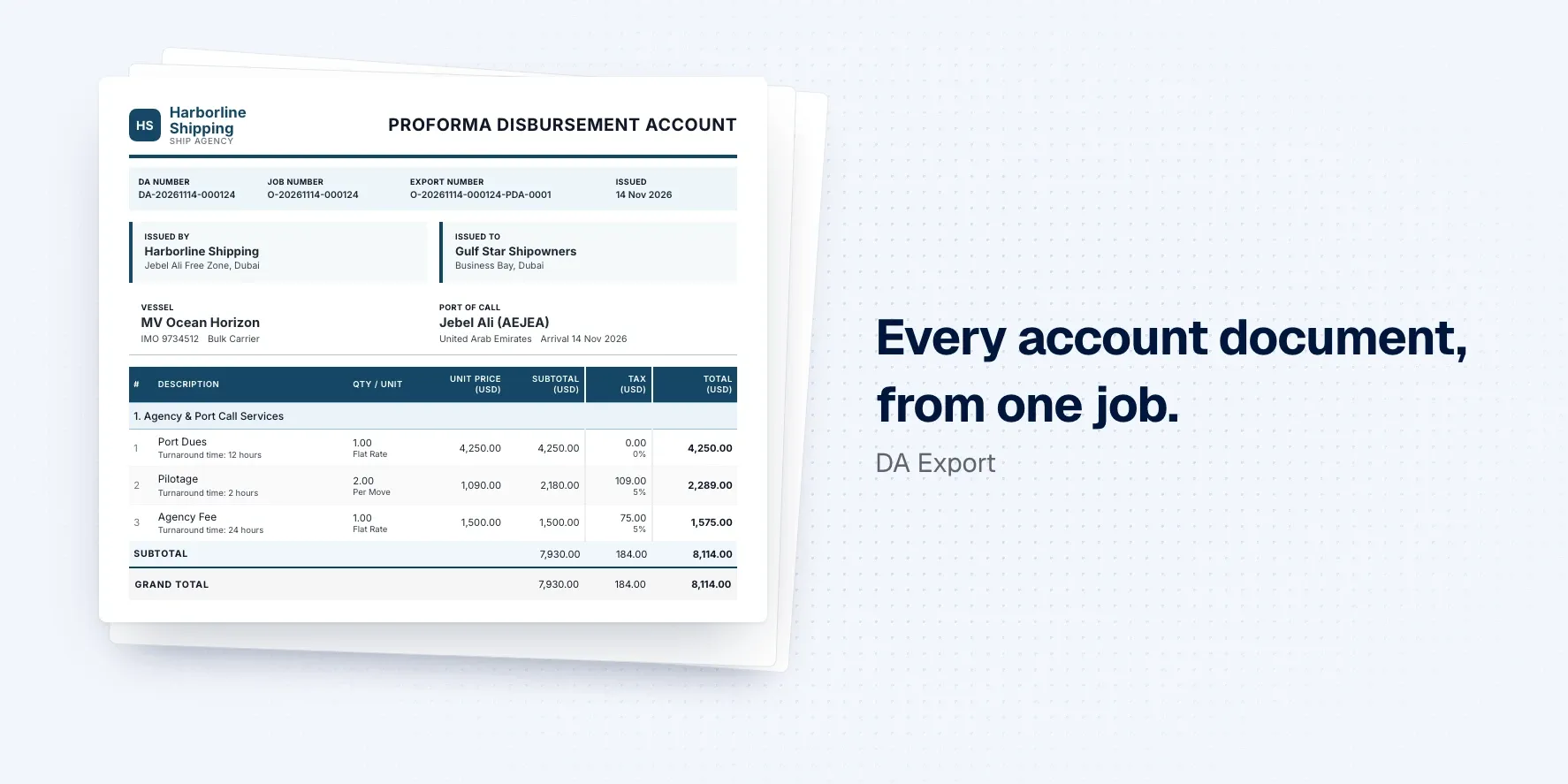
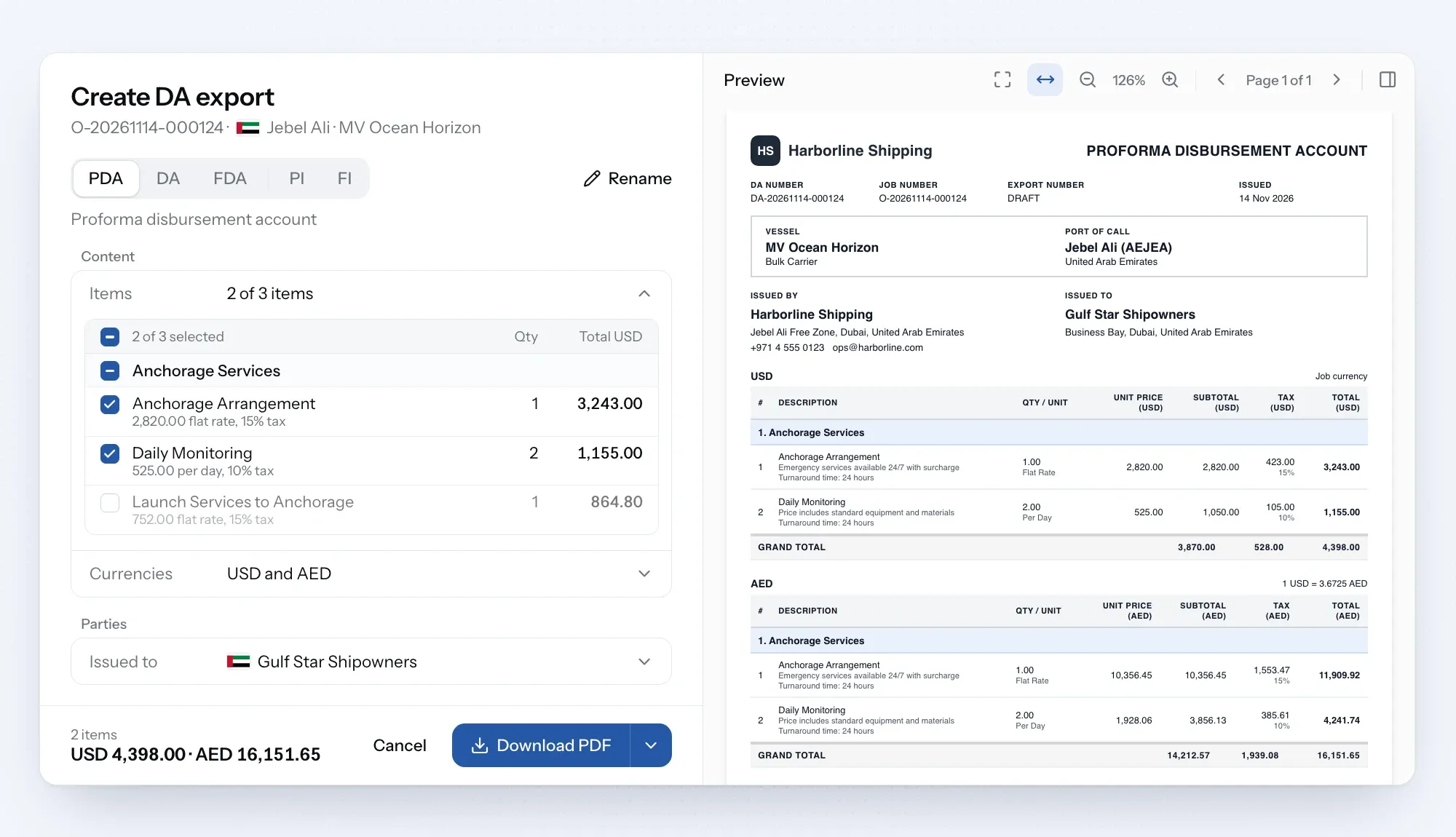
Disbursement account exports turn the account on any job into a polished, branded document, ready to send. Create a PDA, DA, FDA or invoice in your own design and email it to your client.
Your DA, ready to send
Build the account on the job as usual, then turn it into a PDA, DA, FDA or invoice in a few clicks, or rename it for a custom document. Only billable charges appear, so your internal costs and margins stay private.
Show totals in up to three currencies, including your client's. Download it, check a draft first, or email it straight from the job. Every version is kept in the export history, so you can see what went out and when.
Set it up once
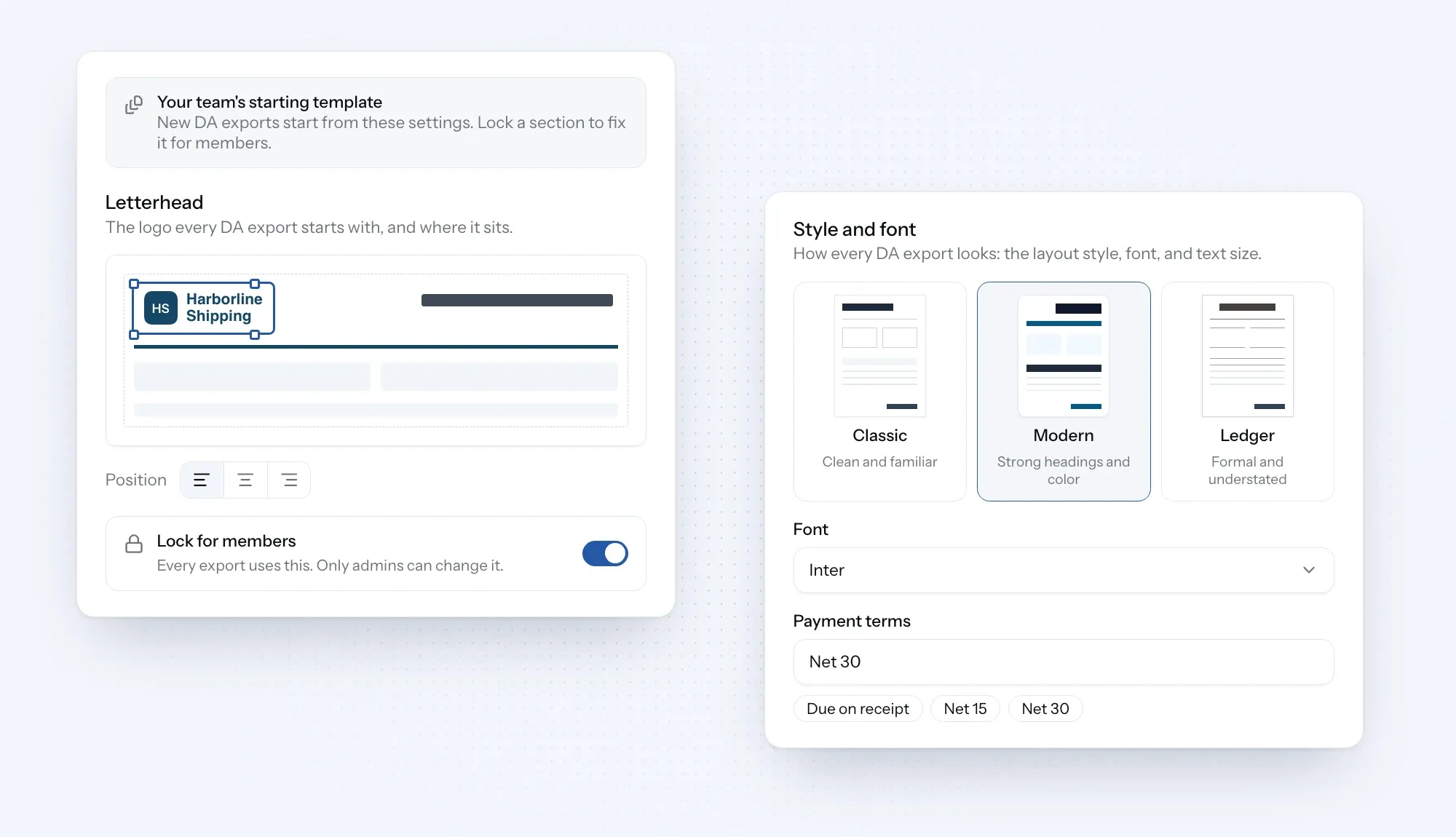
Organization admins can save your design, letterhead and payment terms as company defaults, and lock them so every document looks the same. New documents can reuse the details from the last one on the job.
Need to include vendor invoices or receipts? Attach them as PDFs and send everything as one file.
New
Document designs: pick Classic, Modern or Ledger, then set the font and text size to suit your style.
Logo placement: drag your logo into place on the page and resize it until it looks right.
Multi-currency totals: show totals in up to three currencies on one document, and print the exchange rates if you want.
Company defaults: admins save the design, logo and payment terms for the whole company, and can lock them so every document looks the same.
Create and email: send the document straight to your client from the job and see whether it was delivered.
Supporting PDFs: add vendor invoices and receipts, so your client gets the DA and its supporting papers in one file.
Improvements
Tariff pre-fill: when you add a service to a job's DA, its items and rates come from your saved tariff, using that port's prices where you've set them and converted into the job's currency.
Service search: search for a service or browse by category when adding it to the DA.