
Statement of Facts
A Statement of Facts (SOF) is the PDF record of what happened during a vessel's port call. PortzApp builds it from the operations log, so you review and issue it instead of typing it up.
FOR BUYERS & PROVIDERS
Either company working the visit can prepare an SOF. Admin, Manager and Operations can prepare and issue one. Other roles can read issued SOFs.
Key takeaways
An SOF is built from the port call's operations log, so the facts are already recorded.
Drafts stay with your company. The other company only sees an SOF once it is issued.
Changes to events in a draft affect that SOF only, never the operations log.
Issuing locks the PDF. A later SOF replaces it as the current version, and earlier ones are kept.
An SOF records the facts. It is not a signed agreement.
Where SOFs live
Every port call has an SOF documents tab listing its SOFs and their revisions. Prepare a new one from there or from the top of the port call, where the latest issued SOF is also one click away. If you already have a draft, preparing again reopens it, so work carries on where you left off.
If an event in the operations log is corrected after an SOF was issued, the tab says so, and you can prepare a new revision to review.
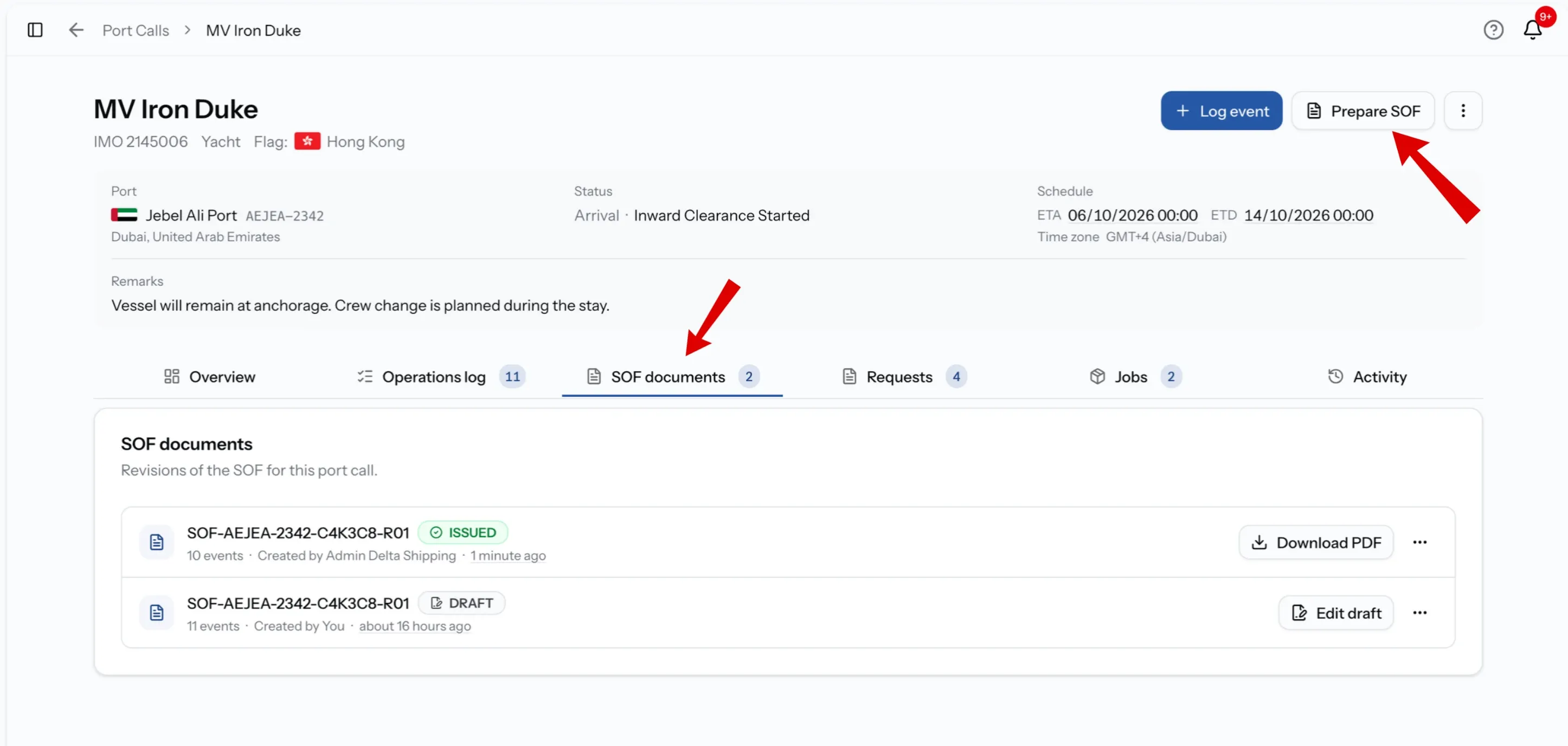
Built from the operations log
A new SOF starts with the events from the operations log, copied in as a snapshot. You decide what the PDF shows:
- Include or exclude each event.
- Reorder events, or restore them to time order.
- Adjust times for one or several events, by shifting them or setting a date. This changes the SOF only, not the log.
- Add an SOF-only event for something that belongs on the document but not in the log.
Each event shows where it came from: the port call, a request or a job.
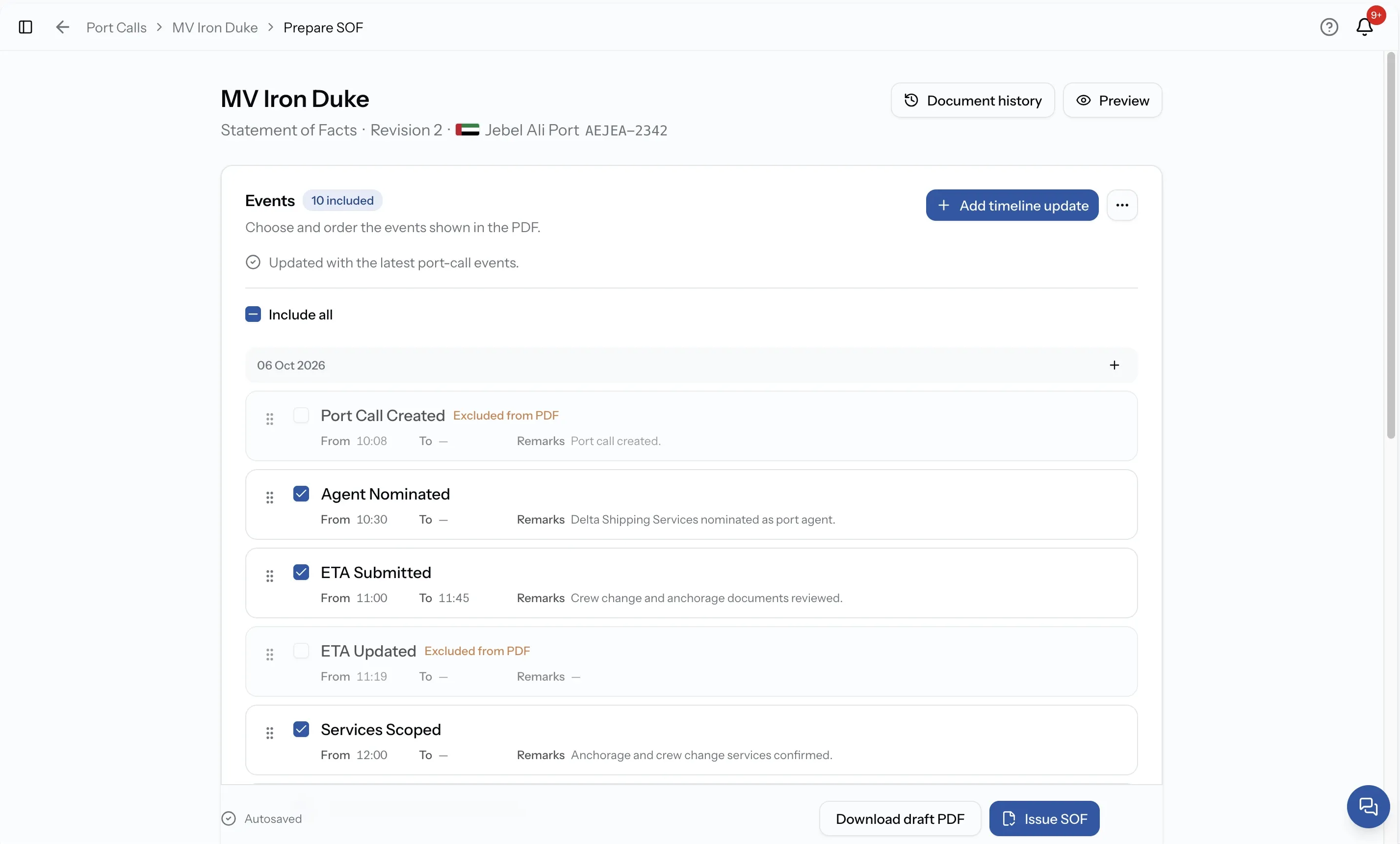
Choose the event source
An SOF can cover the whole visit, or the work behind one request or job. Pick the source in the editor.
Event source
Shared port call activity
What the SOF includes
The events shared with everyone working the visit.
Event source
All activity I can access
What the SOF includes
Shared events plus those from every request and job your company can see.
Event source
Job + shared activity
What the SOF includes
One job's events, together with the shared events.
Event source
Request + shared activity
What the SOF includes
One request's events, together with the shared events.
Document details
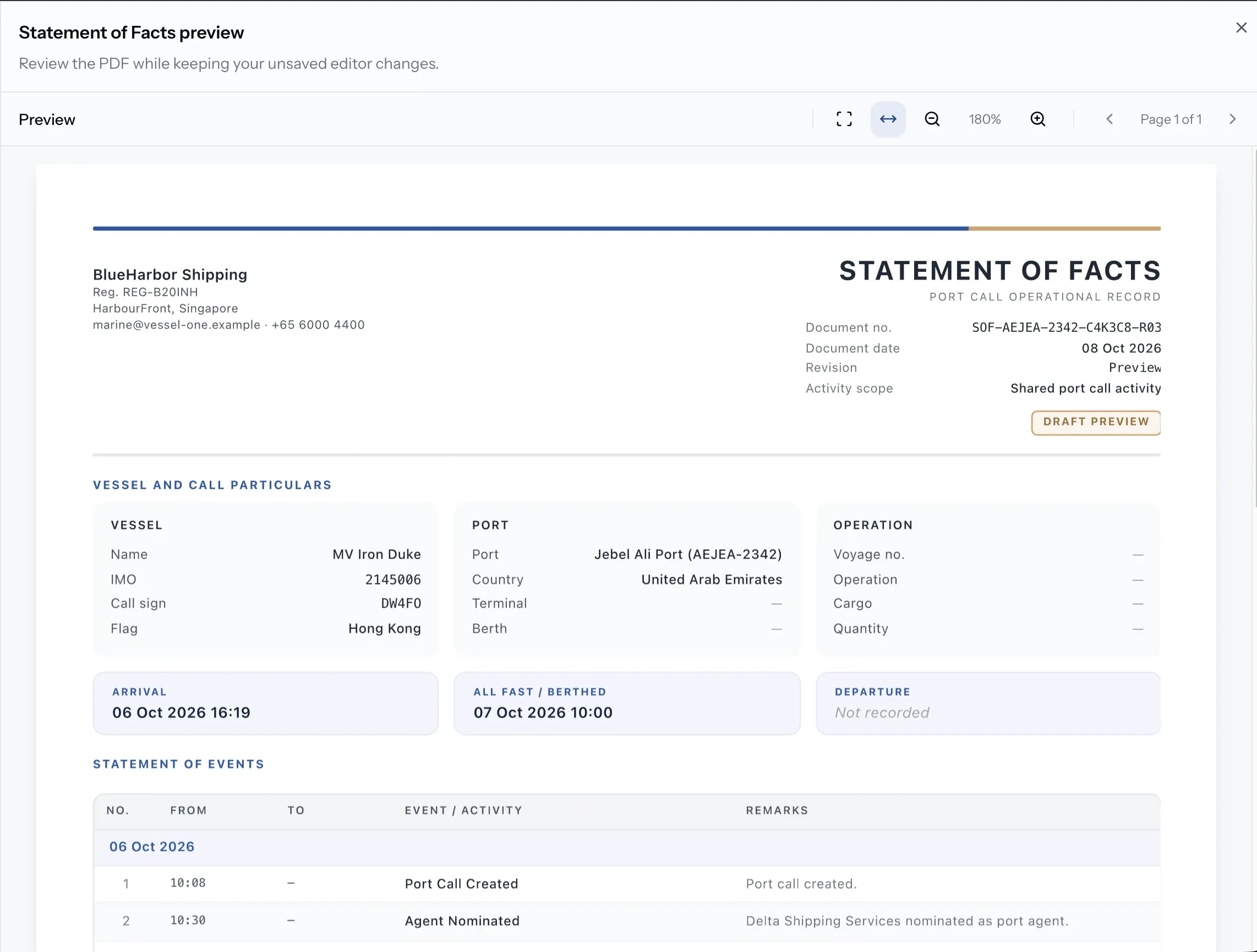
Around the events, the SOF carries the details a Statement of Facts is expected to have, grouped as they print:
- Document: number and date.
- Agent: name, representative and contact details.
- Vessel: name, IMO number, flag, call sign and master.
- Port: port, berth, terminal and time zone.
- Voyage and cargo: voyage number, operation, cargo description and quantity.
- Remarks and signatures: general remarks and the names of those signing.
Drafts save automatically, and a draft PDF can be previewed or downloaded at any point. When no agency logo is set, the PortzApp mark can be shown instead.
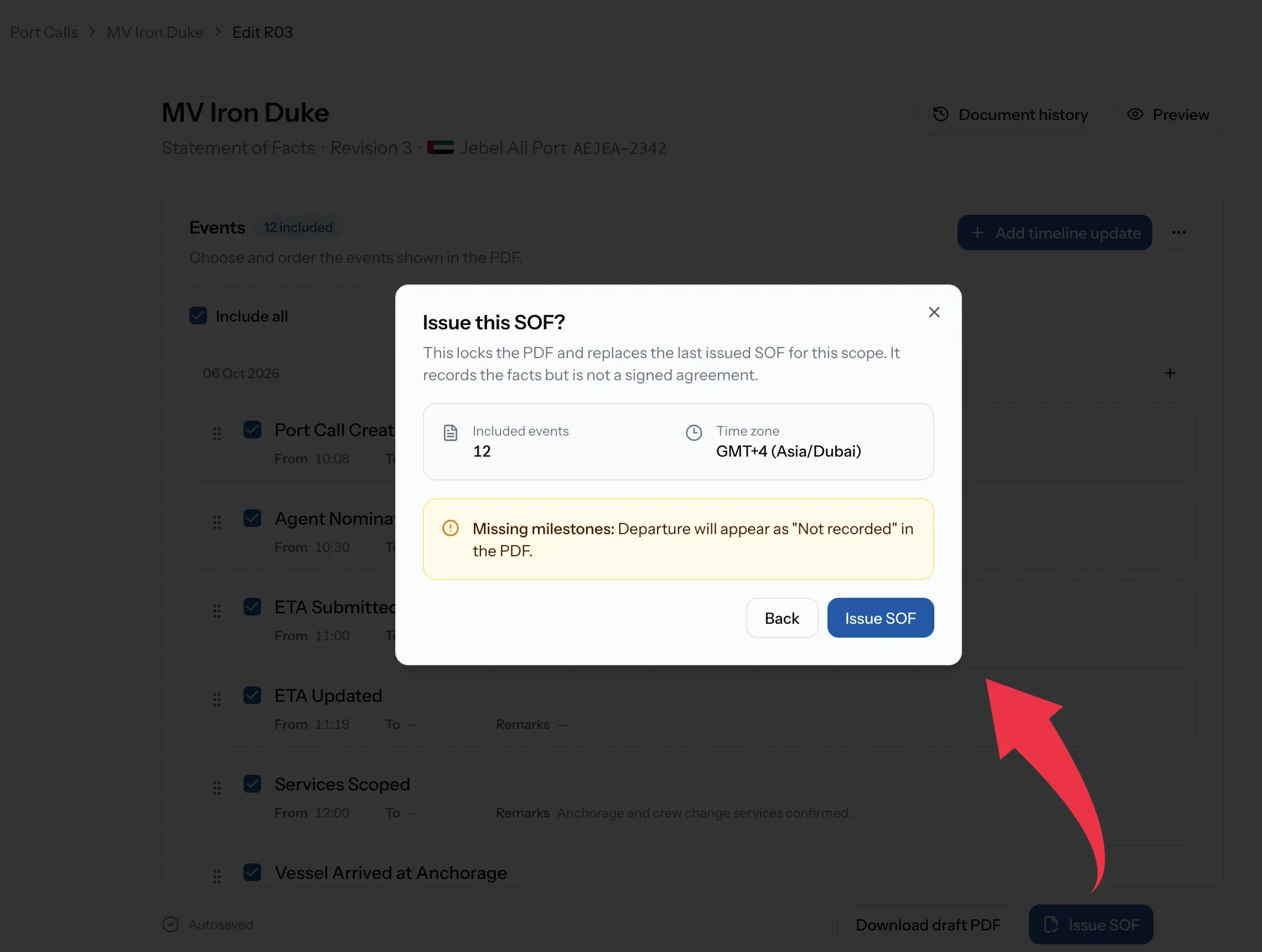
Issuing an SOF
Issuing turns the draft into the shared record. Before you confirm, PortzApp shows how many events are included and the time zone used. It also flags events that are out of time order, and any of Arrival, All fast / berthed or Departure that are missing. Missing milestones print as "Not recorded".
Once issued, the PDF is locked and the other company can open it. Issuing a newer SOF for the same event source replaces it as the current version. Every revision stays listed, so you can always see what was issued and when.
Draft or issued
Draft
Seen only by your company.
Issued
Seen by both companies working the visit.
Draft
Can be edited until it is issued.
Issued
Locked. Corrections go in a new SOF.
Draft
Draft PDF for checking.
Issued
The current SOF until a newer one is issued.
Related feature
Port Call Management
How port calls, their statuses and the operations log work.
Common issues
I cannot prepare an SOF
Your role cannot update the port call. Admin, Manager and Operations can prepare and issue SOFs.
The SOF has no events
Nothing has been logged on the port call yet. Log events first, or add SOF-only events.
The other company cannot see our SOF
It is still a draft. Only issued SOFs are shared.
The PDF says Not recorded
Arrival, all fast or departure was not in the events. Add the milestone to the operations log, or as an SOF-only event, and issue a new SOF.
An issued SOF has a mistake
Issued SOFs are locked. Correct the event in the operations log if needed, then prepare and issue a new SOF.
FAQ
01
02
03
04
05