
Maritime Directory
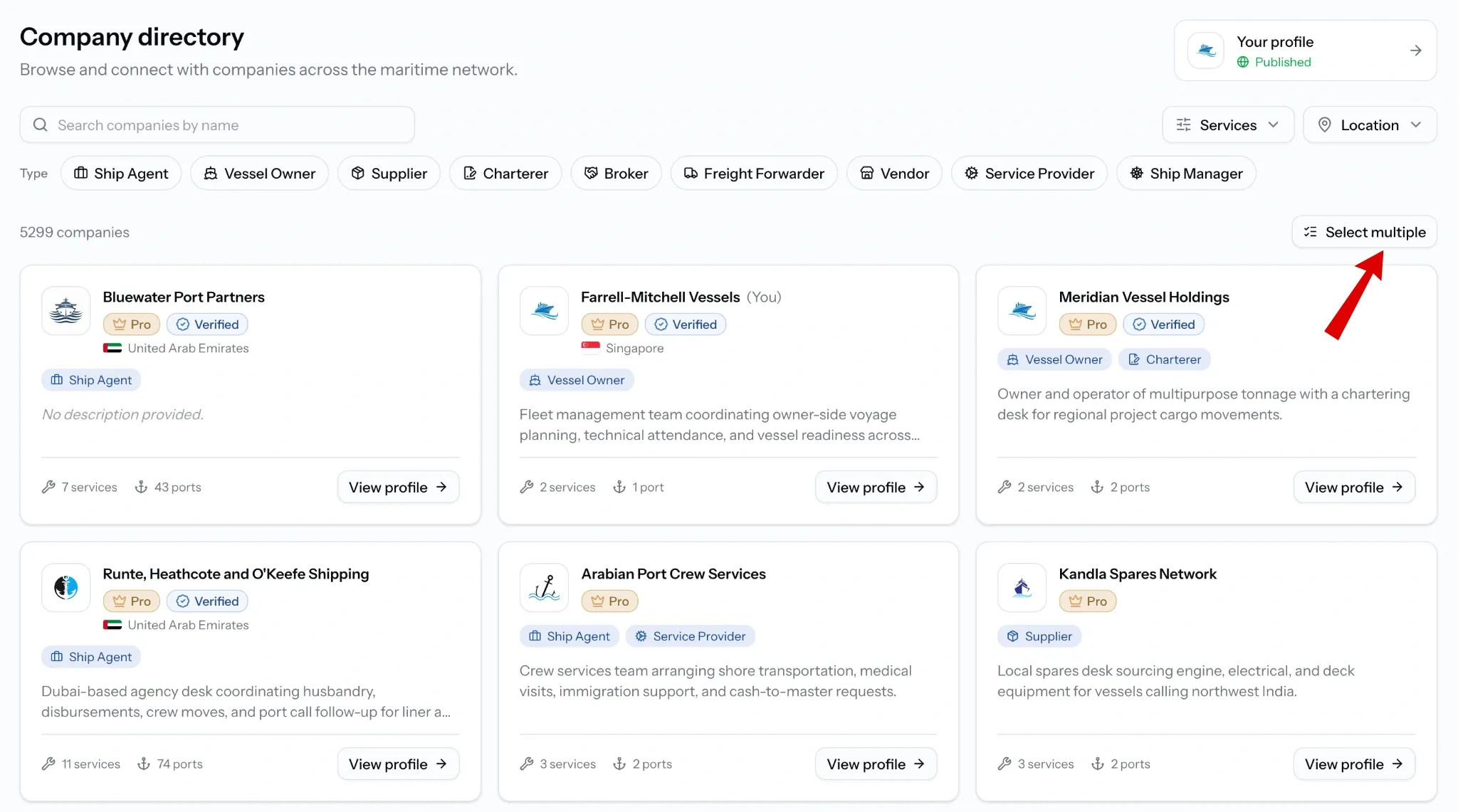
The company directory is where you find and get found on PortzApp. Search maritime companies by name, type, service, and location, read what they offer, and request quotes without leaving the page.
FOR BUYERS & PROVIDERS
Buyers use the directory to find providers. Providers appear in it once their profile is published and their company is verified. Browsing is free on every plan; requesting from several companies at once is part of Pro.
Key takeaways
- Company type, services, and location filters combine, so you can narrow to providers covering a single port.
- Verified means PortzApp has reviewed the company's registration documents; Pro means they are on a paid plan.
- A company page carries services, ports served, branches, references, FAQs, and credentials.
- Request a quote starts a request already addressed to that company.
- Select multiple sends one request to several companies at once.
Where to find it
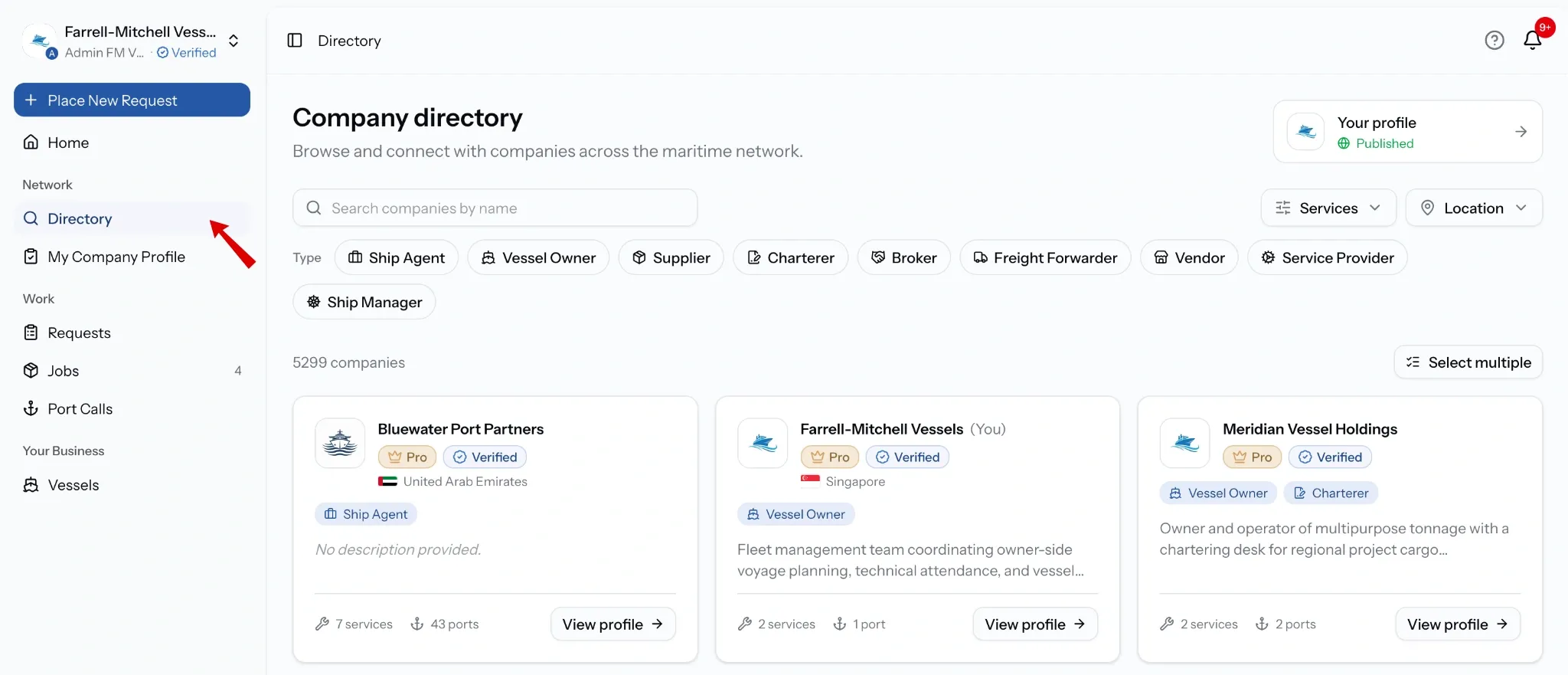
Select Directory under Network in the sidebar. The Discover companies panel on your dashboard also links straight into it.
Finding companies
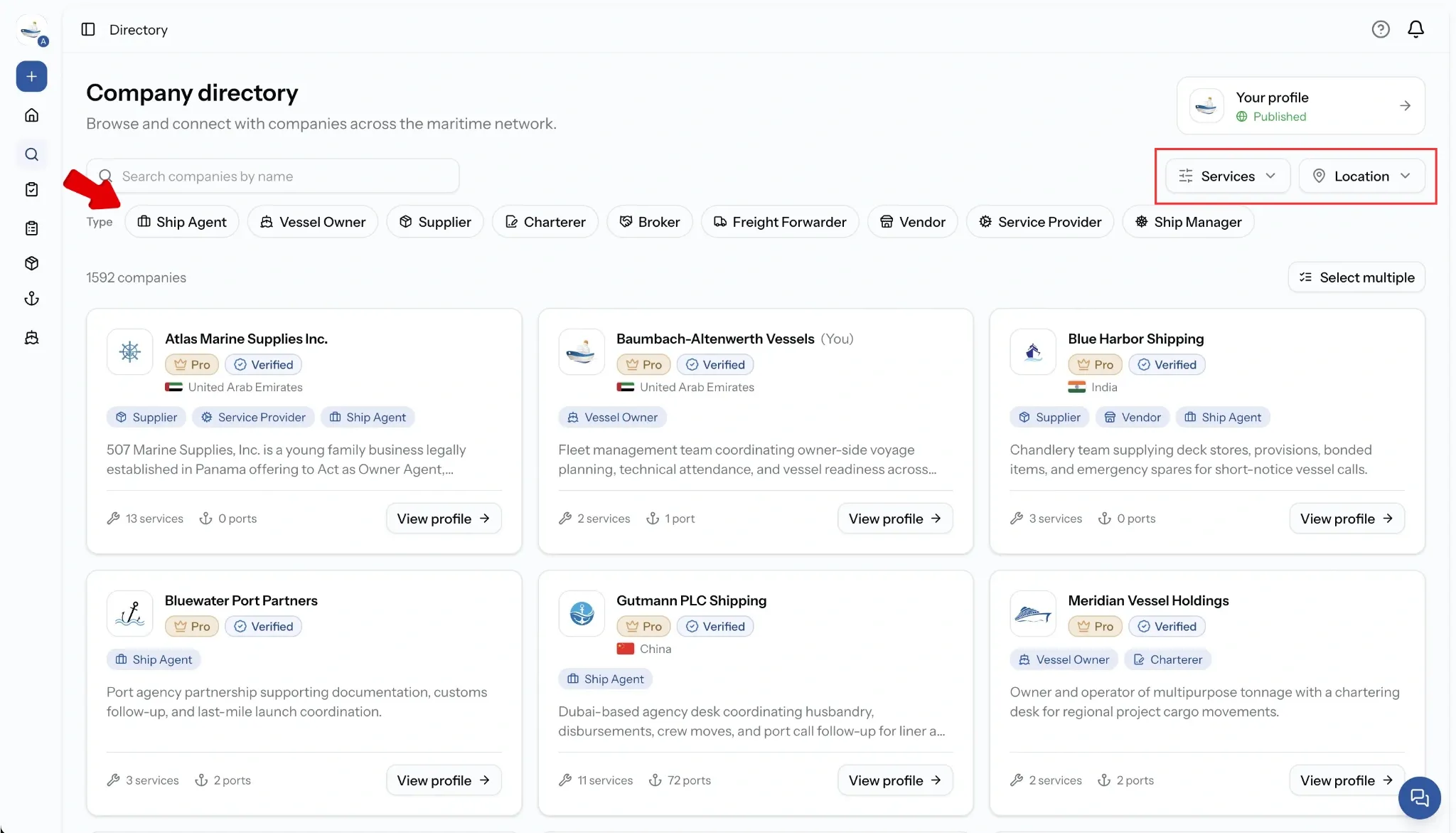
- Search: by company name.
- Company type: ship agents, suppliers, brokers, vessel owners, and the other stakeholder types.
- Services: drawn from the full PortzApp service catalogue.
- Location: ports and countries.
Filters combine, so you can look for provision suppliers covering Jebel Ali rather than browsing either list on its own.
What a company page shows
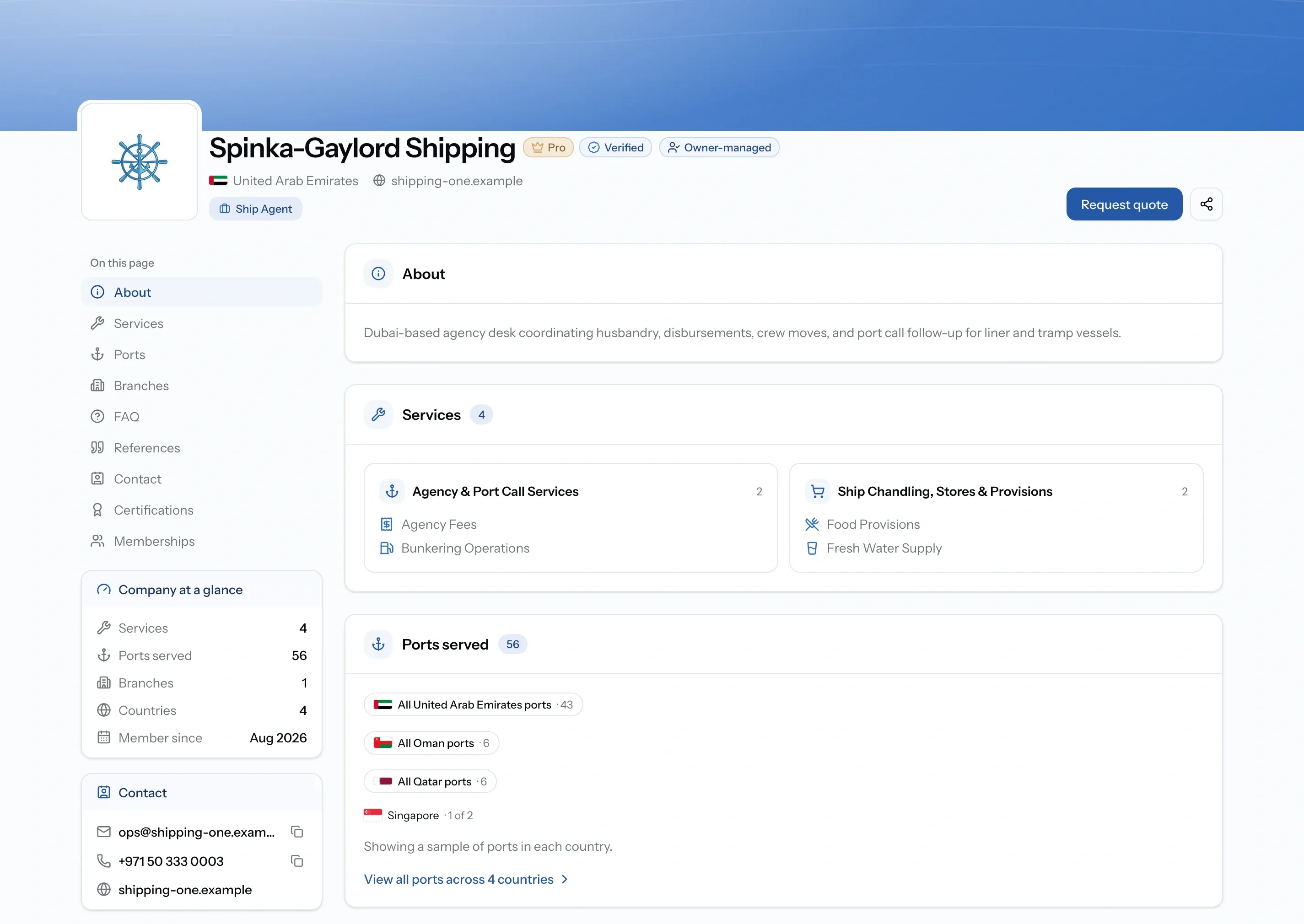
- About, plus products and supplies where the company sells goods.
- Fleet, on companies that operate vessels.
- Services and the ports each one covers, on companies that offer them.
- Branches, client references, and FAQs.
- Certifications, memberships, and supporting documents.
- Contact details.
A company that both operates vessels and offers services shows both, which is common for agents who also manage tonnage.
If you are looking for services
Requesting from one company
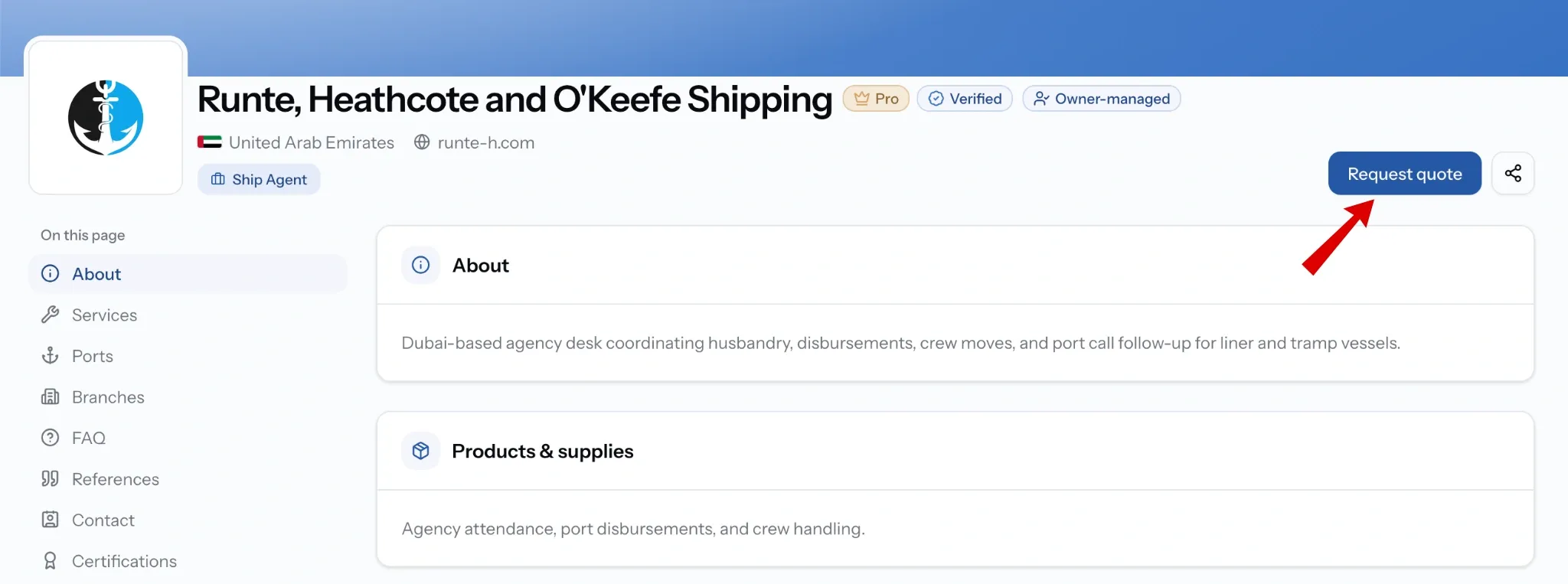
Open the company page and choose Request quote. PortzApp starts a request already addressed to them, and you fill in the services, port, and further details from there.
Requesting from several at once
Switch on Select multiple in the directory, tick the companies you want, then choose Request selected. One draft request opens targeted at all of them, so you enter the services, port, and further details once rather than repeating yourself for each.
Whichever route you take, publishing the request needs your company to be verified. Until then you can build it and save it as a draft.
If you are offering services
Three things decide whether buyers find you.
Publish your company profile. Nothing appears in the directory until you do, and publishing needs company verification first.
Switch on port coverage for each service. Coverage is what puts you in filtered searches, so a service with no ports reaches nobody.
Get verified. The badge sits on your card in search results, next to your country and the kind of company you are.
Common issues
Request selected asks me to upgrade
Selecting several companies for one request is part of Pro. You can still request from companies individually on any plan.
I cannot publish the request
Publishing requires company verification. Save the draft, finish verification, then publish.
Our company is not in the directory
Your profile is still a draft, or it exists but is unclaimed. Publish your profile, or claim the existing one.