
Notifications
PortzApp tells you when something needs you, in the app and by email. You choose which categories reach you and through which channel, within whatever defaults your organization has set.
FOR BUYERS & PROVIDERS
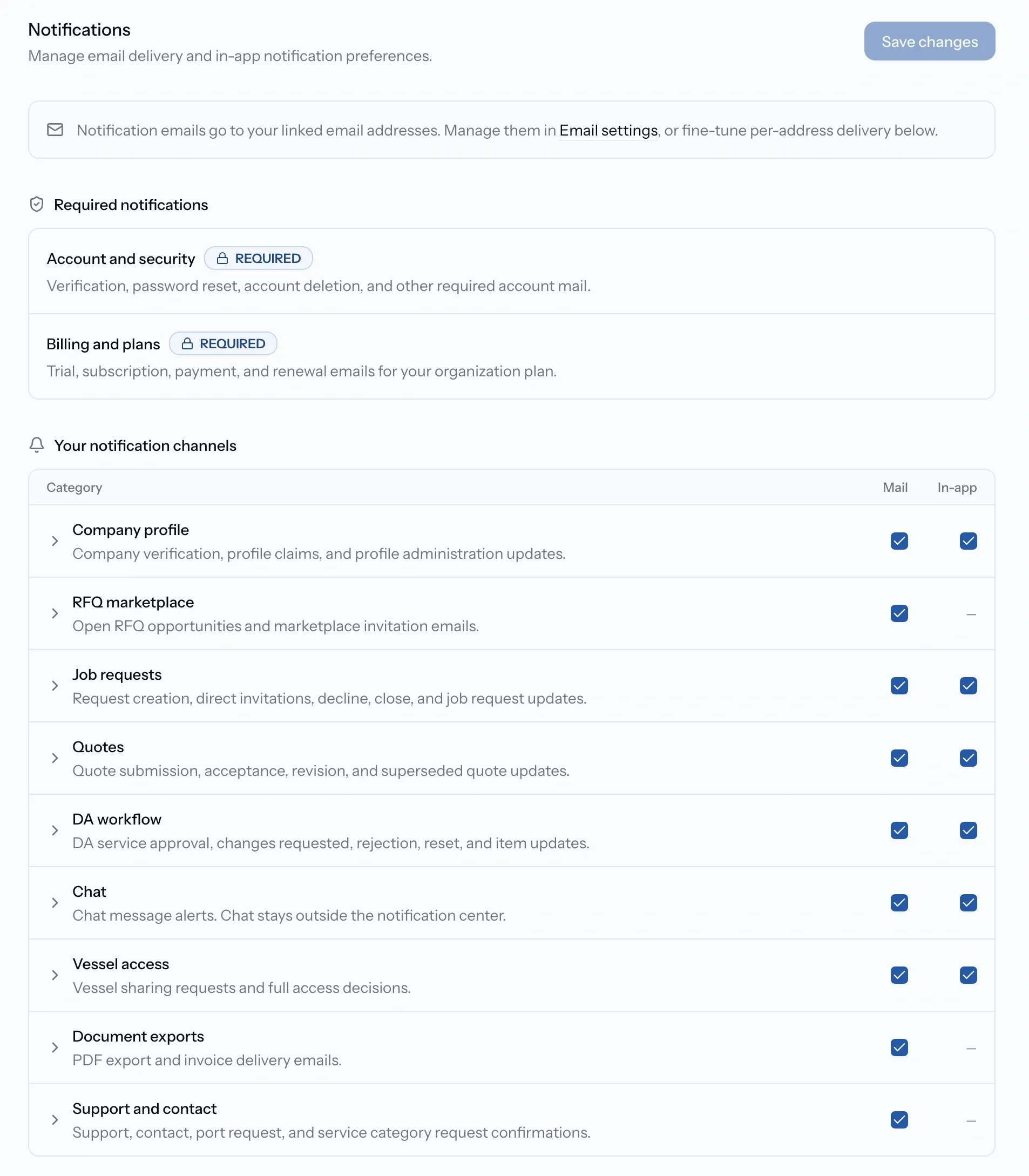
Nine categories are yours to control. Two, covering your account and your plan, always reach you by email.
Key takeaways
- Eleven categories cover everything the platform sends, from quotes to billing.
- In-app and email are separate switches, so you can keep one and drop the other.
- Account and security, and Billing and plans, are required. They arrive by email and cannot be turned off.
- Chat alerts stay with the conversation rather than appearing in the notification center.
Where notifications appear
The bell in the header shows recent notifications, and the Notifications page holds the full history with search, tabs, and bulk actions for marking read or unread and deleting.
Three things never reach the bell. Account and security mail and Billing mail are sent by email only, and chat alerts stay with the conversation, so a quiet bell does not mean nothing has happened.
The eleven categories
Nine can be switched on or off independently, in the app and by email. Two are required.
Choosing what reaches you
Settings, Notifications is where you set this. Work at the category level, or open one and adjust individual notifications inside it.
The two required categories are shown separately and cannot be changed. Everything else is yours, though organization admins can set defaults that give the whole team a starting point.
Which address gets what
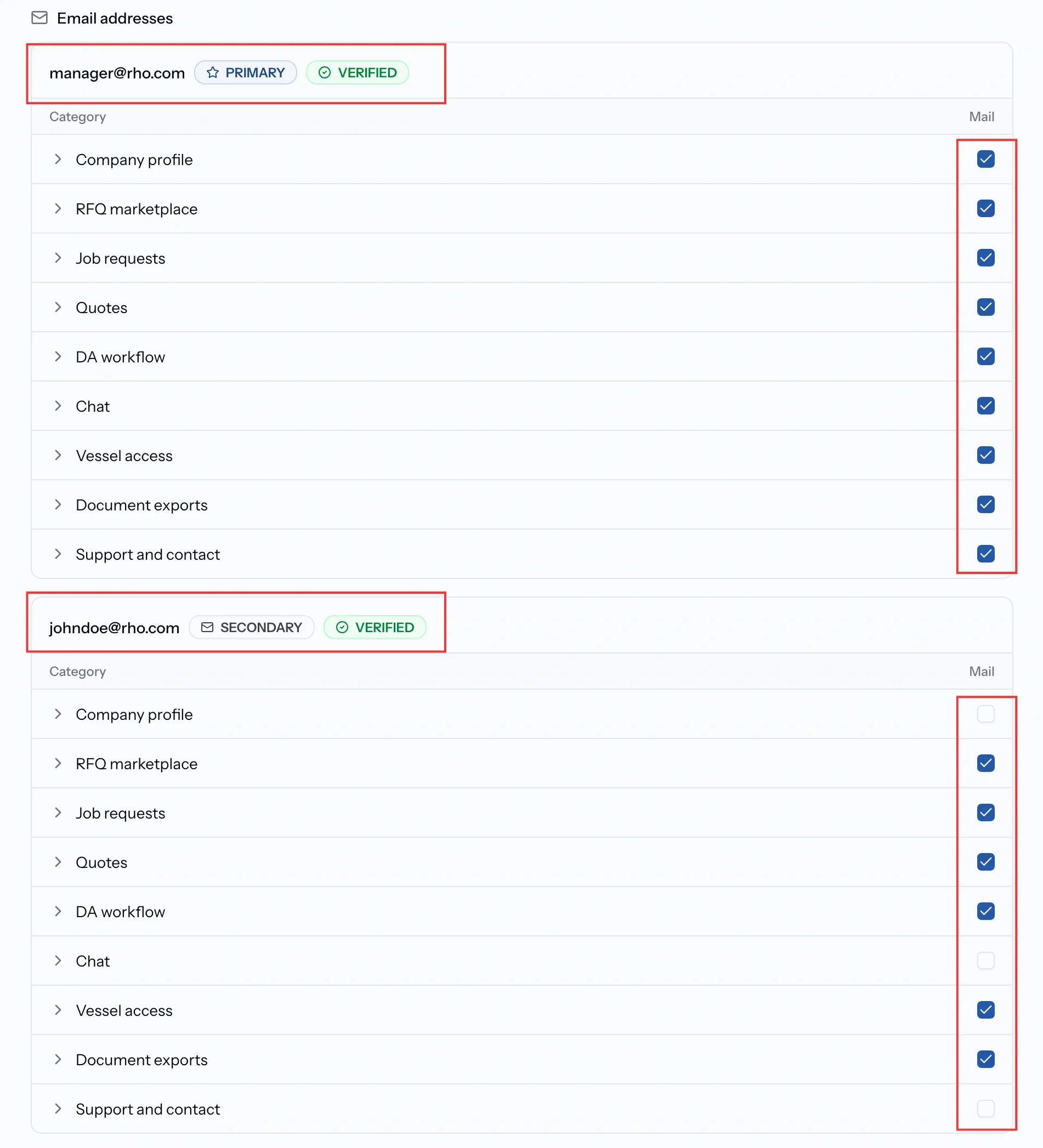
If you have linked more than one email address, you decide which of them receives which notifications. Add and verify addresses under Settings, Emails, and set a primary one there.
Unsubscribing
Optional emails carry an unsubscribe link, including a one-click option that adjusts your preferences without signing in. Account and billing mail keeps coming, because it covers things like password resets and failed payments that you need whether you want them or not.
Common issues
I still get emails after unsubscribing
Account and security, and Billing and plans, cannot be switched off. Everything else follows your preferences.
A setting will not change
It is either a required category or a default your organization's admins have set. Ask a team admin.
Notifications go to the wrong address
Check per-address delivery under Settings, Notifications, and which address is primary under Settings, Emails.
The bell is empty but things are happening
Account, billing, and chat alerts never appear there. Check your email for the first two, and Messages for the third.