
PortzApp vs Manual PDA and FDA Building
Most teams still build disbursement accounts from a Word or Excel template. Here is how that flow typically runs.
How it works today
Manual PDA and FDA workflows work for simple port calls with stable costs. They become difficult when services change mid-call, multiple currencies are involved, or billing requirements differ between customers.
PortzApp connects PDA, FDA, invoicing, and billing to the port call. Costs move from estimated to final in one structured record, multiple currencies are supported by default, and every change stays connected to the operation.
How PortzApp supports connected financials
Generate every DA document from the same structured job record. Pick the document type, set the display currencies, and attach the supporting PDFs, all from one export form.
One form, every DA doc
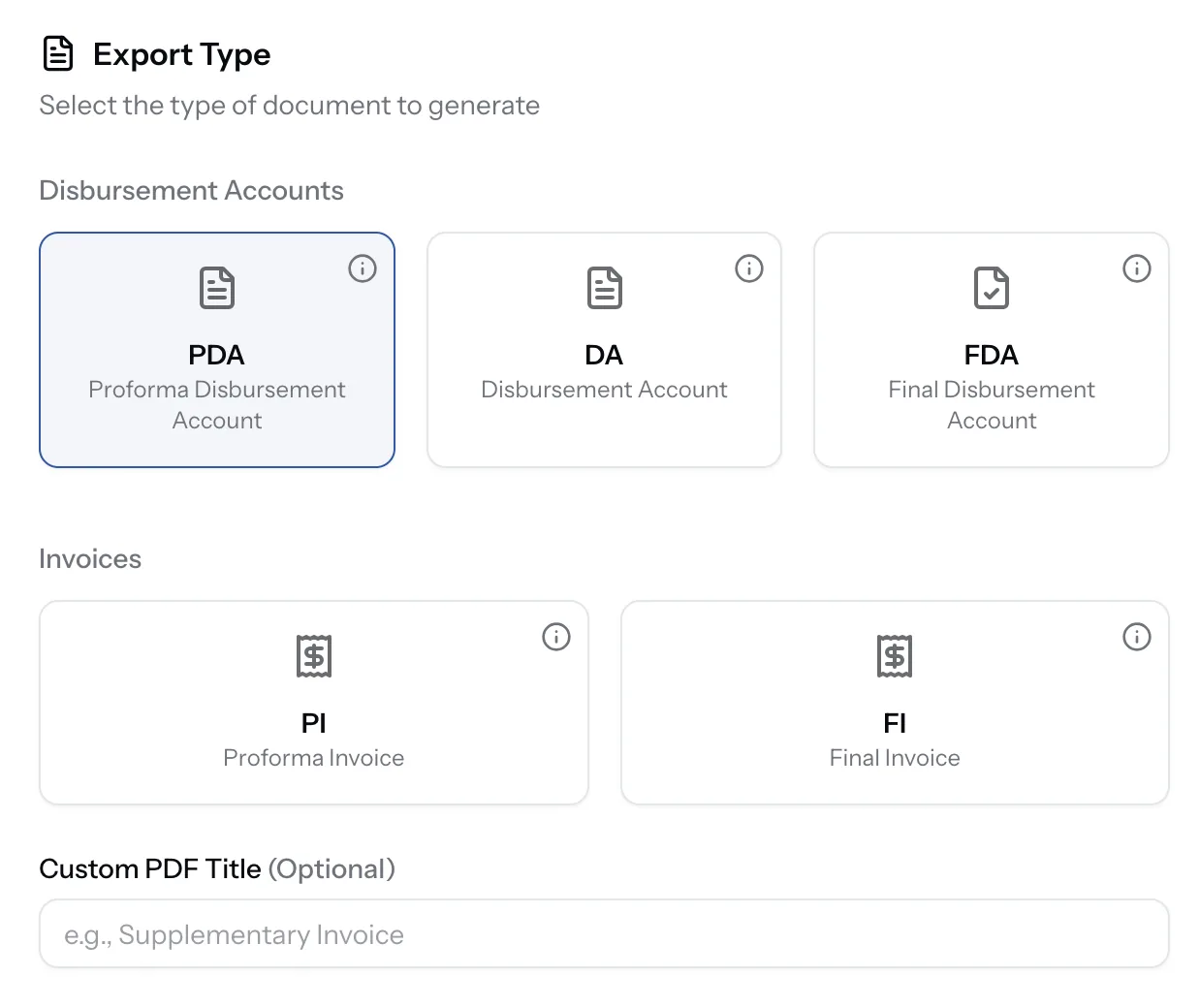
Pick PDA, DA, FDA, PI, or FI. Add a custom title and export.
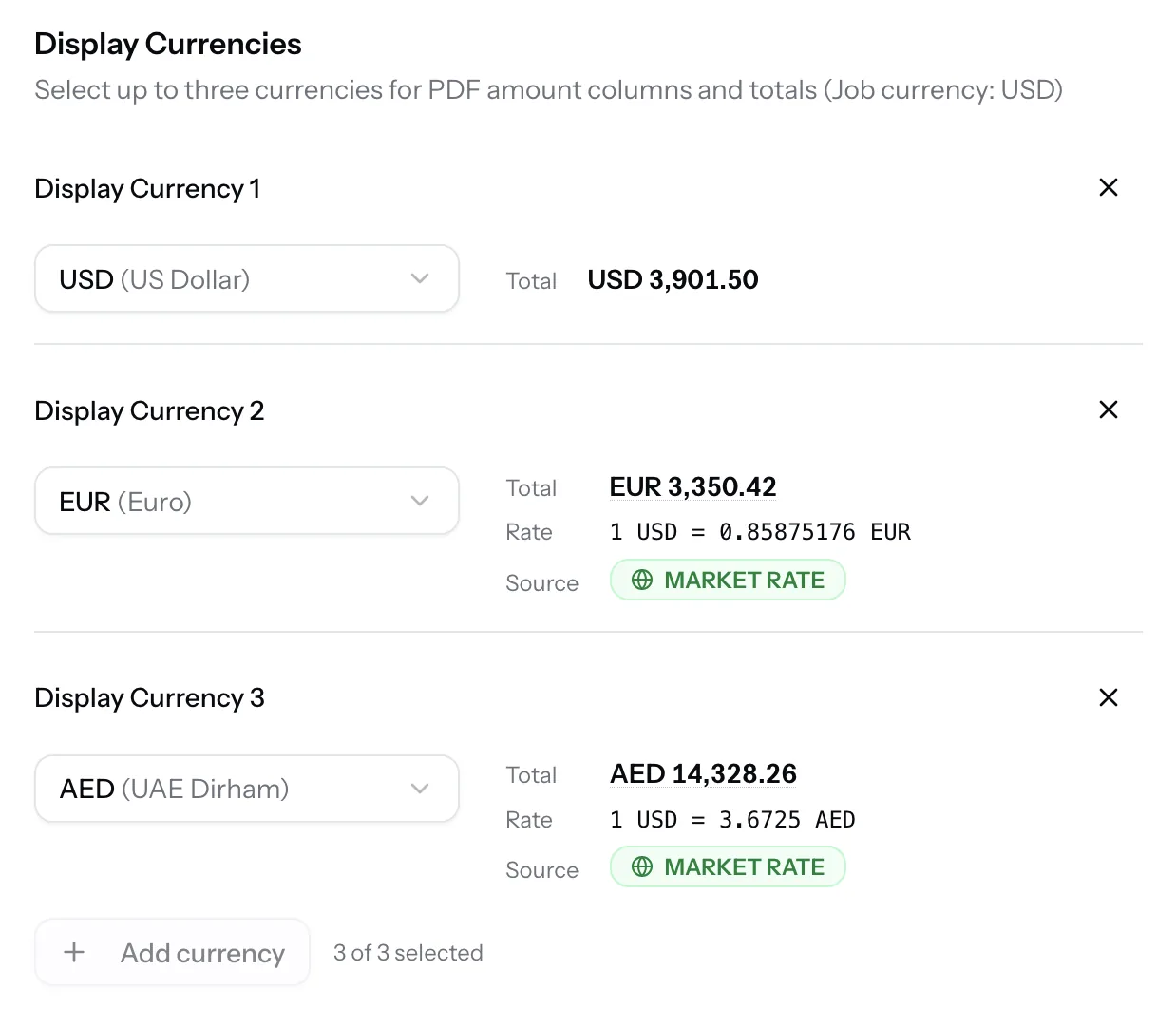
Up to three display currencies
Live market rates. Totals appear side by side on the PDF.
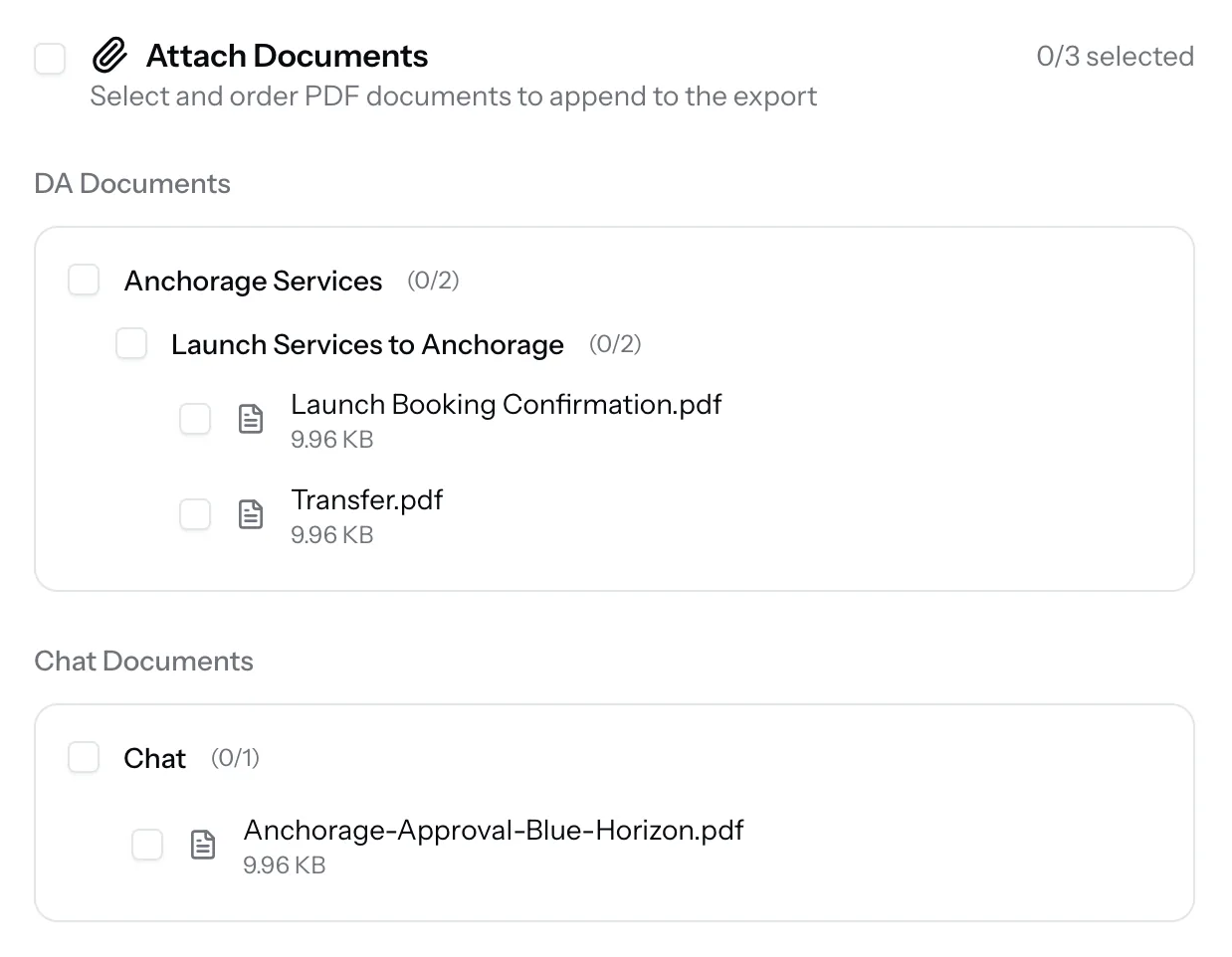
Append supporting PDFs
Approvals, port call info, chat attachments. Pick and order them on the form.
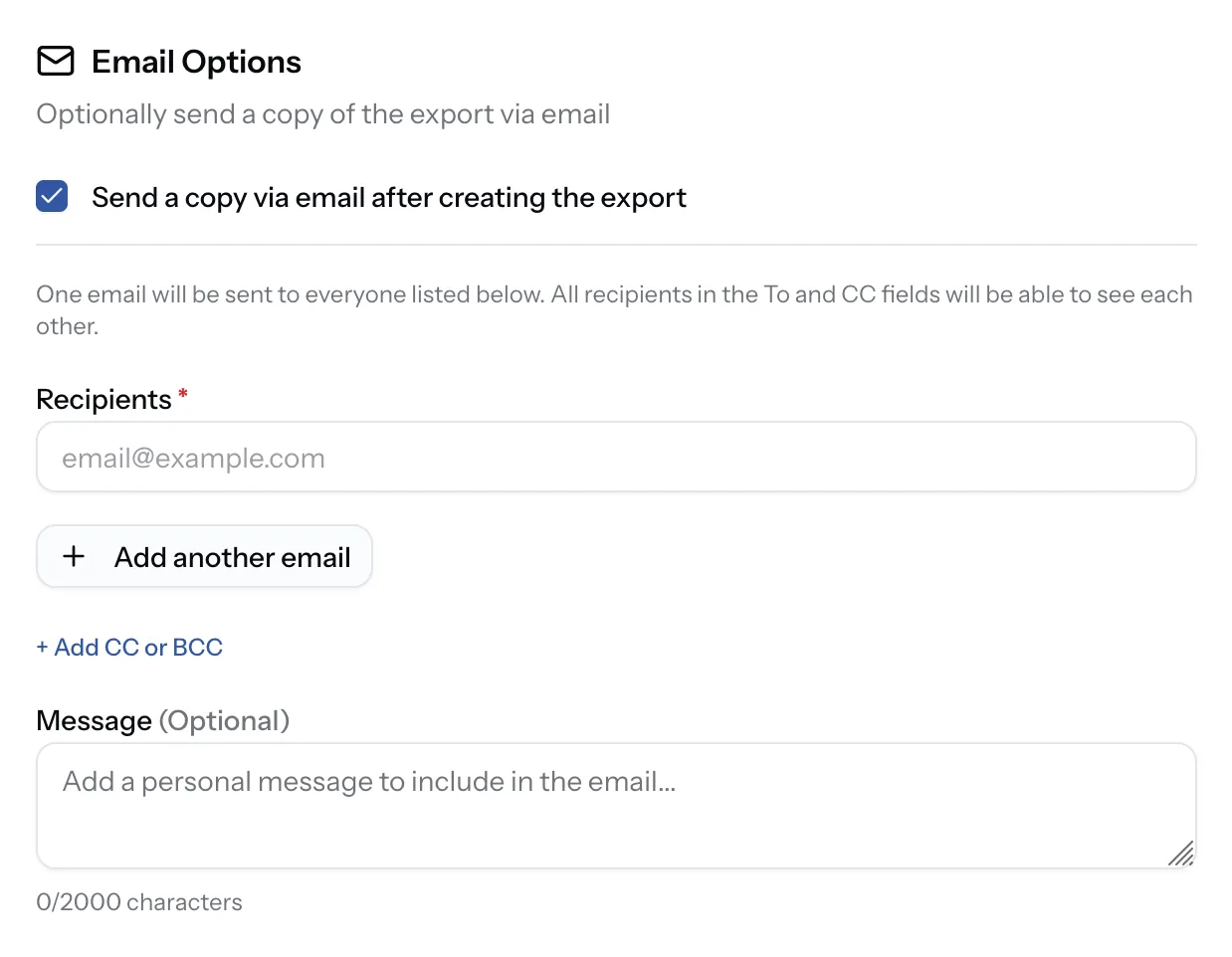
Send by email in one step
Toggle email on export. Add recipients, CC, BCC, and a note.
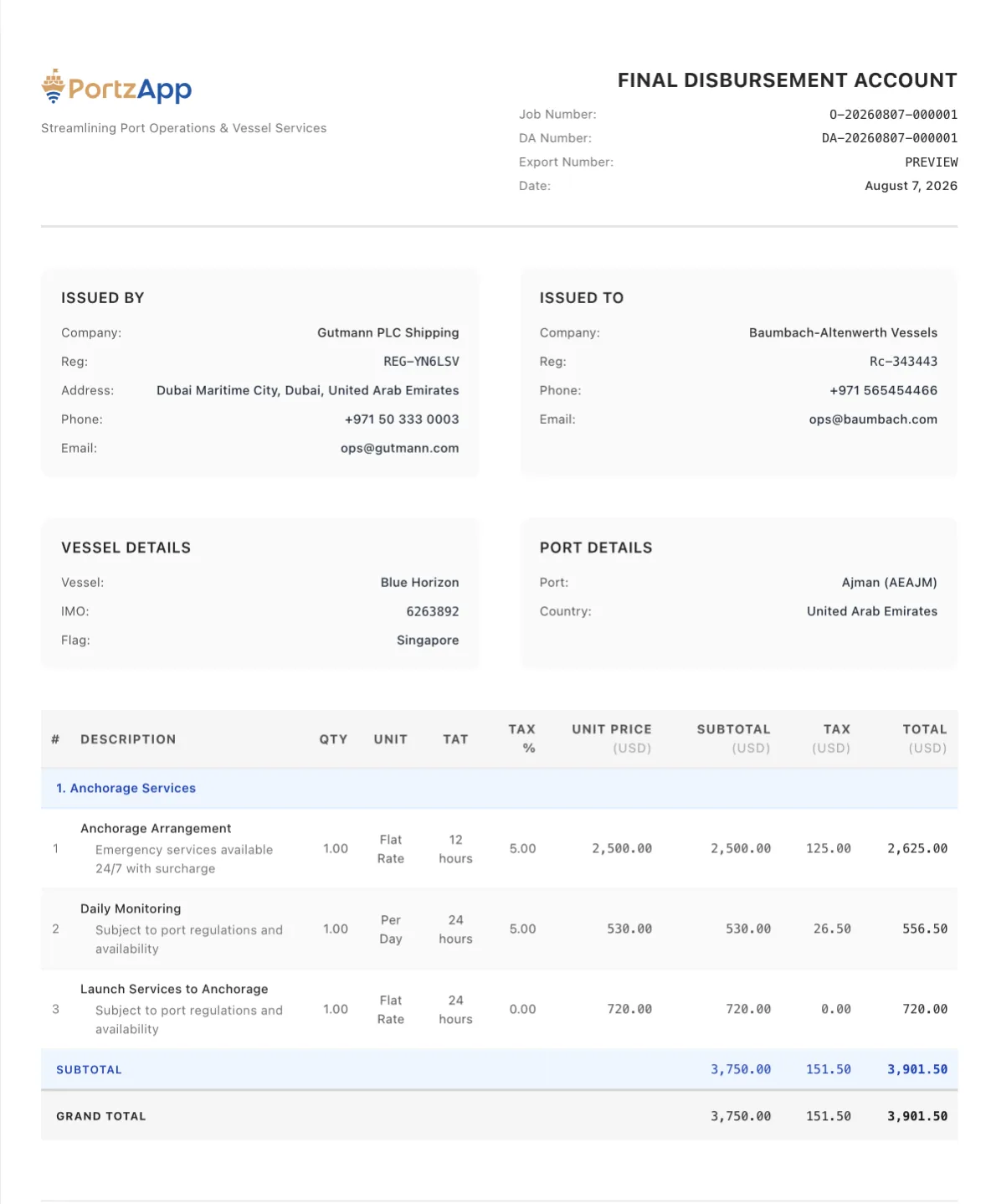
A branded PDF, ready to send
Header, issuer and recipient, vessel and port info, and line items with subtotals and totals.
See PortzApp in action
A quick walkthrough of the platform, highlighting key features and workflows.
Side by side
 PortzApp
 Structured PDA connected to services
Manual spreadsheet or document
Update in the workflow
Edit files and resend by email
Built-in across all records
Manual calculation per file
Estimated to final in one record
Rebuild from PDA and invoices
Linked to PDA line items
Manual matching per line
Structured per requirement
Adapt spreadsheets by hand
One source of truth
Multiple files and attachments
Costs connected in one workflow
Data scattered across files
Clear activity history
Depends on file history
PortzApp Creating PDA
Structured PDA connected to services
Manual spreadsheet or document
Managing changes
Update in the workflow
Edit files and resend by email
Multi-currency support
Built-in across all records
Manual calculation per file
FDA preparation
Estimated to final in one record
Rebuild from PDA and invoices
Invoice management
Linked to PDA line items
Manual matching per line
Custom billing requirements
Structured per requirement
Adapt spreadsheets by hand
Version control
One source of truth
Multiple files and attachments
Financial visibility
Costs connected in one workflow
Data scattered across files
Audit trail
Clear activity history
Depends on file history
More with PortzApp
Beyond disbursement accounts, PortzApp connects the rest of the port call in one workspace.
Structured RFQs
Send port call requests to matched providers and compare quotations side by side.
Port call workspace
Keep conversations, updates, and status connected to each port call.
Document management
Keep port call documents organised and shared with the right people in one place.
Team access
Give teams shared access with roles and permissions across port calls and records.
Operational visibility
Track port call progress, provider activity, and status alongside financials.
When manual PDA still works
Manual PDA and FDA processes can work well for simple port calls with stable costs and limited billing requirements. PortzApp becomes valuable when teams manage multiple port calls, different currencies, changing service requirements, or complex billing workflows.
Manage every port call from request to settlement
Connect services, costs, invoices, and financial records in one place. Start with your next port call and experience a more structured workflow.
FAQ
Common questions about generating PDA and FDA from structured order data.