
PortzApp vs Manual RFQs
Requesting quotations is a core part of every port call. Here is how it typically works today.
How it works today
Manual RFQs work well for occasional requests, but become harder to sustain as volume grows. Teams recreate RFQs for each port, chase responses across email, and rebuild comparisons from quotes that arrive in different formats.
PortzApp turns the RFQ into a structured record. Principals choose how to send: open to every verified agency in the port, targeted to specific providers, or a mix of both. Providers respond with line-item quotes ready to compare.
How PortzApp supports structured RFQs
From draft to decision in one place. Create a structured RFQ, choose who receives it, track responses as they come in, and compare quotes side by side.
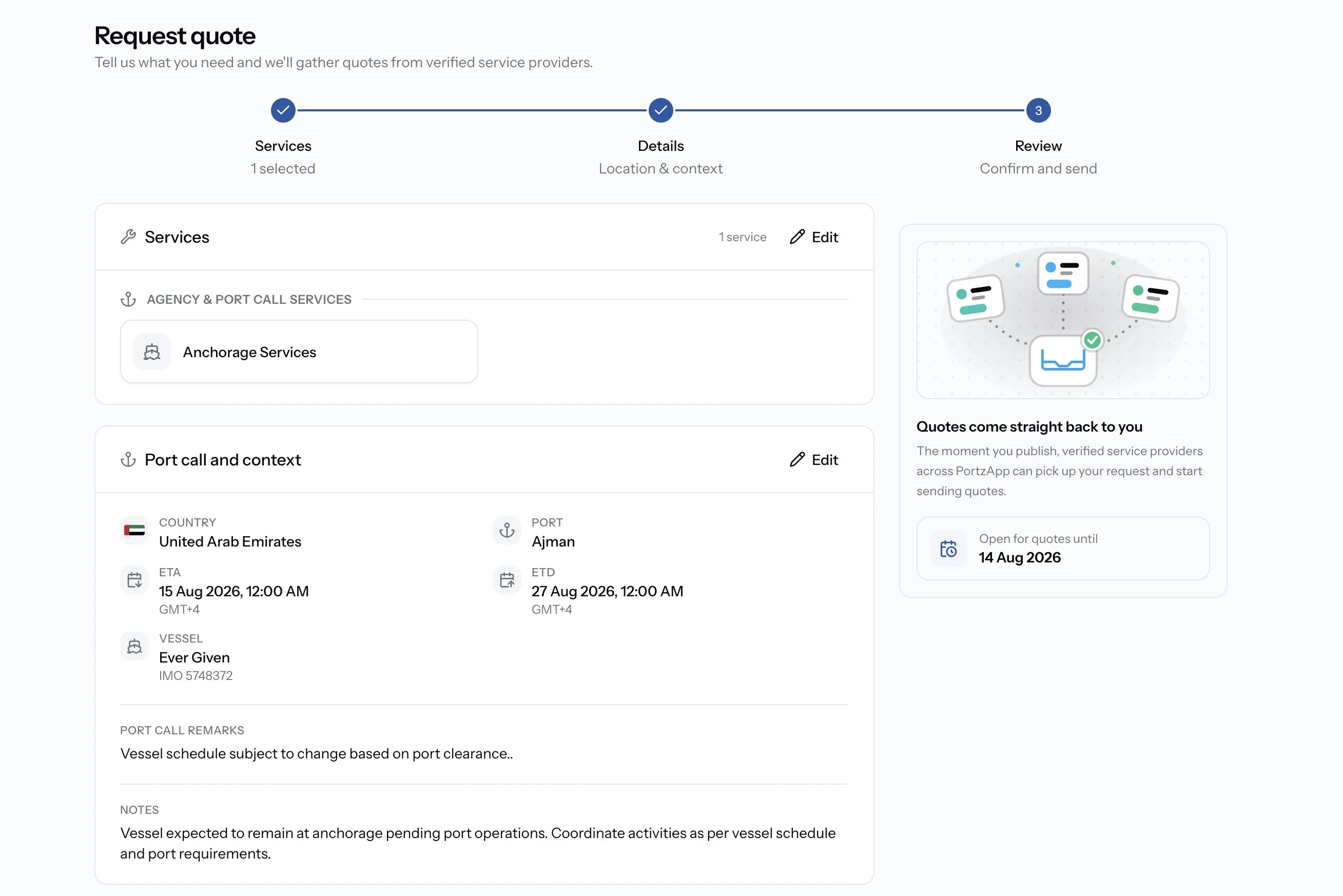
Create a complete request in minutes
Select required services, add vessel and port details, and create a structured RFQ with all necessary information.
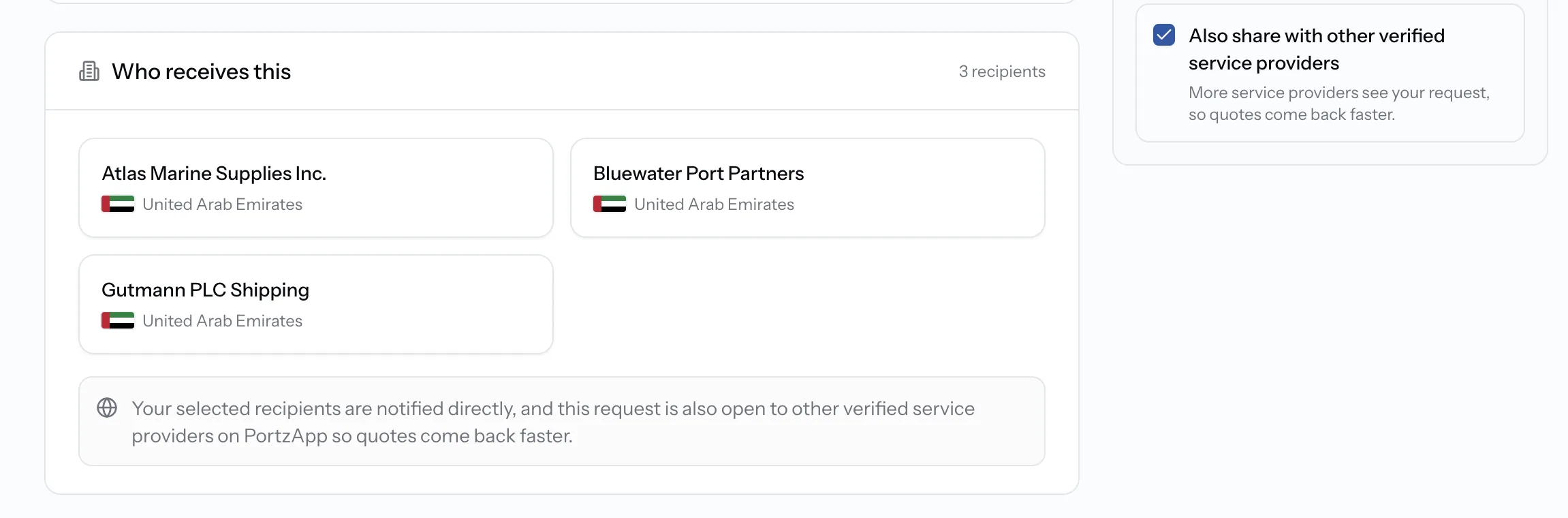
Reach the right providers
Send requests to selected providers or open them to relevant service providers across the port network.
For principals
- Target a shortlist of trusted providers
- Open to every verified agency in port
- Combine targeted and open in one send
For service providers
- Receive requests from active principals
- Get discovered without cold outreach
- See services, vessel, and dates upfront
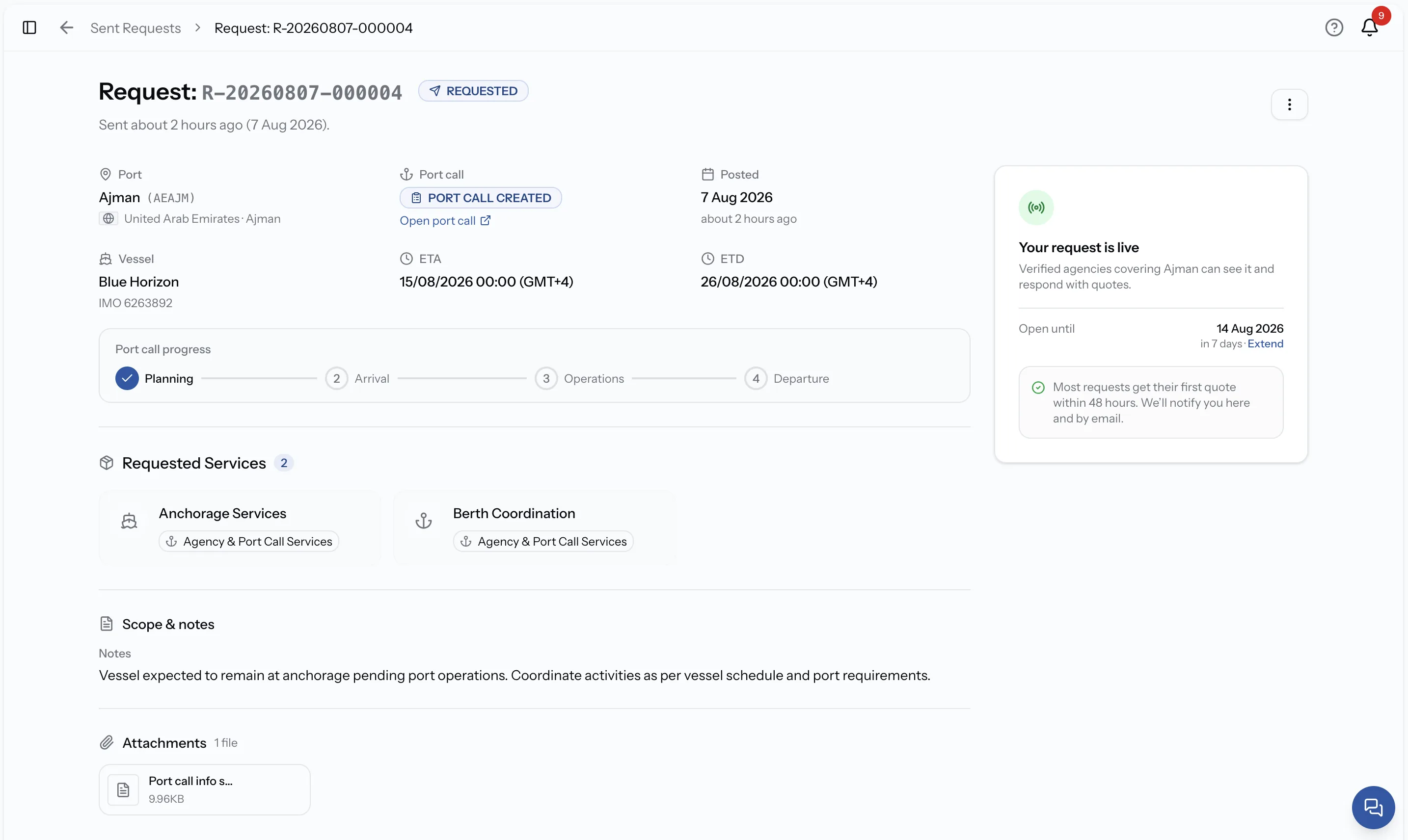
Manage requests without email follow-ups
Monitor RFQ status, receive responses, and keep all communication organized in one platform.
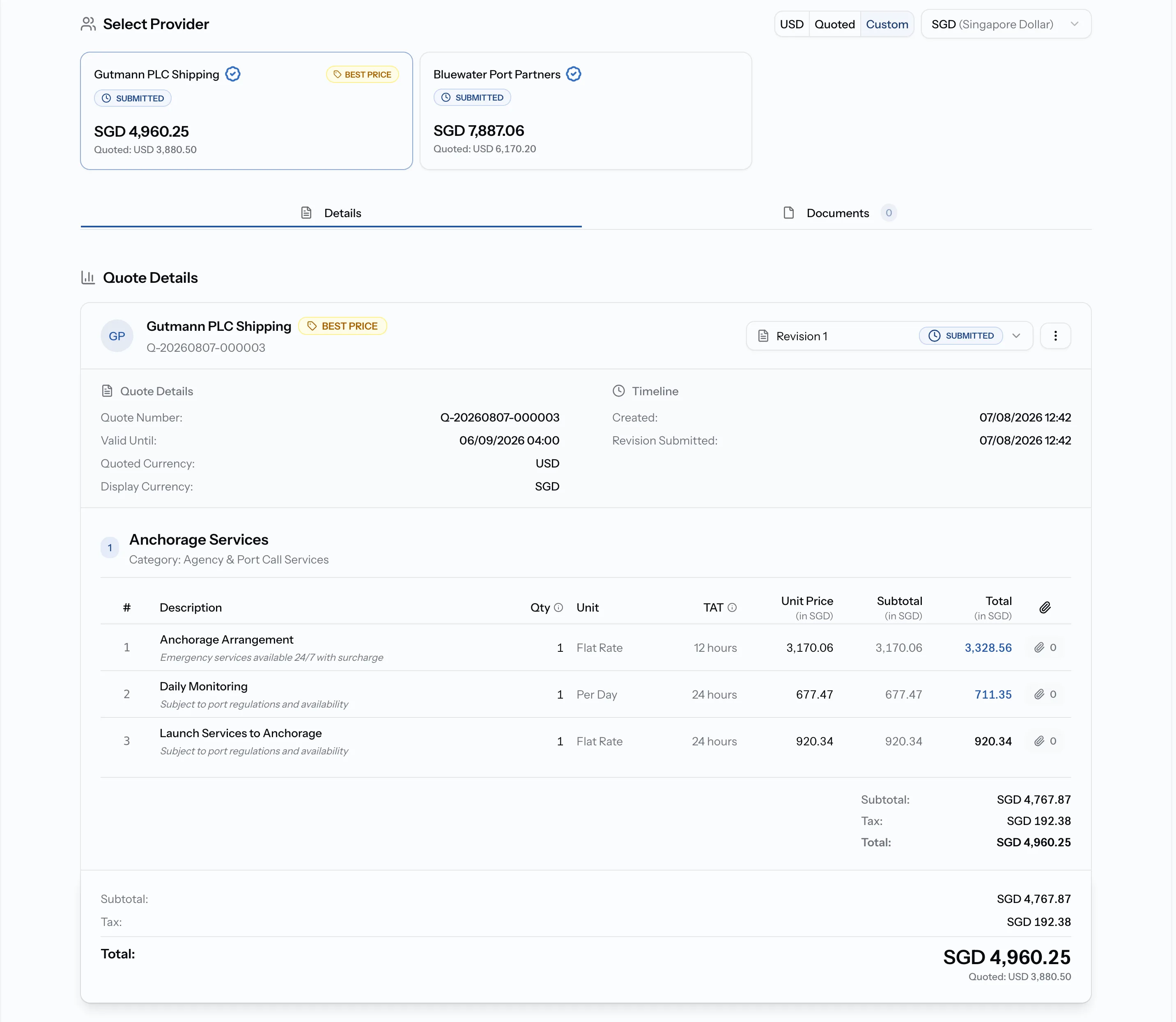
Compare offers side by side
Review structured quotations, evaluate options, and select the best service provider.
See PortzApp in action
A quick walkthrough of the platform, highlighting key features and workflows.
Side by side
 PortzApp
 Structured request in one form
Manual document or email
Verified marketplace search
Personal contacts and directories
Open, targeted, or hybrid in one send
Individual emails per provider
Structured line-item quotes
Mixed formats across email
Side by side in one place
Manual spreadsheet build
Live status in one workflow
Follow-ups across email threads
Reuse prior port call data
Recreate from scratch
Wider verified network
Known contacts only
PortzApp Creating an RFQ
Structured request in one form
Manual document or email
Finding providers
Verified marketplace search
Personal contacts and directories
Distributing requests
Open, targeted, or hybrid in one send
Individual emails per provider
Receiving quotations
Structured line-item quotes
Mixed formats across email
Comparing quotes
Side by side in one place
Manual spreadsheet build
Tracking responses
Live status in one workflow
Follow-ups across email threads
Managing repeat requests
Reuse prior port call data
Recreate from scratch
Provider access
Wider verified network
Known contacts only
More with PortzApp
Beyond structured RFQs, PortzApp connects the rest of the port call in one workspace.
Verified provider network
Reach KYC-verified providers in every port beyond your current contacts.
Port call workspace
Keep conversations, documents, and updates connected to each port call.
Financial workflows
Build proforma and final disbursement accounts from job data.
Settlement
Support structured payments in multiple currencies.
Team access
Give teams shared access with roles and permissions.
Operational visibility
Track port call progress, costs, and provider activity in one place.
When manual RFQs still work
Manual RFQs can work well when you send occasional requests to a small group of familiar providers. PortzApp becomes valuable when RFQ volume increases, when you need to discover new providers, when multiple quotations need to be compared, or when teams need better visibility across port calls and responses.
Try your next RFQ on PortzApp
Start with a single RFQ and experience a more structured way to request, receive, and compare quotations. Continue using your existing process alongside PortzApp, then expand as your team gets comfortable.