
Get your company verified
Verification is the one task that unlocks trading. Confirm your registered company name, upload one official document, and the PortzApp team reviews it.
Before you start
Your email address has to be verified first. PortzApp will not accept a company verification submission from an unverified address, and the task stays locked until you confirm it.
Have your company's registered name and one official document showing that exact name, as a PDF, image or Word file under 10 MB.
Key takeaways
Verify your email first. This task is locked until you do.
You need your registered company name and one official document showing it.
The name you enter replaces your organization's name, so get it right.
The name on the document must match the name you type. That is the usual reason a submission comes back.
Open verification
The quickest way in is your setup checklist, from Getting started at the bottom of the sidebar. Choose Verify your company.
If the task shows Locked, your email is not confirmed yet. Deal with that first and this unlocks straight after.
Confirm your company name
Type your company's registered name, exactly as it appears on the document you are about to upload. Not a trading abbreviation, not the name on your website if that differs.
This does more than label the submission. It becomes your organization's name across PortzApp, so if you signed up as an individual, this is the moment your workspace stops being named after you.
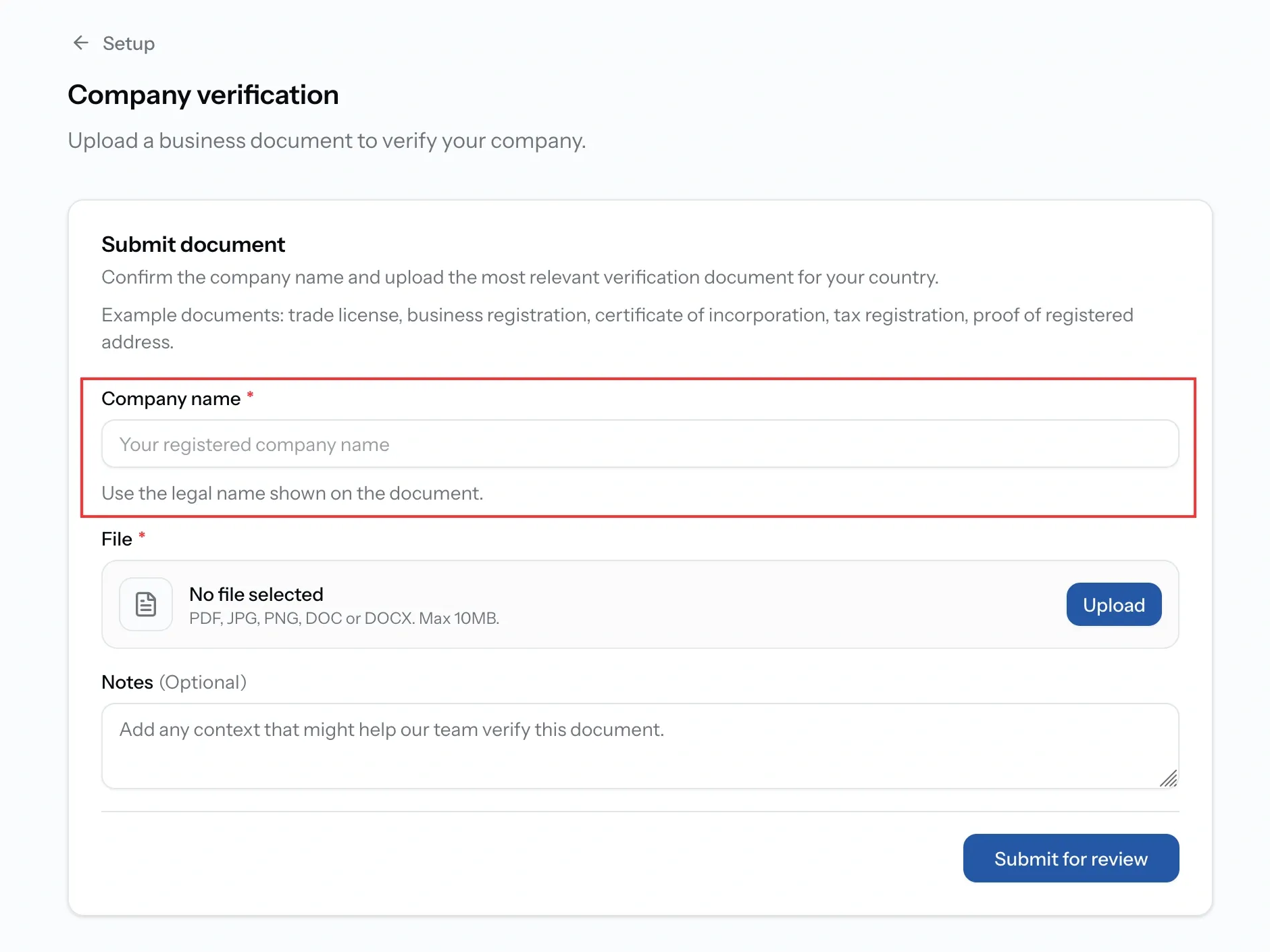
If the name you type and the name on the document do not match, the review comes back asking for changes. It is the single most common reason a submission is sent back, and it costs you a round trip.
Upload one document
Upload the most relevant business document for your country. One is enough, and any of these work:
- Trade licence or business registration
- Certificate of incorporation
- Tax registration certificate
- Proof of registered address
If your country issues something different, use its closest equivalent and say so in the notes. The form asks for the most relevant document for your country, not one specific certificate.
It has to show the legal name you just entered, and it must be a PDF, JPG, PNG, DOC or DOCX under 10 MB.
Once it is attached you can Rename it.
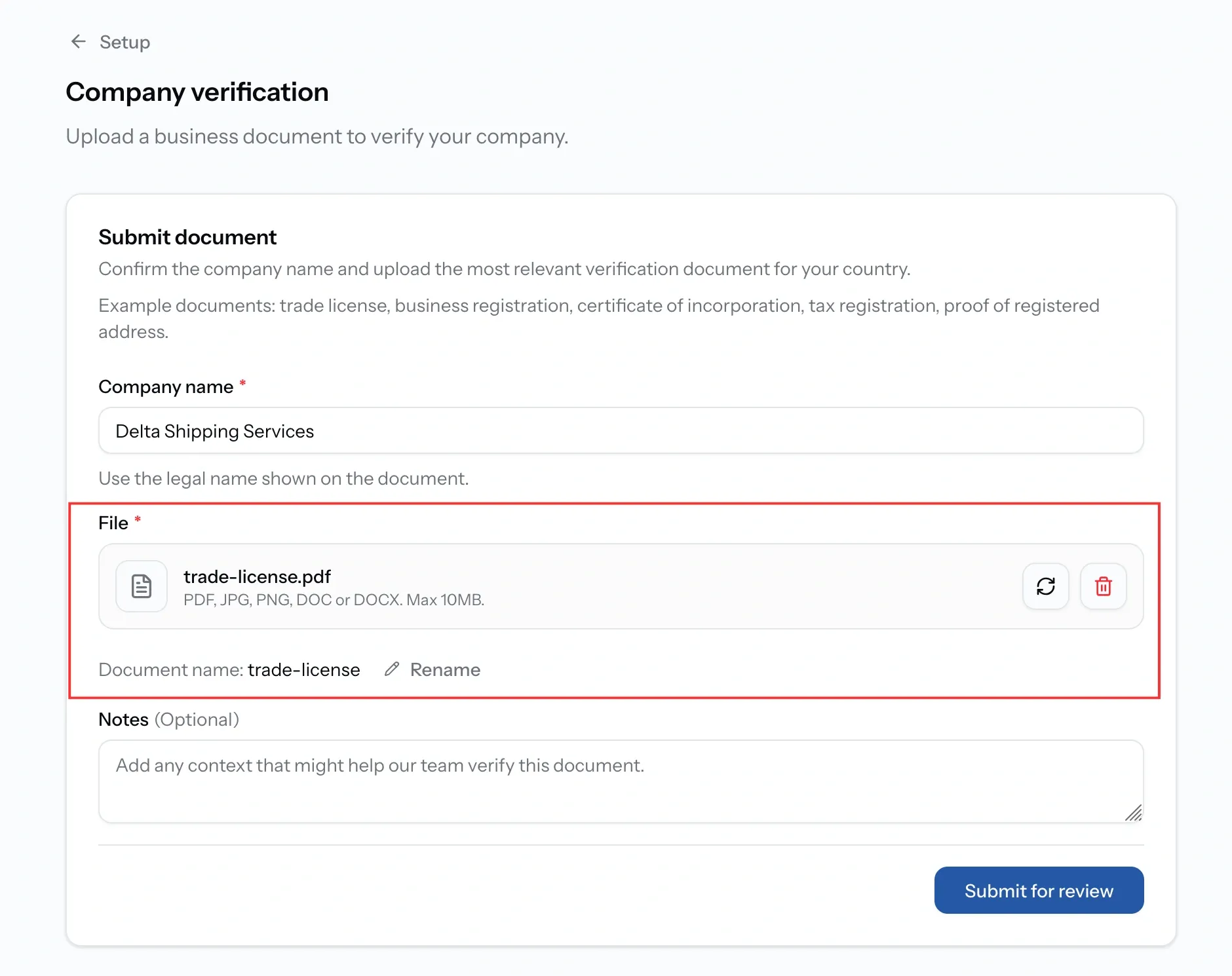
Add a note, then submit
Notes is optional. Use it for anything that needs explaining, for example a recent change of company name, or a document in a language other than English. The field itself asks for any context that might help the team verify the document.
Then press Submit for review. Your company moves to Pending and the team reviews it by hand.
Spotted a mistake? Withdraw the submission while it is still in review, correct it, and submit again. What you cannot do is stack a second submission on top of one already with the team.
When the review is done we email you the result and your workspace updates on its own. Nothing else is needed from you. Publishing requests, quoting and publishing your profile all switch on the moment you are verified.
What verification unlocks
Until it comes back you can browse the Directory, build your profile and save drafts. What you cannot do is anything another company would see.
Once verified:
- You can publish a request, to chosen companies or to the open market.
- As a service provider, you can quote on requests or decline them with a reason.
- You can publish your company profile to the Maritime Directory.
- Your listing carries the Verified badge, which is what buyers filter on.
Common issues
Changes requested and I do not know why
The note from the PortzApp team says what is wrong.
It says my verification is already in review
You have submitted once and it is with the PortzApp team. Wait for the outcome rather than submitting again
My country does not issue any of these
Upload the closest equivalent and explain it in Notes. The form asks for the most relevant document for your country, not one specific certificate
My company recently changed name
Submit under the current legal name and explain the change in Notes, so the team knows why the paperwork may look inconsistent
FAQ
01
02
03
04