
Disbursement Accounts
The disbursement account is a job's financial record. Providers build it from services and line items, choose what the requester can see, and put each service through an approval loop. It is what the PDA, DA, and FDA are generated from.
FOR BUYERS & PROVIDERS
Prices, costs, and margins are visible only to the Admin, CEO, Manager, and Finance roles. Operations can work the account but not see what anything costs or earns.
Key takeaways
- Accepting a quote fills the account automatically. Every quoted service and line item carries across.
- Items are Billable, meaning charged to the counterparty, or Non-billable, meaning they affect your margin only.
- Nothing reaches the requester until you publish it, and Private items never do.
- Each service goes through approval: submit, then approved, changes requested, or rejected.
- Delivery is tracked separately from money, item by item.
Where to find it
Open a job and select the Disbursement Account tab. The count beside it tells you how many services are on the account.
If you are providing the service
You build it, price it, and decide what the other side sees.
Billable items are charged to the counterparty and are the only ones that can appear on an exported document. Non-billable items stay internal, either as an Expense that deducts from margin or Revenue that adds to it, which together give a true profit and loss picture for the job.
Three things then control visibility, and they work independently. Publication: an item is Draft, Published, or Pending Changes, and only published items reach the requester. Visibility: an item is Public or Private, and Private items stay with you permanently. Service publication: a service reads Draft, Partially Published, or Published depending on how many of its items you have released.
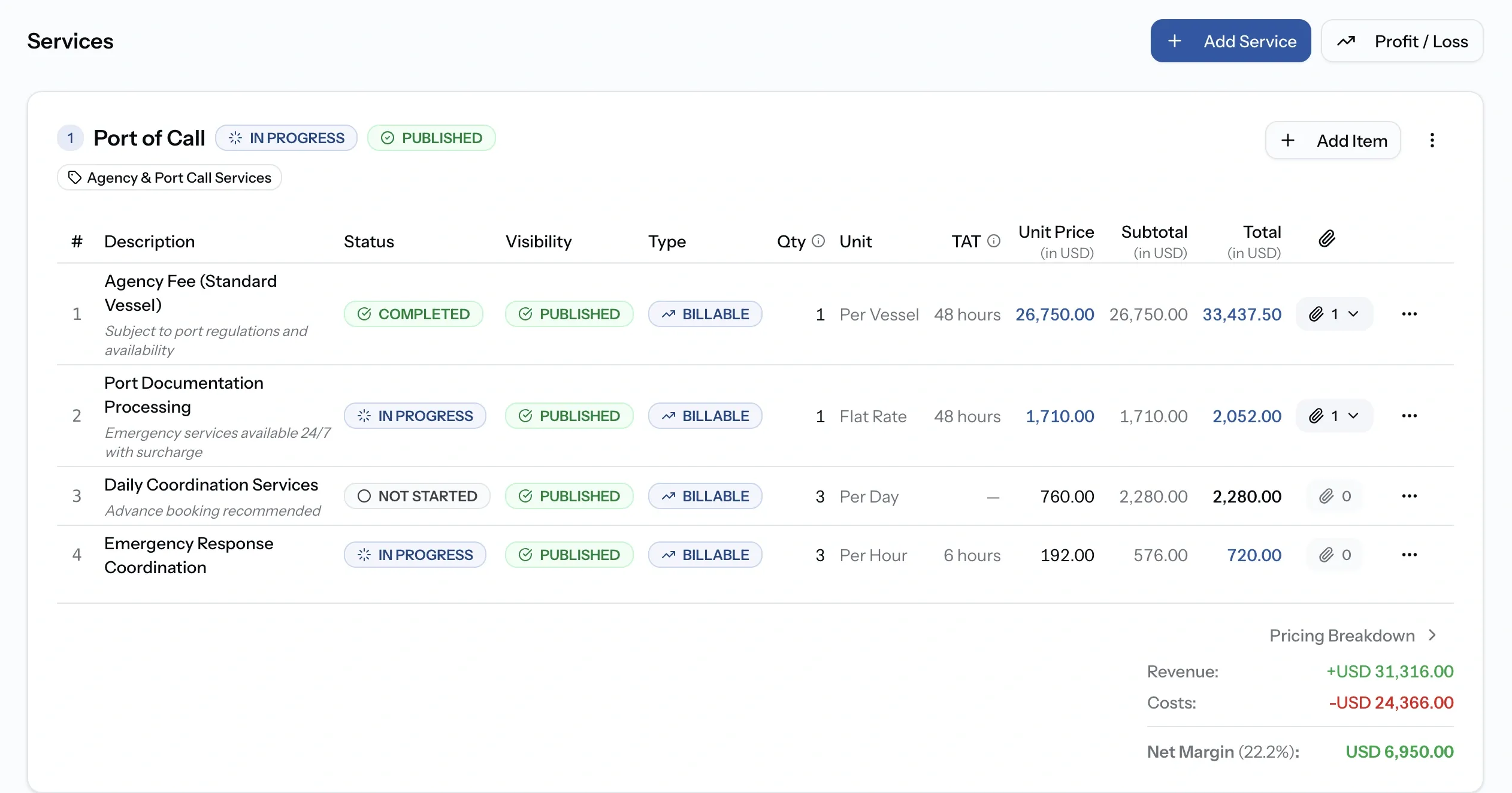
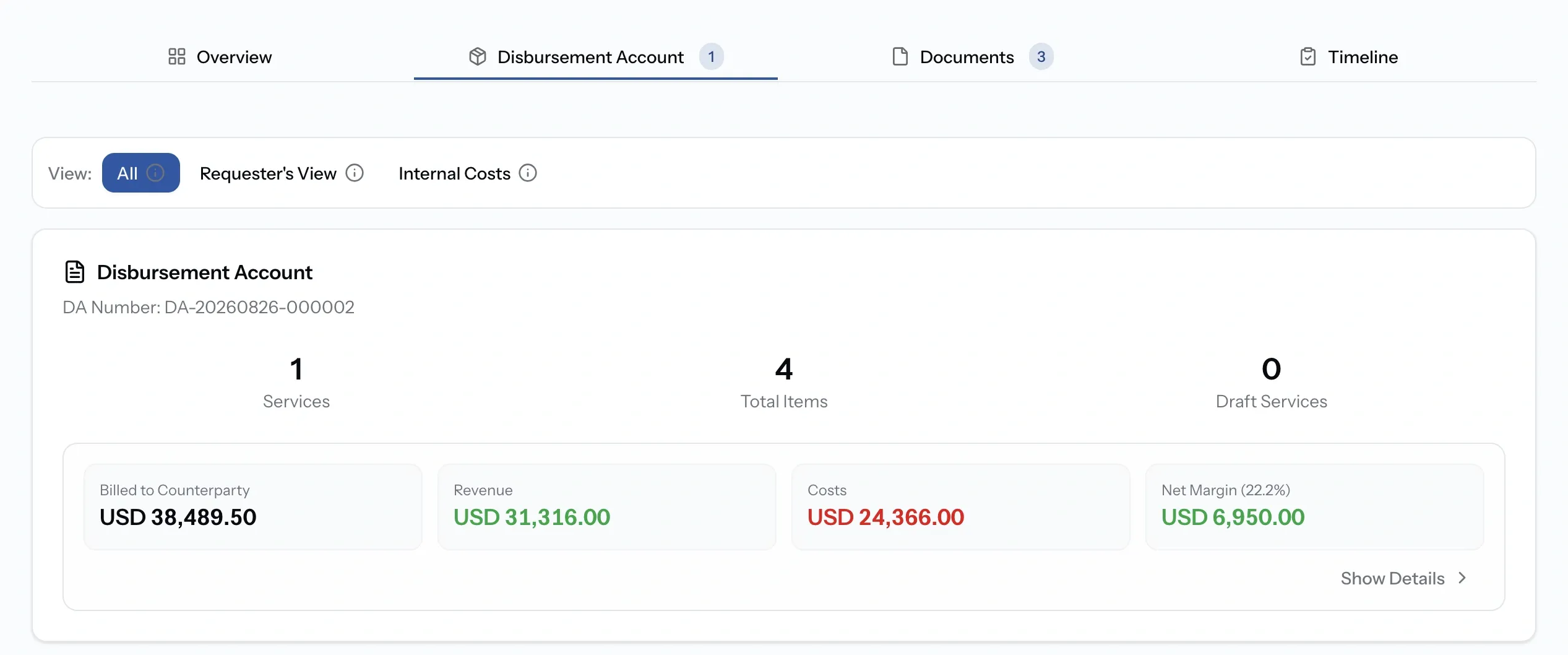
Before publishing anything, check what the other side will see. Three views switch the same account:
- All: every service and item, including drafts and private items.
- Requester's View: only published, public items.
- Internal Costs: private items, plus the cost breakdown behind anything you have marked up.
The switcher is yours alone. A requesting organization has no equivalent.
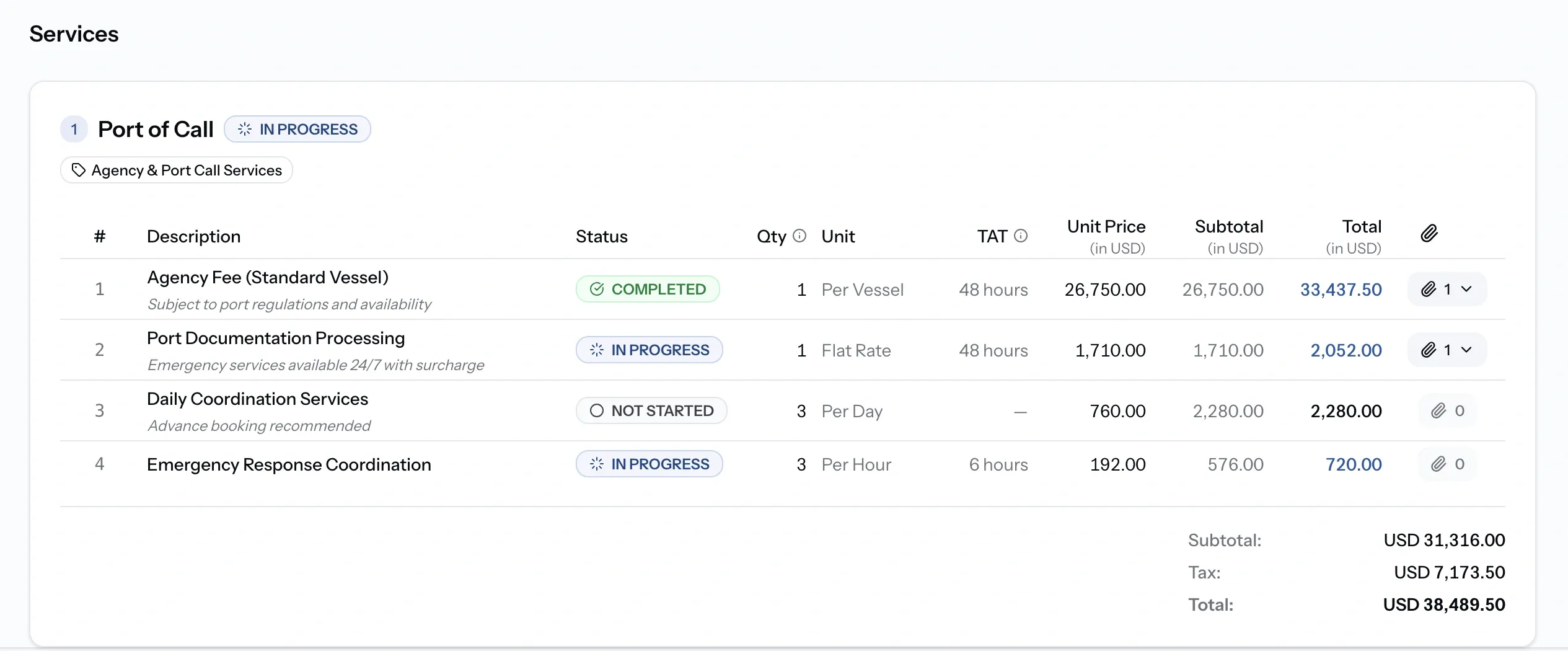
If you are requesting the service
You see published, public items with their delivery status, and no costs or margins at all. There is no view switcher on your side, and nothing is hidden from you that the provider has published.
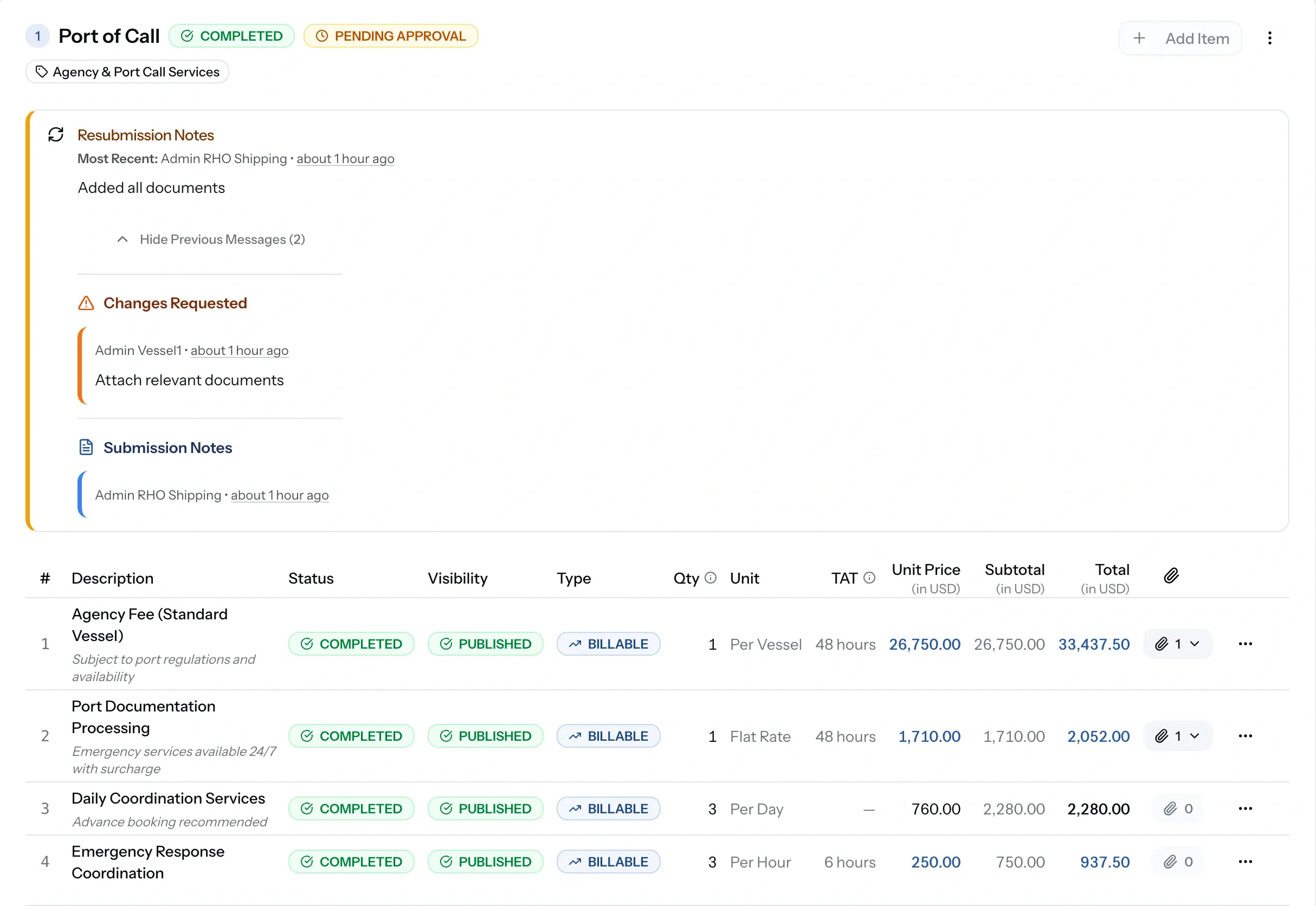
Each service is submitted to you for approval. Approve it as it stands, request changes with comments explaining what needs to move, or reject it outright. The provider adjusts and resubmits, and the full approval history and its conversation stay attached to the service.
The approval workflow
When a service is ready, submit it for approval. The requesting organization then approves it, requests changes with comments, or rejects it. You adjust and resubmit as needed. The full approval history and its conversation stay attached to the service, so both sides can see what was agreed and when.
Approval statuses
Tracking delivery
Separately from money, every item and service carries a delivery status: Not Started, In Progress, Completed, or Cancelled, with completion notes.
Service status is set on its own rather than derived from the items beneath it, so a service can read Not Started while two of its items are already Completed. This is what the requester watches while the port call is under way, and it moves independently of whether an item has been published or approved.
Common issues
The requester cannot see an item
It is still Draft, or marked Private. Publish it, and check it is Public rather than Private.
I cannot see costs or margins
Financial figures need the Admin, CEO, Manager, or Finance role.
An item shows as Pending Changes
You edited it after publishing. Publish again to send the new version across.
I need to change a service that was already approved
Edit the items and resubmit. The earlier approval stays in the history.