
Roles and Permissions
Every member of your organization holds one of six roles. The role decides who sees money, who can commit your company to a price, and who can move work along.
FOR ORGANIZATION ADMINS
Available only on Pro Plan
Roles are assigned by an Admin under Settings, then Organization. Anyone can read this article to understand their own access, but only an Admin can change it.
Key takeaways
- One role per person, covering everything they do in that organization.
- Operations cannot see pricing anywhere, by design.
- Viewer is read-only and has no chat.
- Admin is the only role that can manage the team.
Six roles
The roles split along two lines: who runs the work, and who sees the money. Most of the surprises in the table below come from that split.
Admin is the only complete role. Manager runs almost everything short of the team. Operations runs the work but is kept away from pricing. Finance handles money and quoting but not the operational record. CEO is oversight, with billing authority and little day-to-day access. Viewer looks and nothing more.
The roles
Where a role is set
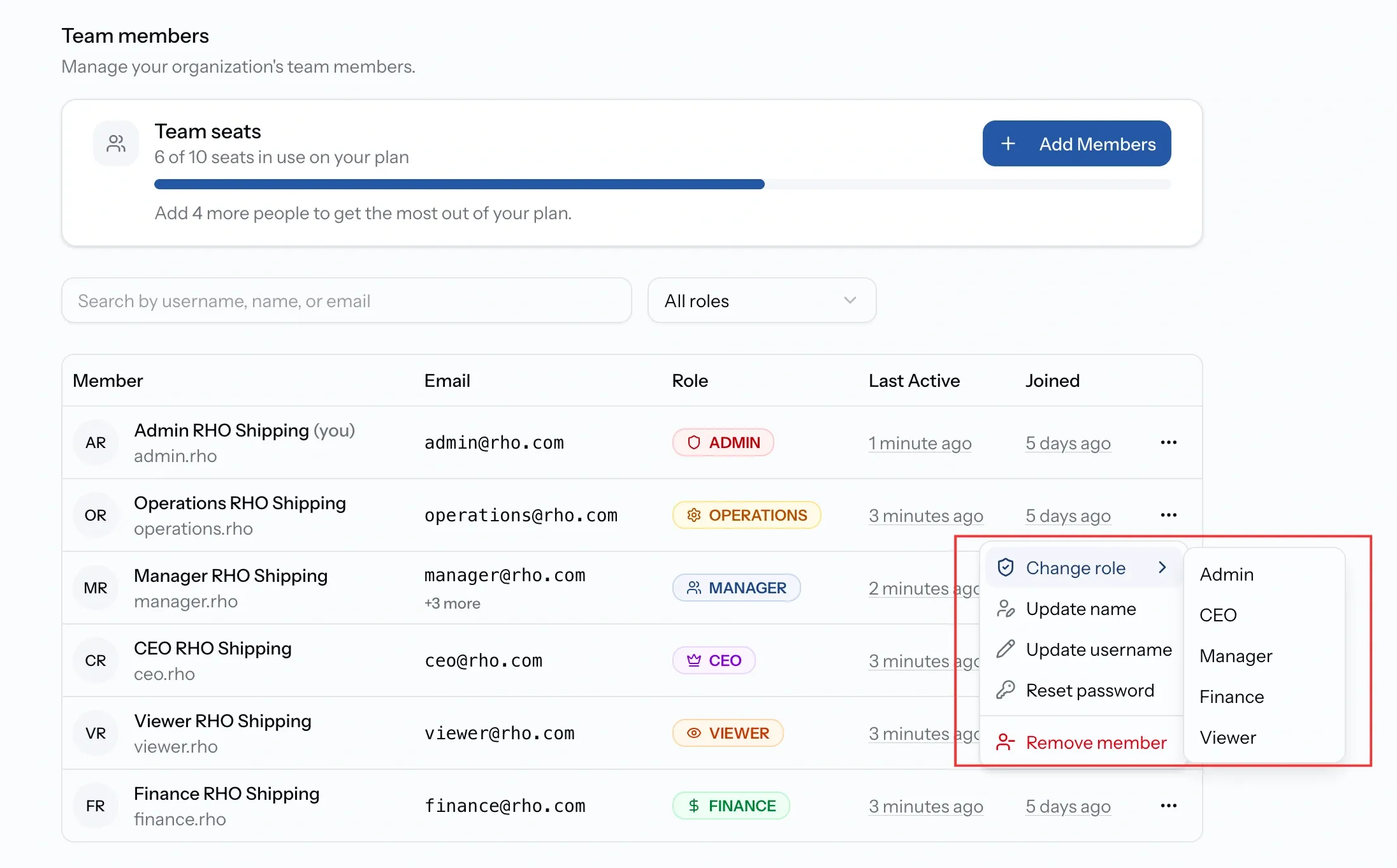
Roles are assigned when an account is created and changed from the member's own menu afterwards. Each change is confirmed by name, showing the role being left and the role being taken.
Changing your own role is one-way. An Admin who steps down needs another Admin to restore it, which is worth remembering in an organization with only one.
Who can do what
The table below covers the tasks people actually ask about. Two things shape it beyond the role itself: some actions belong to one side of a job only, so a requester cannot change a status however senior they are, and a few are limited by plan rather than by role.
Permissions by task
Pricing is the sharpest line
Operations cannot see pricing. Not tariff items, not cost prices, not quote values, anywhere in the app. That is deliberate: an operations team can run port calls, update jobs, and manage vessels without ever seeing what the work is worth.
It has one consequence worth knowing. Operations can add services and set port coverage but cannot price them, so a service switched on by Operations needs a Manager or Finance to make it quotable.
Viewer, and what read-only means
Viewer sees the record and changes nothing. It is stricter than it sounds: as well as being unable to edit, a Viewer has no access to chat at all and cannot see a job's Timeline.
It suits an auditor, a client-side observer, or someone who needs visibility without involvement. For anyone who has to answer a question in a thread, it is the wrong role.
When something is not available to you
PortzApp mostly leaves the control on screen and disables it, with a short explanation of who to ask, rather than hiding it.
That is why a greyed-out button with a tooltip is the usual signal that a role is the reason, not a bug. A missing tab, by contrast, generally means the role does not have that area at all.
Common issues
I cannot see any prices
Operations and Viewer are excluded from pricing everywhere. Another role is needed to see or set it.
A button is greyed out
Hover it. PortzApp names the reason and who to ask rather than hiding the control.
I cannot change a job's status
Status belongs to the organization servicing the job. On that side it needs Admin, Manager, or Operations.
Someone cannot be reached in chat
Viewer has no chat access. Move them to another role if they need to take part.