
Vessel Management
Your fleet lives in one list. Each vessel carries its registration and technical details, and gathers every port call, request, and job it has been part of, so a ship's history is one click from its name.
FOR BUYERS & PROVIDERS
Anyone can view the fleet. Adding, editing, and deleting vessels needs the Admin, Manager, or Operations role.
Key takeaways
- Only a name and a vessel type are required. Everything else can be filled in later.
- The list opens on Active, which shows vessels with a live port call rather than all of them.
- Each vessel page gathers its port calls, requests, jobs, and activity in one place.
- Entering a new vessel on a request adds it to your fleet automatically.
The fleet list
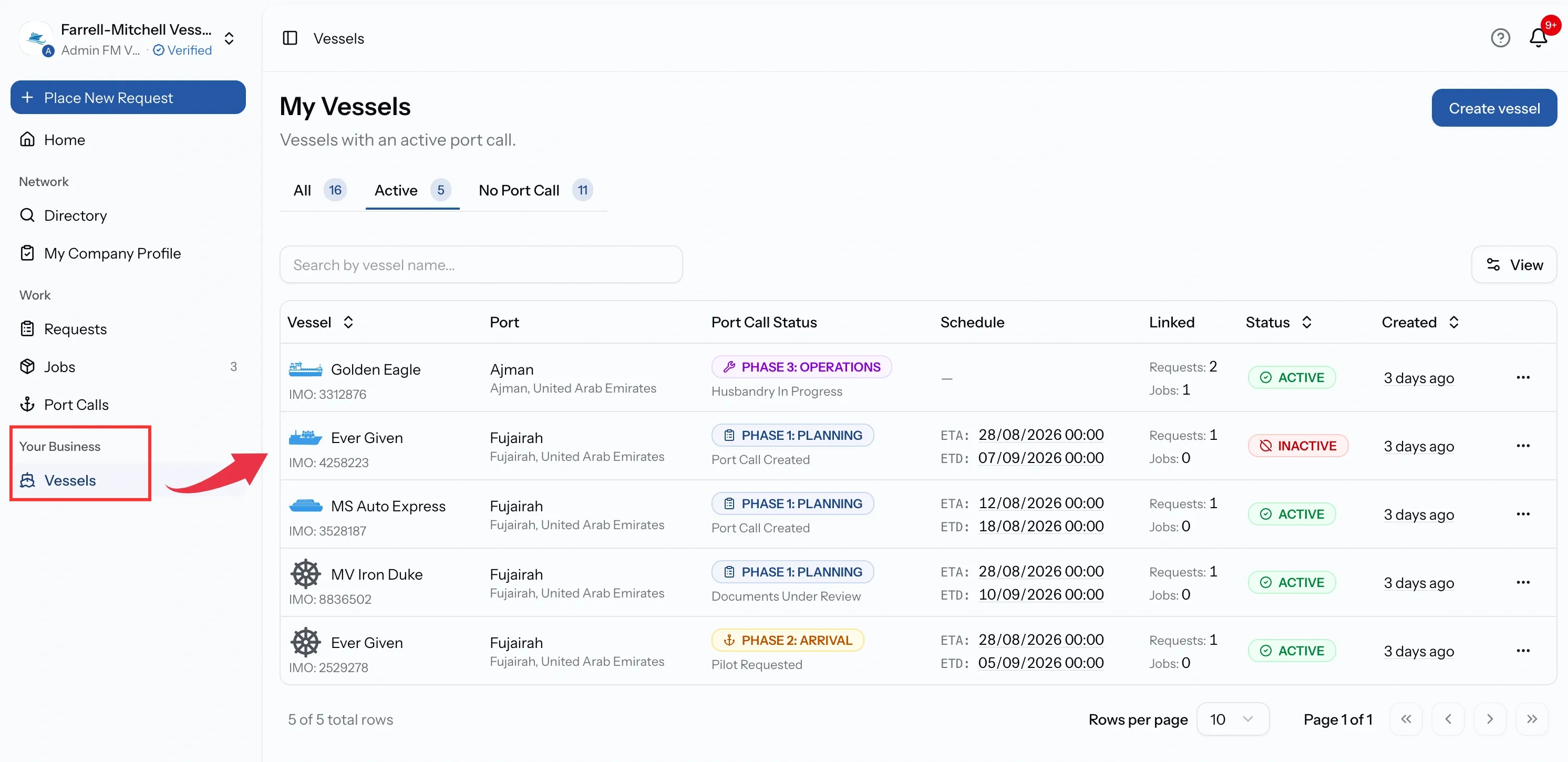
My Vessels organizes the fleet around what is happening now rather than alphabetically. Three tabs carry their own counts:
- Active: vessels with a live port call.
- No Port Call: vessels with nothing currently running.
- All: everything, whatever its status.
The list shows the port and port call status alongside the schedule, plus a Linked column counting the requests and jobs attached to the current port call.
What a vessel record holds
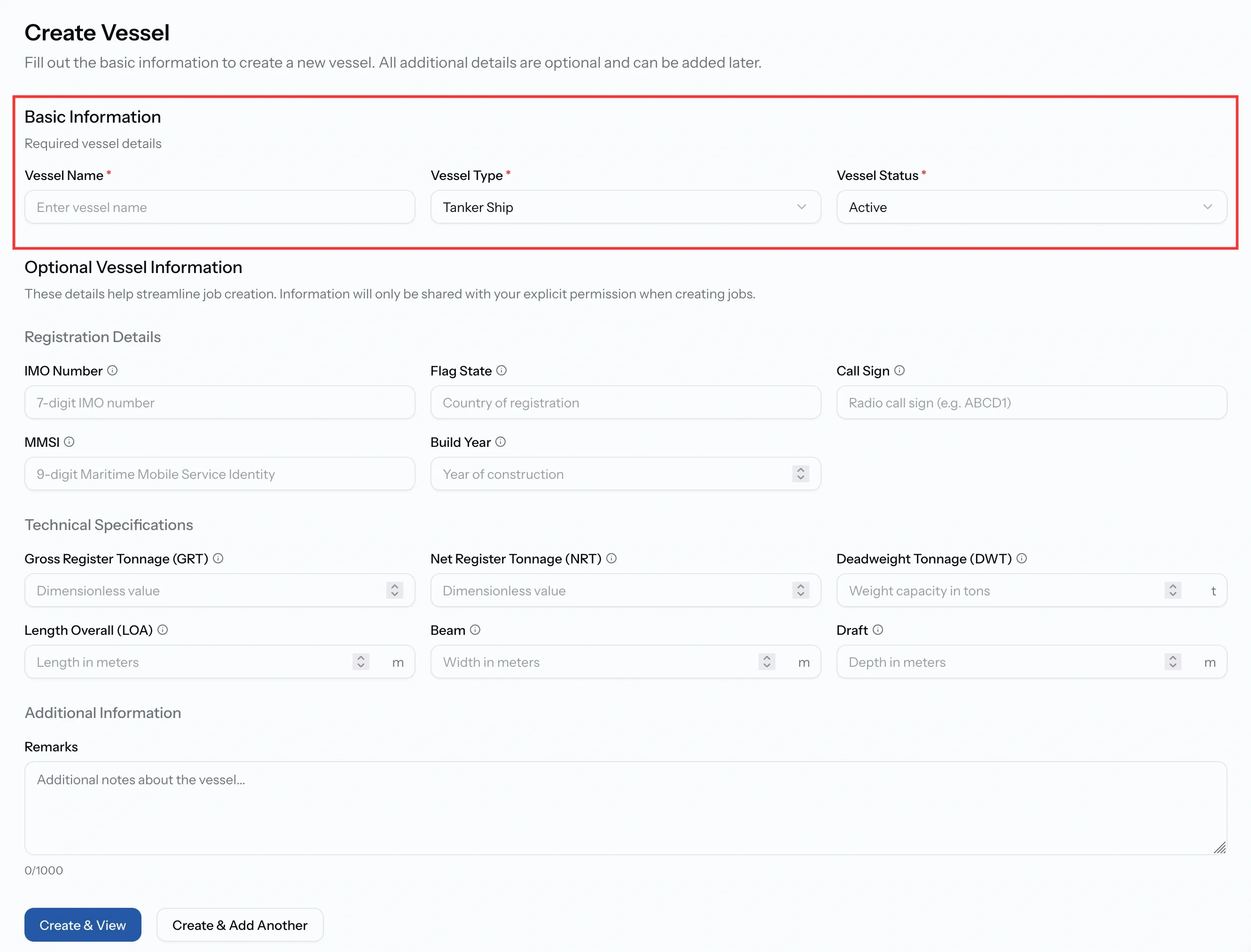
Adding a vessel asks for very little. A name and a vessel type are required, chosen from sixteen types covering everything from bulk carriers and tankers to tugs, dredgers, and yachts. A status of Active, Inactive, or Maintenance is set at the same time.
Everything after that is optional and can be added whenever you have it:
- Registration details: IMO number, flag state, call sign, MMSI, build year.
- Technical specifications: GRT, NRT, DWT, length overall, beam, and draft.
- Remarks: anything your team needs to know about the ship.
Fill in what you have and come back to the rest. A vessel with only a name and a type works perfectly well on a request.
Inside a vessel
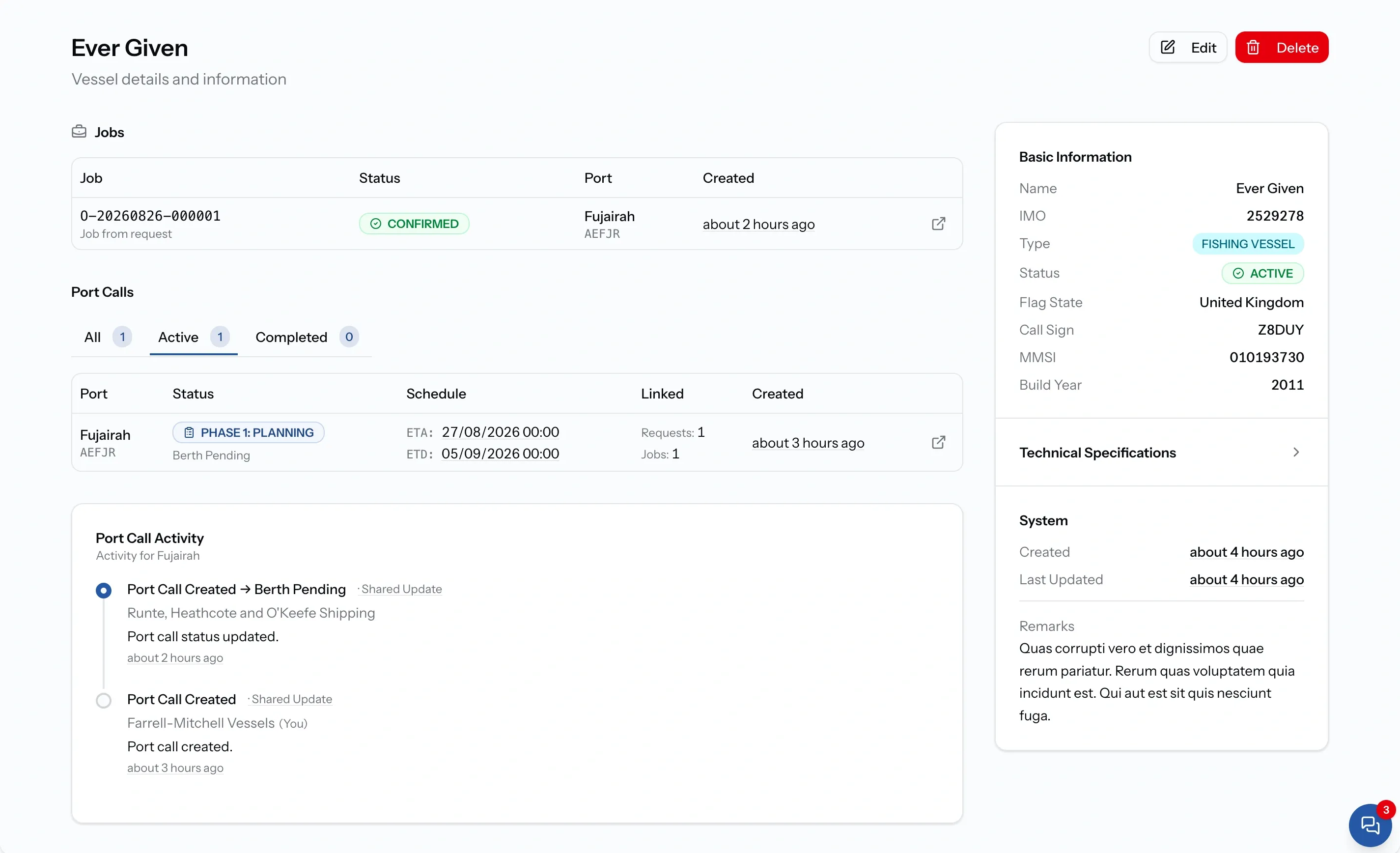
The vessel record brings together everything you need to manage and track a vessel in one place. Key vessel details are shown in the right-hand panel, while technical specifications can be expanded when needed. Hover over measurements such as GRT, NRT, and DWT for a quick explanation of each term.
The vessel record also keeps its operational history together:
- Jobs - view every job associated with the vessel.
- Port calls - see past and current port calls, including ports and schedules.
- Activity - follow a running history of actions and updates across port calls.
This gives your team a complete view of the vessel and its history. Whether you need to check what was done during a previous call or understand the vessel’s activity over time, the information is available from its record.
Adding a vessel while raising a request
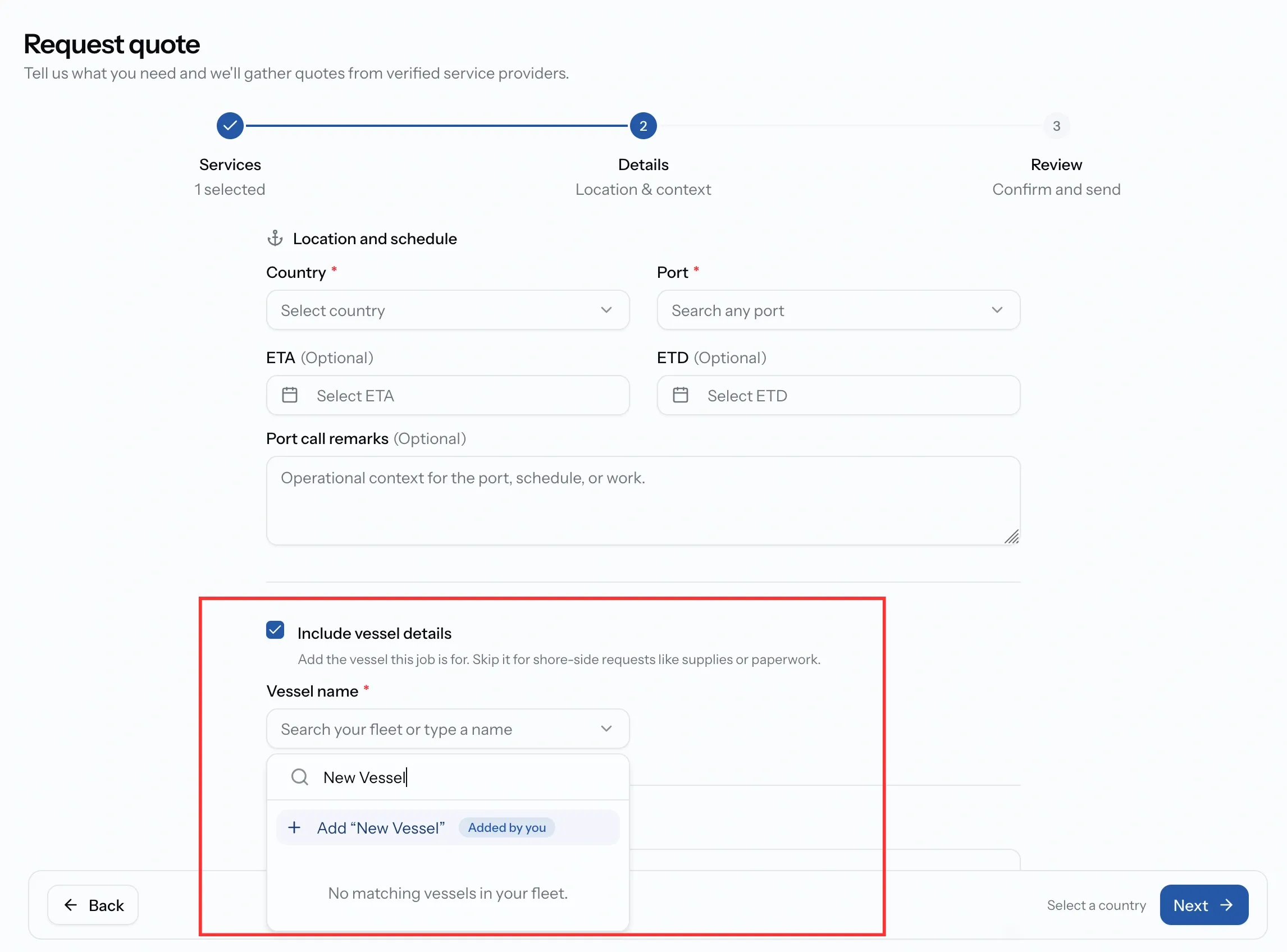
Vessels can be added to the fleet as part of raising a request, so the fleet does not need to be fully up to date beforehand. The Include vessel details option lets you search for an existing vessel by name as you type.
If the vessel is already in the fleet, selecting it automatically adds the IMO number from its record. If it is new, the entered vessel name is saved with the IMO number remaining optional.
Once the request is published, the vessel is added to the fleet as a regular vessel record. It can then be found by name for future requests and updated with additional details such as flag state, tonnage, and other technical information as they become available.
Status and retirement
A vessel carries a status of Active, Inactive, or Maintenance. This is your own label for the ship and is separate from the Active tab in the fleet list, which is about port calls.
Deletion is permanent, confirmed before it happens, and limited to vessels your organization owns. For a ship sold or laid up, Inactive keeps the record and everything attached to it.
Common issues
A vessel is missing from the list
The page opens on the Active tab, which shows only vessels with a live port call. Switch to All to see the whole fleet.
I cannot create a vessel
Adding vessels needs the Admin, Manager, or Operations role. Finance and Viewer can see the fleet but not change it.
The same ship appears twice
wo records were created without an IMO number, so there was nothing to match them on. Add the IMO to the one you are keeping and delete the other.
I cannot edit a vessel
Vessels shared with you by another organization are read-only. Only the owner can change their details.