
Clients and Counterparty Management
Clients are your own record of the companies you work for outside the marketplace. Each one is reusable across manual jobs and gathers every job you have run for them.
FOR PROVIDERS
Clients belong to organizations that offer port services: agents, suppliers, service providers, brokers, freight forwarders, and vendors. Find them under Clients in the sidebar. Adding, editing, and deleting them needs the Admin, Manager, or Operations role.
Key takeaways
- A client is your own record, not a PortzApp account. They never see it.
- Clients exist for manual jobs, the work that never came through the marketplace.
- One record carries every job you have run for that company.
- An email address on the record is what makes client notifications possible.
What a client is
Not all work arrives through PortzApp. A call, an email, a standing arrangement with a company that has no account here: that work still needs a job, an account, and documents, and a client is who it belongs to.
The record lives entirely with you. The client cannot log in, cannot see the job, and does not know the record exists. It is an address book with the jobs attached.
This is separate from the organizations you meet through requests. When a quote is accepted, the other side is a real PortzApp organization and the relationship lives on the job itself, not here.
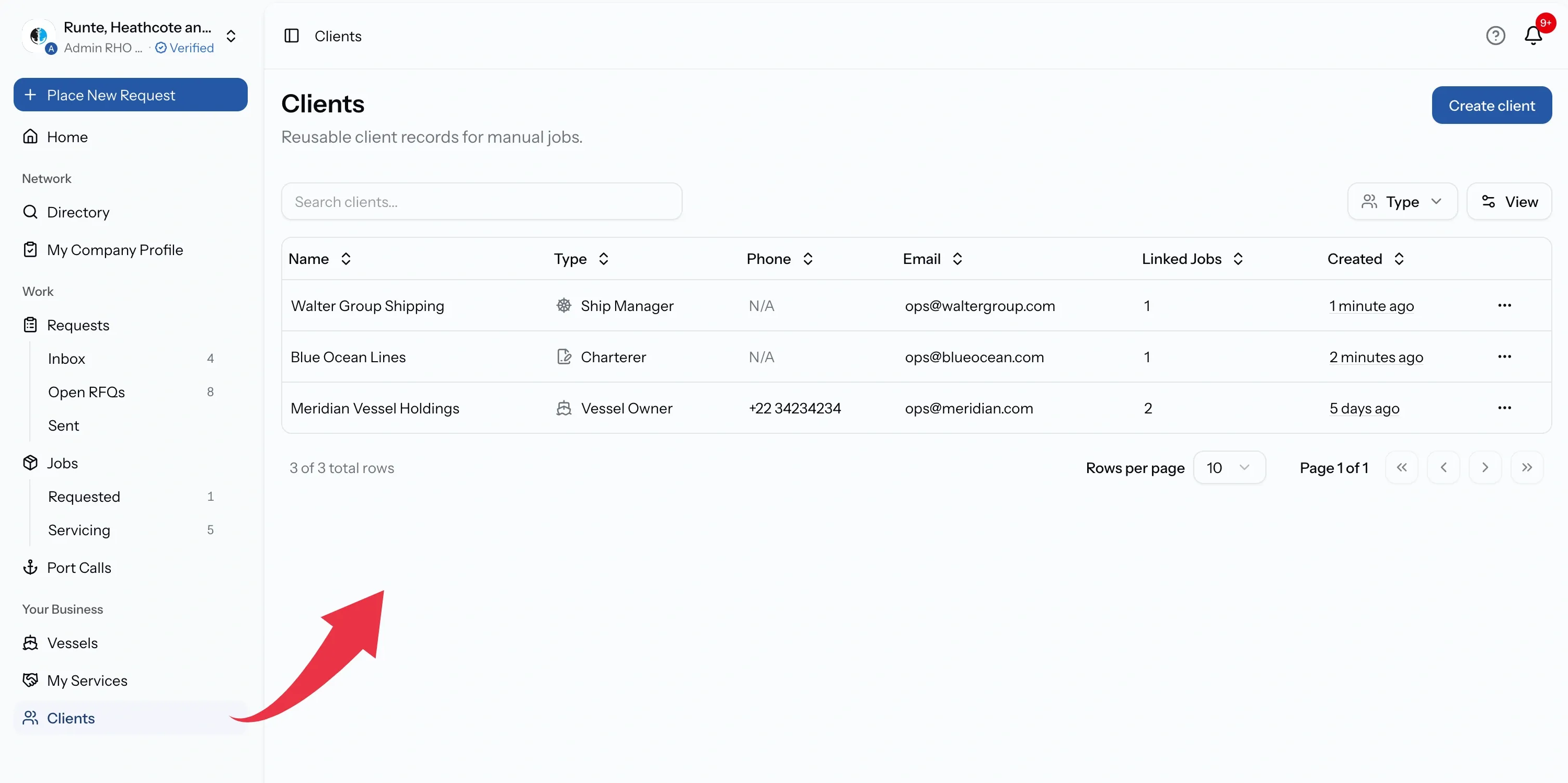
What a client holds
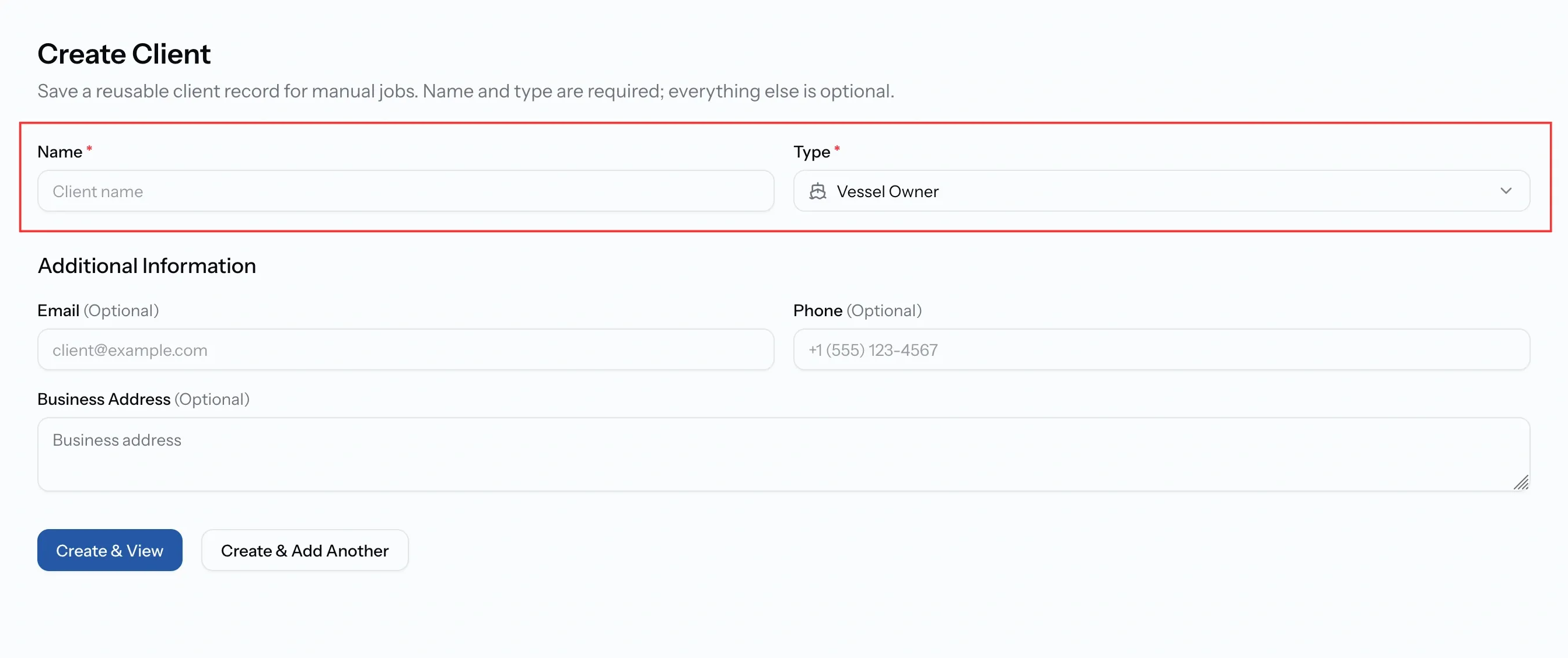
Only two things are required: a name and a type, chosen from ship agent, vessel owner, supplier, charterer, broker, freight forwarder, vendor, service provider, ship manager, or other.
Email, phone, and address are optional, and the email is the one worth filling in. Without it, the client cannot be sent anything: no job updates, no documents.
Clients created as you work
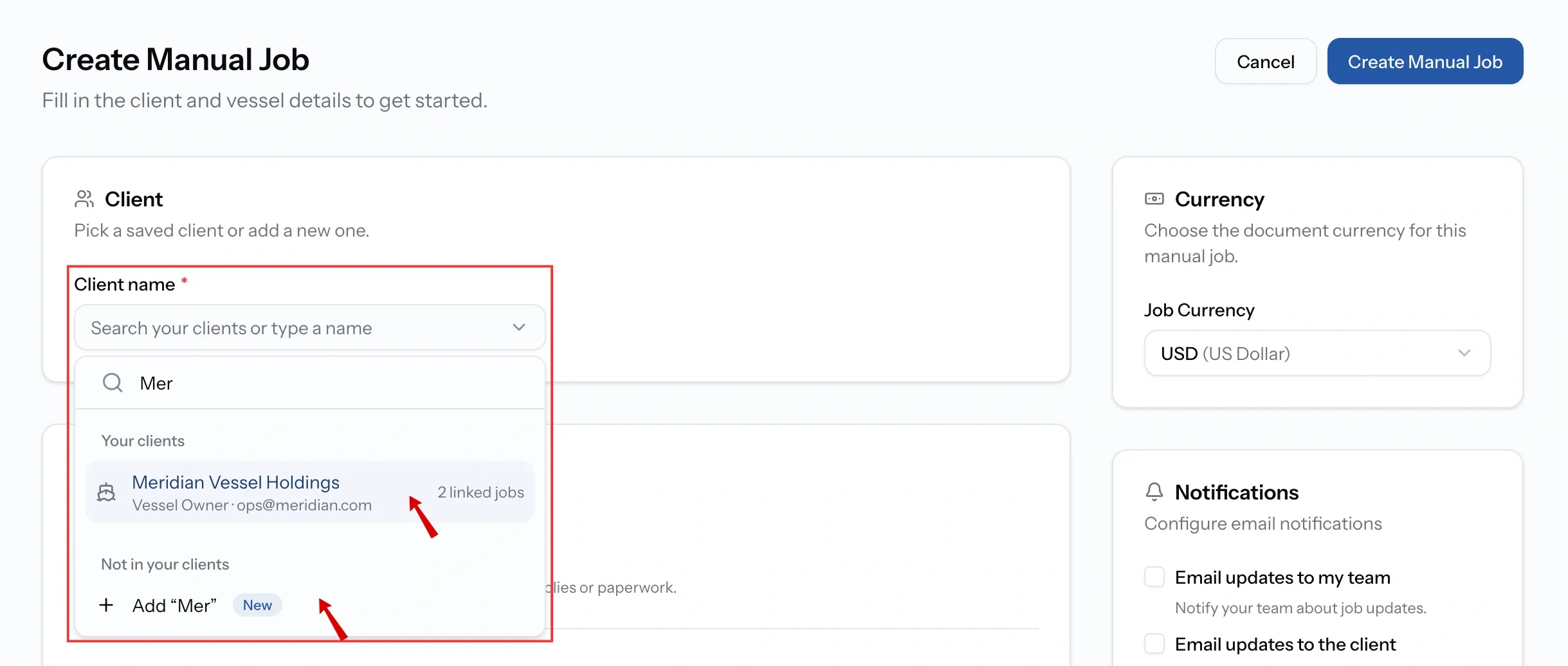
The list is not somewhere you have to visit first. Creating a manual job asks for a client and searches your saved ones as you type, keeping what you typed when the company is new.
That client is then saved and reusable, so the second job for the same company references the same record rather than a fresh one, and both jobs gather under it.
Keeping a client informed
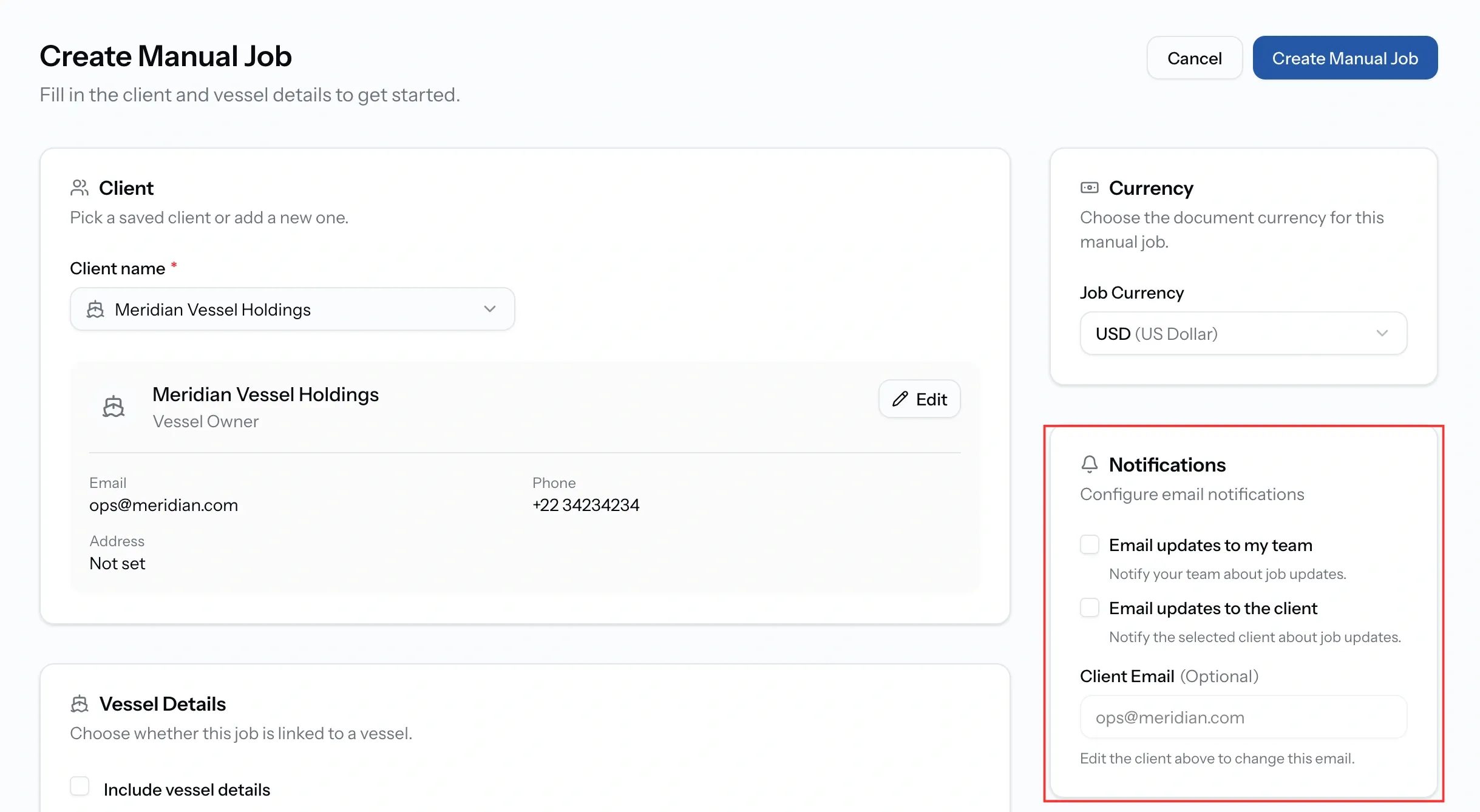
A client hears nothing by default. Creating a manual job offers two choices, both off unless you tick them: Email updates to my team, and Email updates to the client.
The second one depends on the record. A client with no email address shows exactly that, and the option cannot do anything until one is added.
Documents are separate from either. A PDA, an invoice, or a final account reaches a client only when you email it from the job, which keeps sending a deliberate act rather than a side effect.
Everything you have done for them
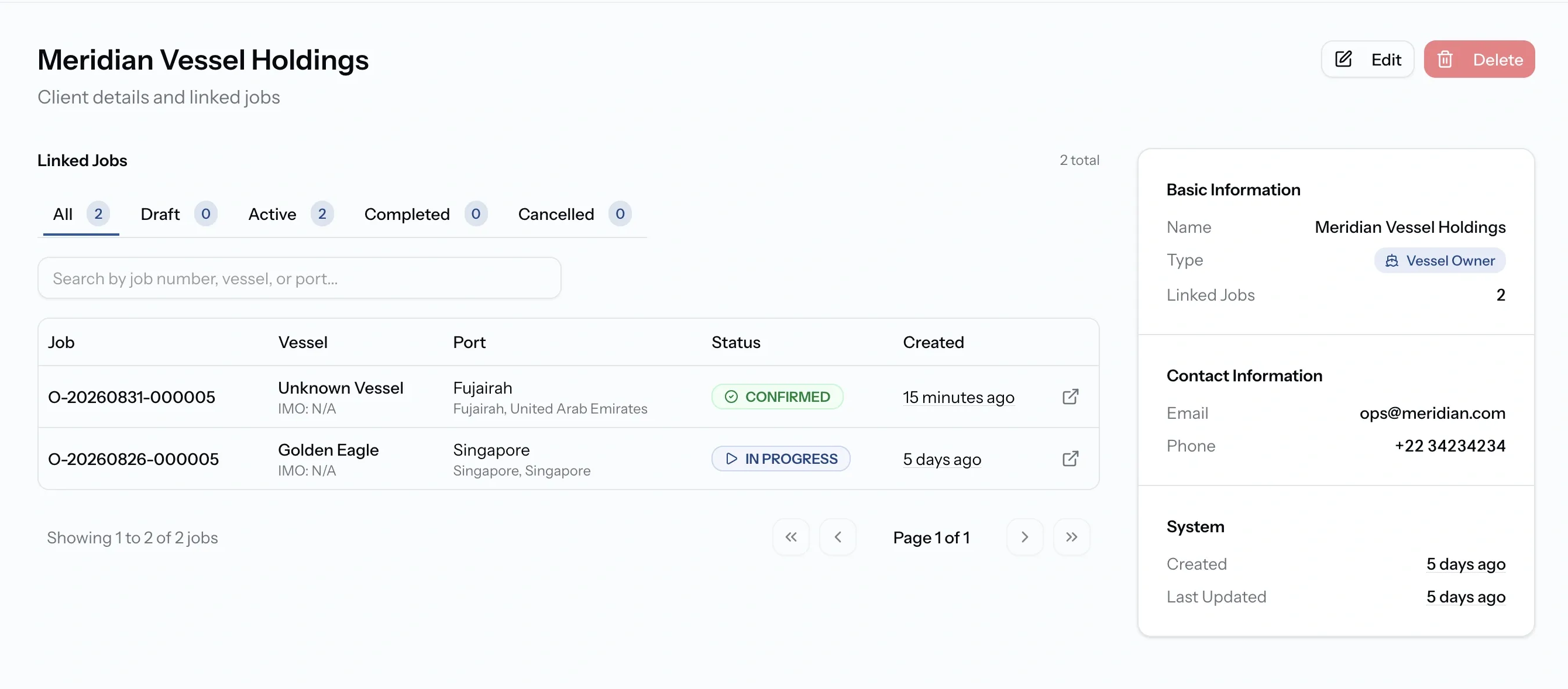
Open a client and the record is the smaller half. The rest is Linked Jobs: every job run for that company, filtered by All, Draft, Active, Completed, and Cancelled, each with a count, and searchable within that.
That is what makes the record worth keeping accurate. A question about what you last charged a company, or whether a job for them is still open, is answered from their name rather than from the jobs list.
Common issues
My client has not received anything
Clients are notified only when the option is ticked on the job, and only when the record has an email address. Documents go out separately, when you email them.
I cannot delete a client
Jobs are still linked to them. Reassign those jobs first, and the record can then be removed.
There is no Clients page
Clients belong to organizations that offer port services. An organization that only orders services has no clients to manage.
My client cannot see the job
They have no account and no access. Everything reaches them by email, sent from the job.