
User Accounts & Linked Emails
Your account is identified by a username. Adding email addresses to it is what lets PortzApp notify you, let you back in if you are locked out, and sign you in without remembering the username.
FOR ALL USERS
Everyone has these settings, whatever their role. Find them under Settings, reached from the account menu at the bottom of the sidebar. Nothing here is managed by your admin.
Key takeaways
- Accounts are identified by a username, and sign-in accepts a username or a verified email.
- An account can start with no email at all, which is why adding one matters.
- Several addresses can be linked, each verified separately.
- One address is primary. Any verified one can take over.
Your account and your profile
An account is a username and a password. Where an admin created it for you, that username is what you were given, and it is what the sign-in page means by "email or username".
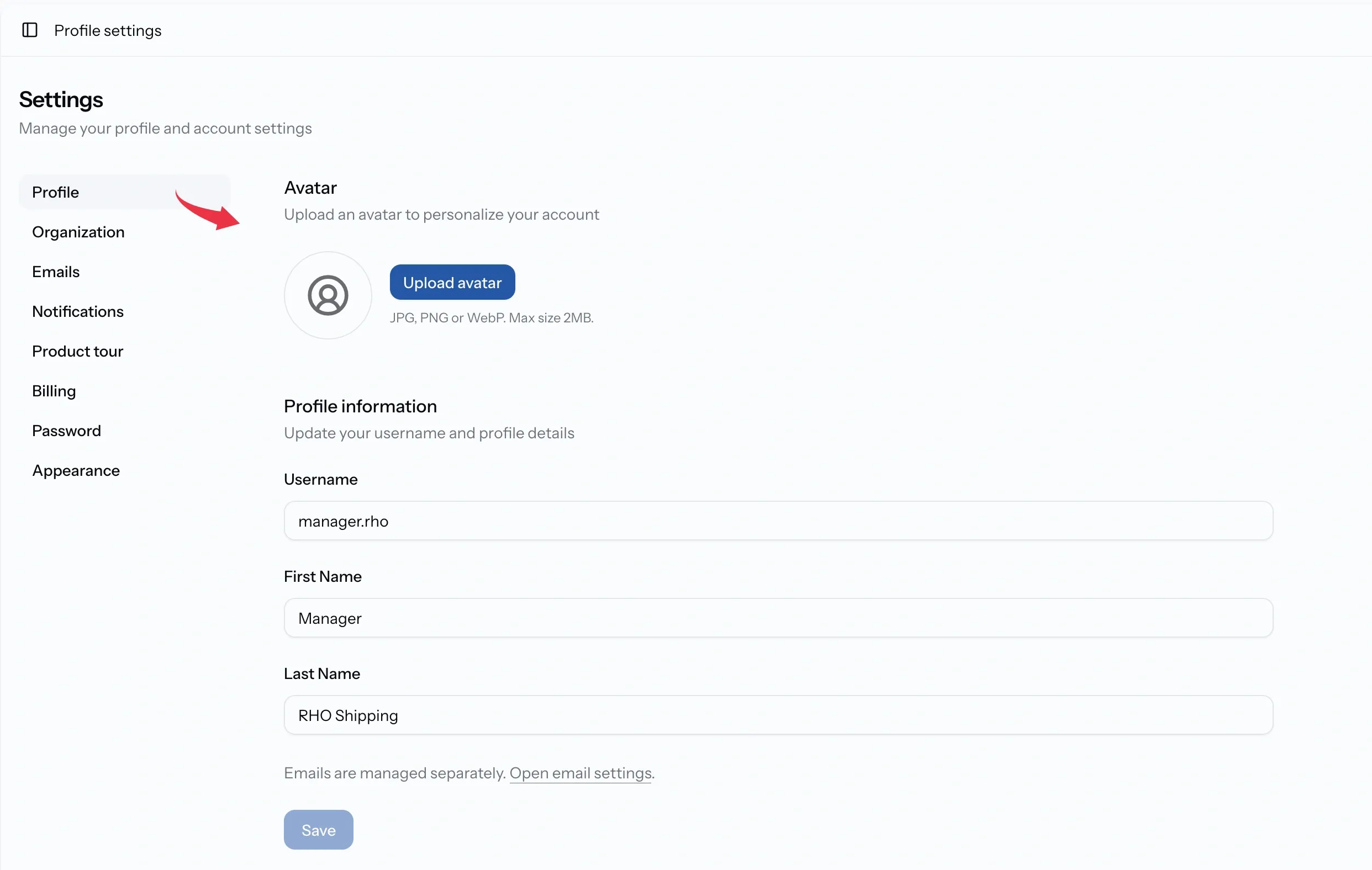
Settings opens on your profile, where the username sits alongside an avatar and an optional first and last name. Those names are what colleagues see beside your messages, your timeline entries, and the changes you make, so they are worth filling in even though nothing forces it.
Changing your username changes what you sign in with, so it is worth remembering the new one.
Why an account needs an email
An account can exist without one. A member added by an admin gets a username and a password and nothing else, and until an address is linked, PortzApp has no way to reach that person and no way to get them back in.
Emails is where that is fixed. A verified address does three things: it signs you in, it receives your notifications, and it recovers your account when the password is gone.
More than one can be linked, which is what makes a work address and a personal one both useful. Losing access to one no longer locks you out.
Verifying an address
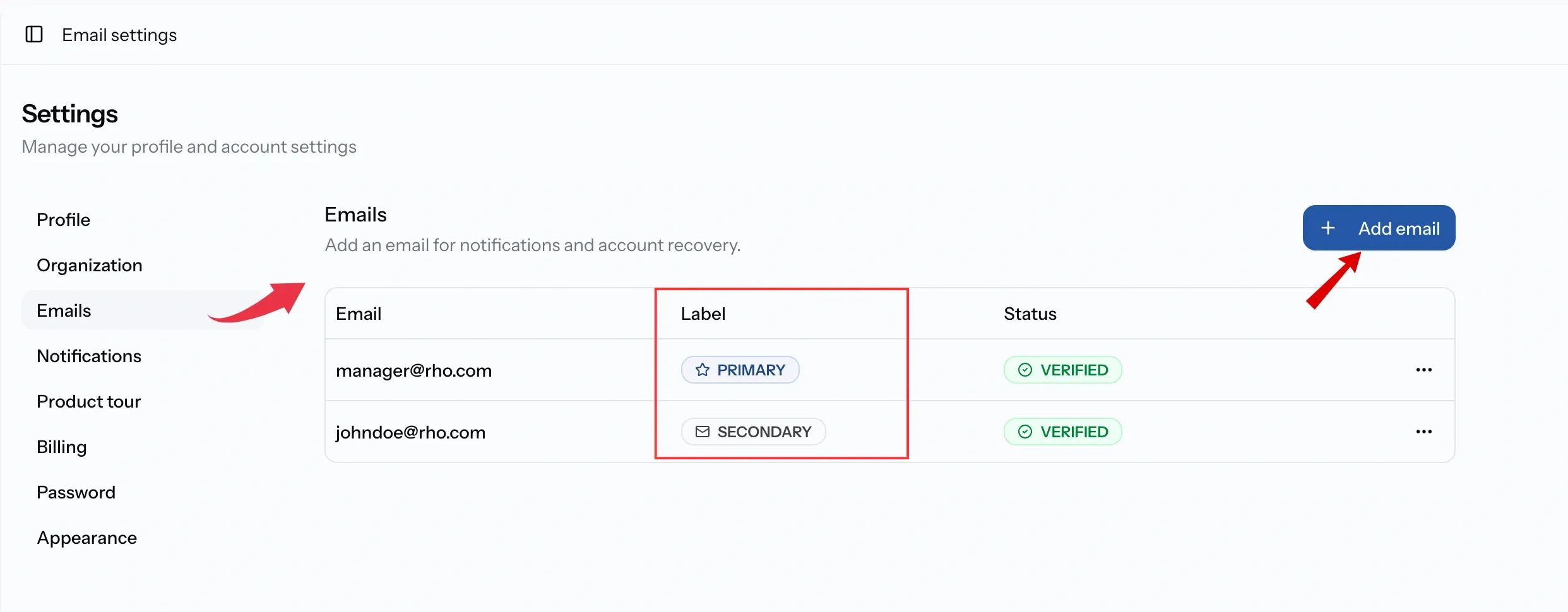
A new address arrives unverified and stays that way until you confirm it. PortzApp sends both a link and a six-digit code, so you can click through from the inbox or type the code into the panel, whichever is to hand.
Two things rescue an address that is not arriving. Resend code sends it again after a short wait, and Change email corrects a mistyped address without starting over.
Until an address is verified it cannot sign you in and cannot be made primary.
Primary and secondary
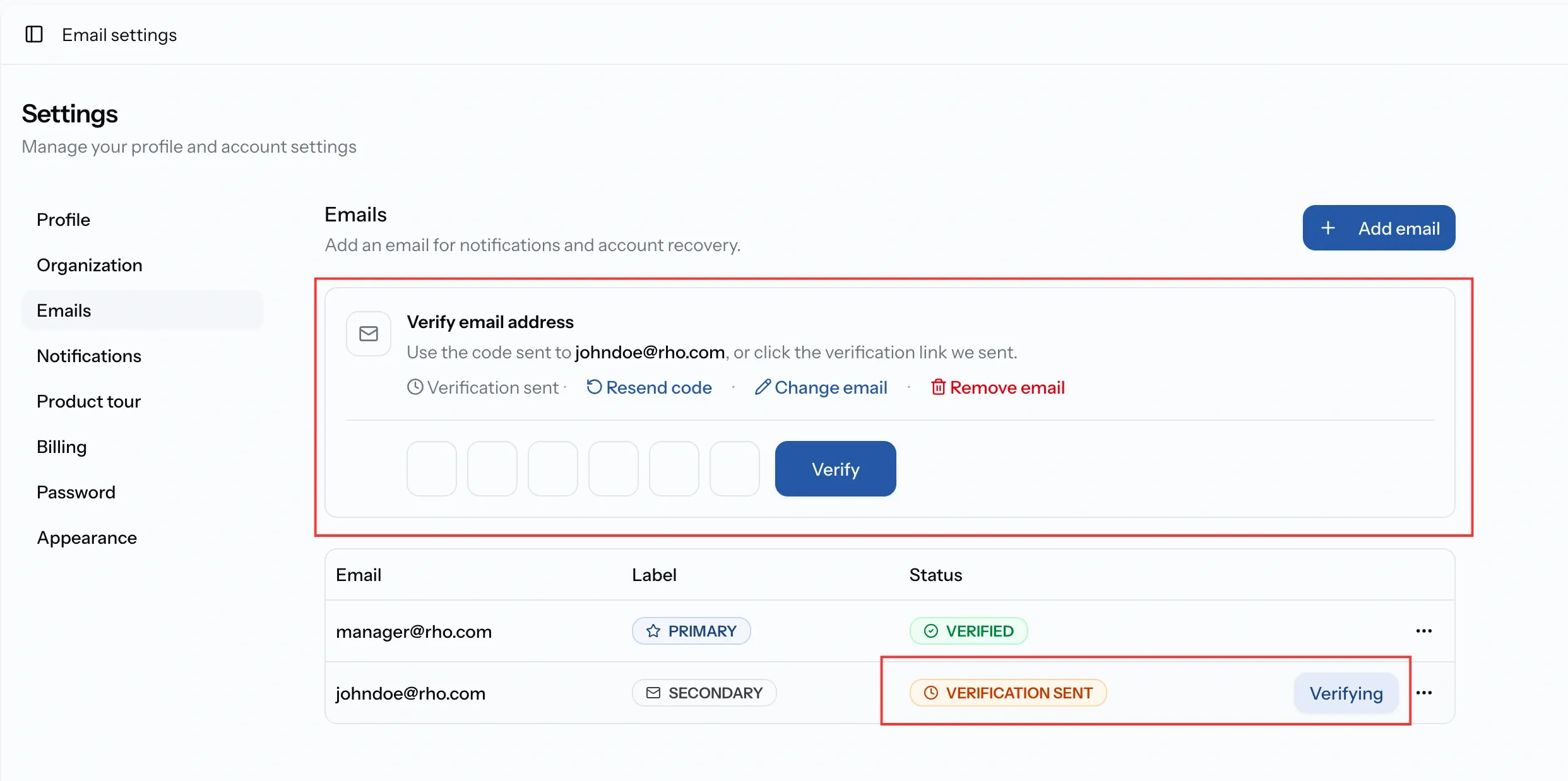
One address is primary and the rest are secondary.
Any verified address can take over as primary, which is how an account moves to a new work address without losing the old one. Every verified address still signs you in either way, so primary is which one leads rather than which one works.
Removing an address, and changing your password
Removing an address is permanent and confirmed first; a verified address that is removed can no longer be used for login, notifications, or account recovery.
Your password is changed under Password, which asks for the current one alongside the new. That works whether or not an address is linked.
Forgetting it is where the difference shows. The reset link on the sign-in page goes to an email address, so an account without one cannot recover itself and has to be reset by an organization admin, who is shown the new password to pass on. Linking an address is what makes that unnecessary.
Common issues
There is no email on my account
Accounts created by an admin start with a username and password only. Add an address under Settings, Emails.
I have forgotten my password and have no email
The reset link is sent by email, so an admin has to reset it for you from organization settings. Link an address afterwards and you can recover it yourself next time.
I cannot sign in with my email
Unverified addresses cannot be used for login. Verify it, or sign in with your username.
I removed an address by mistake
Removal cannot be undone. Add the address again and verify it.